

Prerequisites
Your deployment needs a configured voice-biometrics service and a voiceprint enrolled under the customer identifier used by the flow. Enrollment is a separate process: a Verify Voice node does not create a voiceprint. Arrange enrollment and its consent requirements with your deployment administrator. Enrollment evaluates multiple speech samples for usable speech and consistency. If the enrollment model changes, the customer may need to enroll again. Keep an alternative verification path available for callers without a usable voiceprint.Add verification to a flow
- Open the agent’s Conversational Flow.
- Add a conversation node that asks the caller to speak. The verification node uses speech already captured, so place it after this conversation.
- Add a Verify Voice node and connect the conversation to it.
- Set Customer ID (optional) to the variable containing the enrollment identifier. Leave it empty to use the caller’s phone number on inbound calls or the dialed number on outbound calls.
- Set Audio Window (s) to the trailing audio interval to score, between 3 and 60 seconds.
- Connect every result path, including Else.
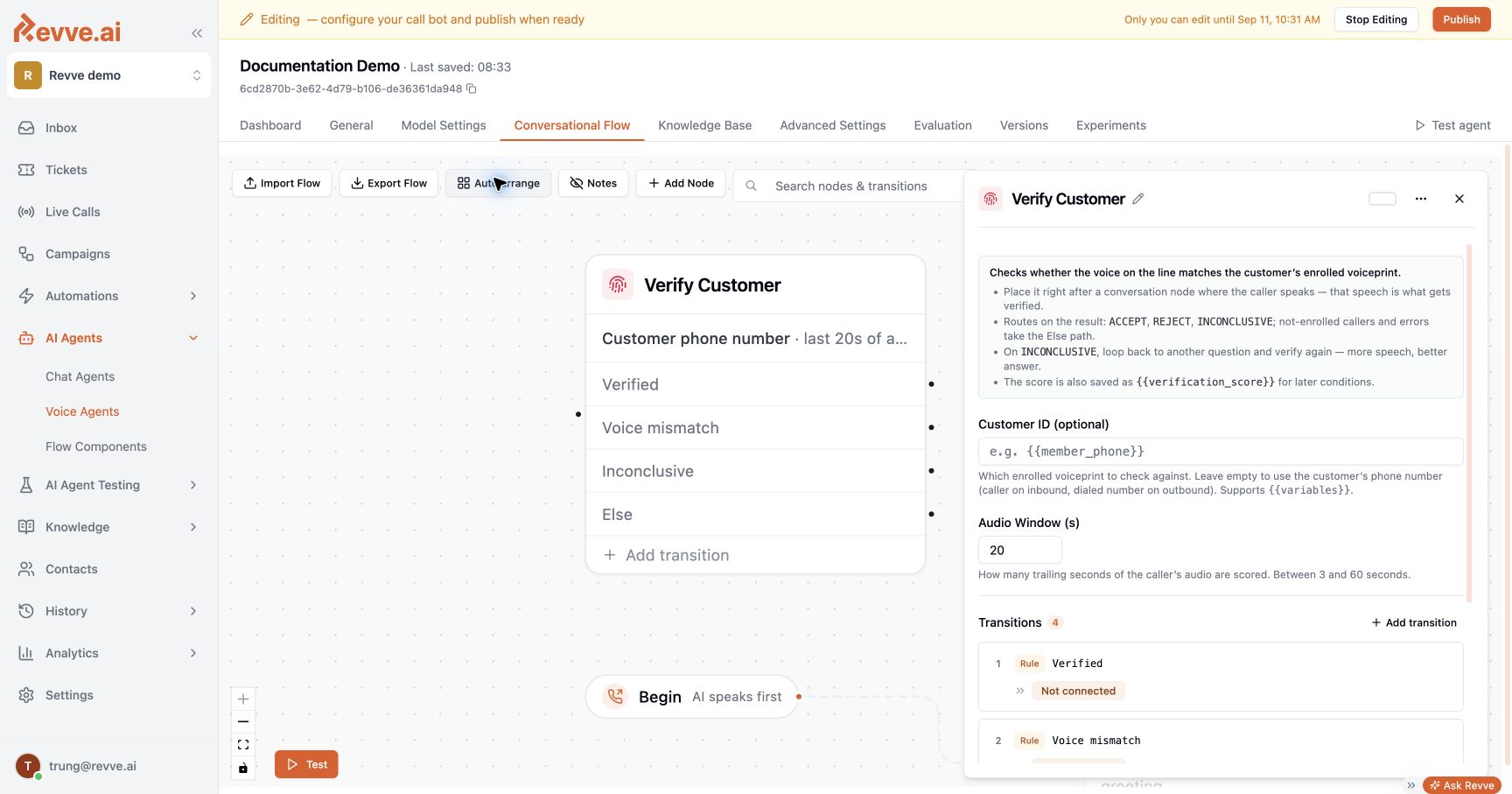
Result paths
The node also writes
verification_result and verification_score for subsequent flow conditions. Reference the score as {{verification_score}} in a supported variable field.