

How It Works
When a visitor sends a message, your agent does not simply generate a response from scratch. Instead, it searches your knowledge base to find the most relevant content, then uses that content to craft a precise, accurate answer. This approach is sometimes called retrieval-augmented generation — but in practice, it simply means your agent looks up the answer in your content before responding. Think of it like giving your agent a well-organized reference manual. The better the manual, the better the answers.Where to Find the Knowledge Base
There are two places to manage knowledge in Revve AI: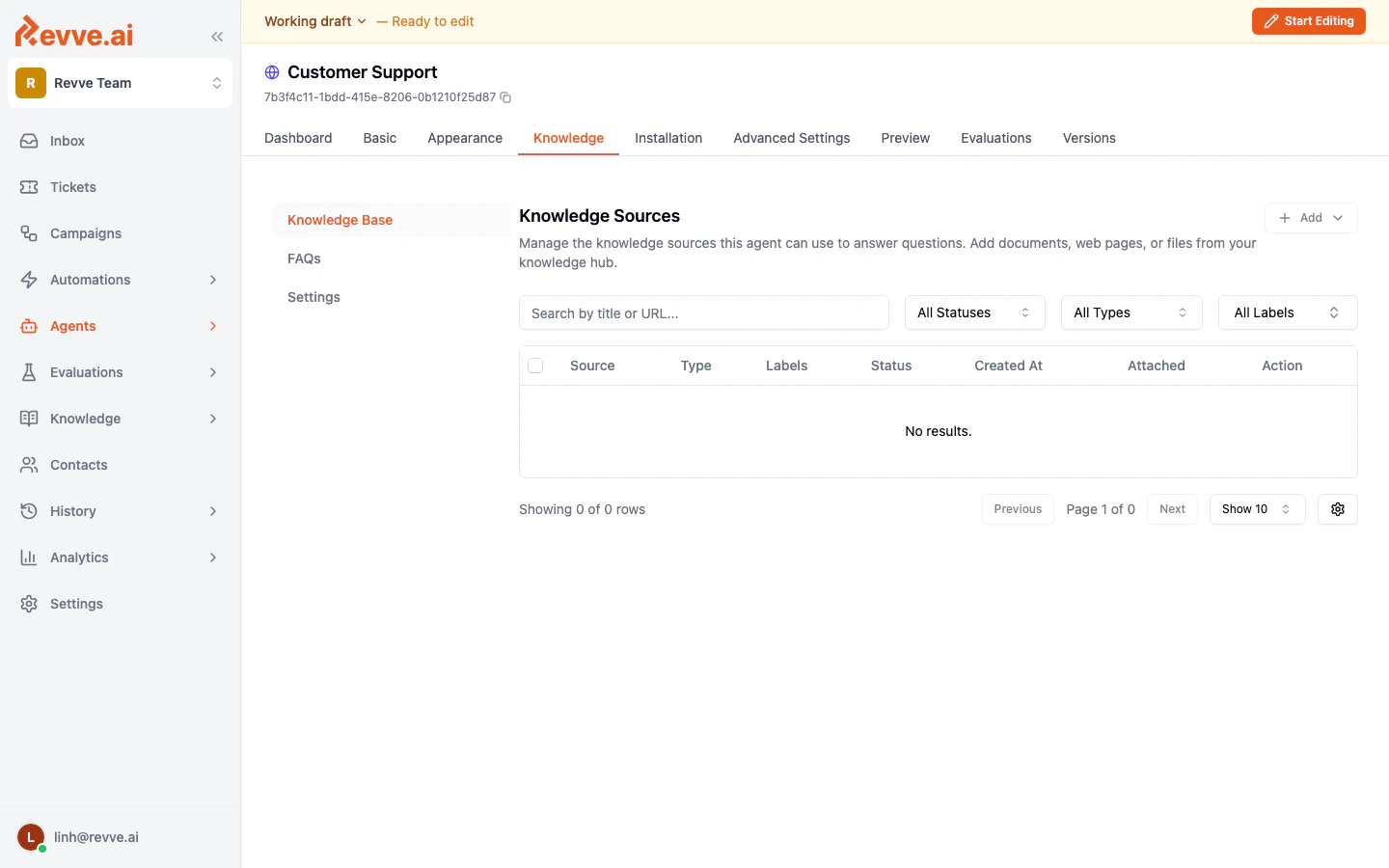
Content Types
Your knowledge base supports three types of content:1. Web Pages
Add URLs from your website, help center, or any publicly accessible page. Revve will fetch the page content and make it searchable by your agent. You can also set up website crawlers to automatically discover and index all pages on a domain.2. Documents
Upload files such as PDFs, Word documents (DOCX), or plain text files (TXT). This is useful for product guides, internal policies, onboarding materials, or any content that is not published on a website.3. FAQs (Frequently Asked Questions)
Create question-and-answer pairs that your agent can reference directly. FAQs are ideal for common questions with definitive answers, such as pricing, business hours, return policies, or account setup steps.How Content Feeds Into Responses
When your agent receives a question, it follows this process:- Search — The agent searches across all attached knowledge sources (web pages, documents, and FAQs) to find content that matches the question.
- Rank — The most relevant pieces of content are selected and ranked.
- Respond — The agent uses the top-ranked content to compose a response in natural language, tailored to the visitor’s question.
Global Knowledge Base vs. Agent Knowledge
The global Knowledge Base (accessible from the sidebar) is your team-wide content library. It contains all web pages, documents, and FAQs across your account. The Knowledge tab inside each chat agent lets you control which sources from the global library are attached to that specific agent. This means:- You can have a large, shared knowledge base for your team.
- Each agent only uses the sources you explicitly attach to it.
- FAQs can be shared across multiple agents.
Tips
- Start with your most common questions. Review your support tickets or chat logs and add content that addresses the top 10-20 questions your customers ask.
- Keep content up to date. Outdated information leads to incorrect answers. Use website crawlers with scheduled re-crawling to keep web-based content fresh automatically.
- Use FAQs for precision. If a question has a single correct answer, add it as an FAQ. The agent will prioritize FAQ matches for those specific questions.
- Review knowledge gaps regularly. The Gaps section shows you exactly what your agent could not answer, so you know what content to add next.
Next Steps
- Adding Web Pages and Documents — Learn how to upload files and add web content.
- Managing FAQs — Create and organize question-and-answer pairs.
- Knowledge Gaps — Find and fill gaps in your agent’s knowledge.
- Knowledge Base Settings — Configure search behavior for your agent.