

Voice agents don’t use chat channels — they run on phone lines. See What is a Voice Agent?
Available channel types
When you create a chat agent, the Channel Type dropdown offers eight options: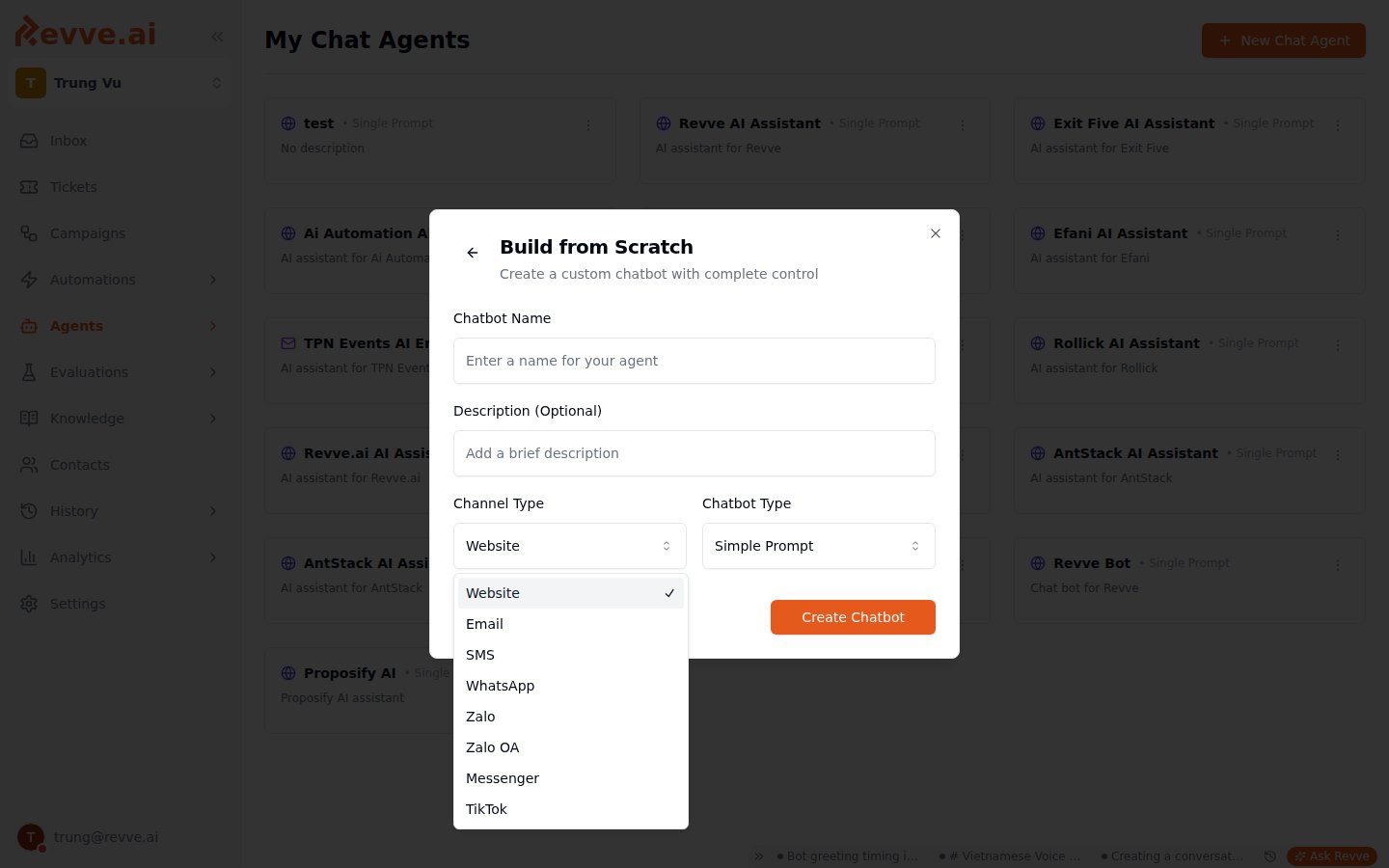
The channel type is fixed at creation — it determines which settings tabs the agent shows and which accounts it can use. To serve the same use case on two channels, create two agents.
Where channel accounts are connected
Channel accounts belong to the workspace, not to individual agents. Connect them under Settings → Channels, which has one tab per channel: WhatsApp, Zalo, Zalo OA, Messenger, TikTok, and Email. Two channel types don’t appear there because they have no account to connect:- Website agents are installed by embedding a widget snippet on your site — see Website Installation.
- SMS is configured through phone-number provisioning — see SMS Channel Setup.
Some accounts can be marked Outreach campaigns only, restricting them to outbound campaign messages instead of two-way conversations. Use this for accounts dedicated to campaign sends that shouldn’t pick up inbound replies.
Connection status
Every connected account card in Settings → Channels shows a status:
Any card with a non-connected status shows a Reconnect button that re-runs the connection flow for that channel.
OAuth-based channels can expire on the platform’s schedule — TikTok refresh tokens, for example, have a fixed lifetime. When Channel Alerts are enabled, Revve emails you a reconnect warning before an account expires so you can reconnect before conversations drop. Enable alerts in Workspace Settings.
Linking an agent to an account
For Zalo OA, Messenger, and TikTok agents, the agent’s Channel settings include an account dropdown (for example, TikTok Account) listing every account connected in your workspace. Pick the one this agent should use. If the account you need isn’t connected yet, the dropdown’s Connect new account shortcut takes you straight into Settings → Channels. Email and WhatsApp agents assign their account the same way from their own settings tabs — the per-channel guides below walk through each.Channel comparison
On some channels your team can reply manually alongside the agent from the Inbox — see Managing Conversations for which channels support human replies today.
What’s Next
- Website Installation — the fastest channel to get live: embed the widget and start chatting.
- Managing Conversations — where conversations from every channel land, and how humans step in.