

Phone Numbers tab
Adding numbers: Twilio or SIP
Numbers come from two sources:The number inventory
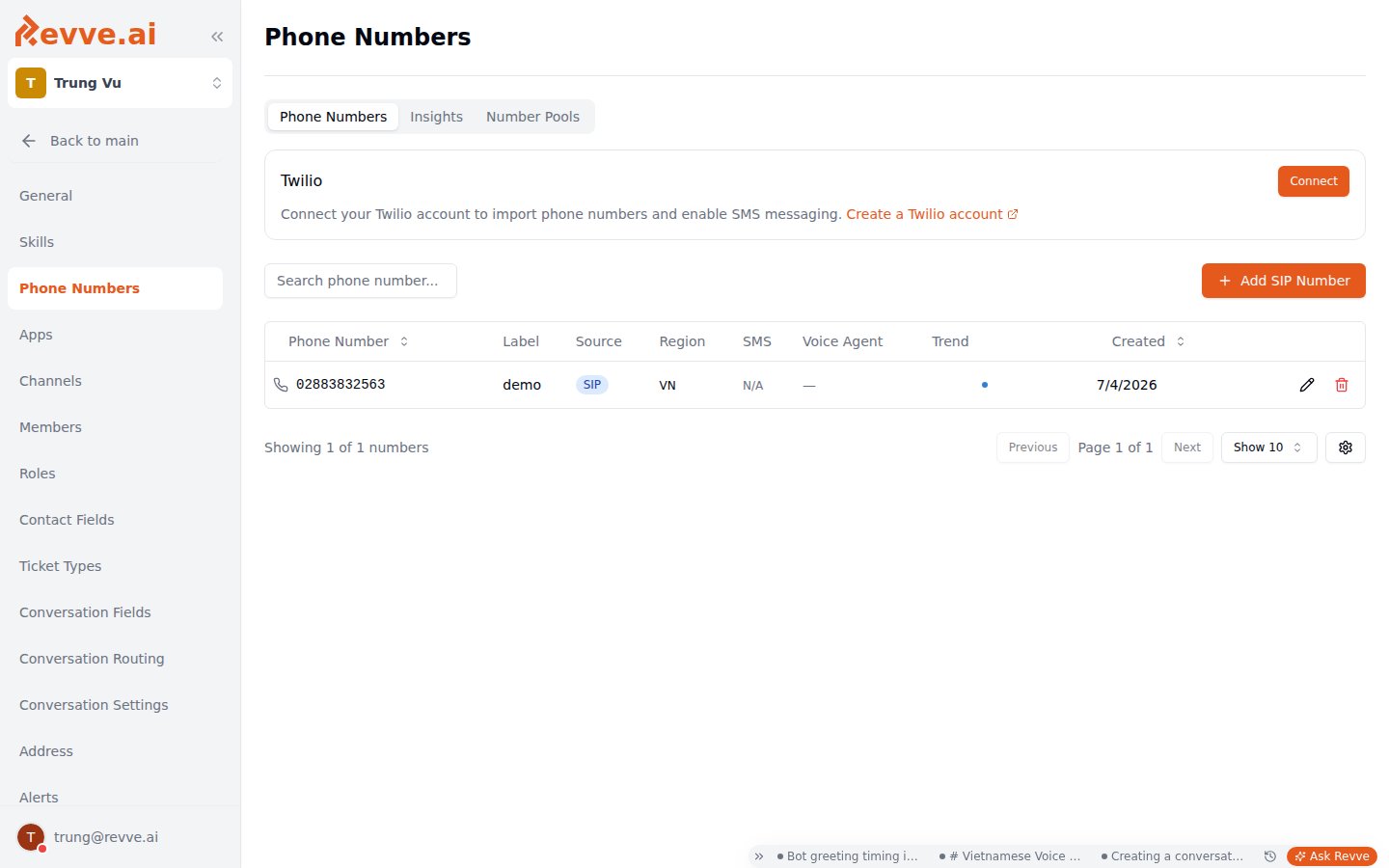
- Label every number by purpose — “Outbound collections VN”, “Inbound support line”, “Campaign pool #3”. Six months from now, a bare phone number in a table tells you nothing, and you won’t remember which one is safe to delete.
- Glance at the Trend sparkline whenever you’re on this page. A number whose sparkline is sliding downward is telling you something — click through to Insights before it flatlines.
Editing a number
The edit dialog covers:Insights tab: catch spam-blocking early
Carriers silently spam-label numbers that make lots of outbound calls. You won’t get a notification — your calls just stop being answered, because recipients see “Spam Likely” instead of your caller ID. The symptom is a collapsing connection rate on a number that used to perform fine. Revve surfaces this two ways:- A warning banner on the Phone Numbers tab when it detects numbers “connecting well below peers and may be spam-blocked.” The banner links straight to Insights.
- The Insights tab itself: per-number connectivity trends over the last 30 days by default (7- and 90-day windows available).
- Open Insights and identify which numbers have collapsed relative to your other numbers dialing similar audiences.
- Rotate the affected numbers out: reassign their outbound traffic to healthy numbers (or a pool — see below) and rest the flagged ones.
- Keep the flagged numbers for inbound or low-volume use while their reputation recovers, or replace them entirely if the rate never comes back.
A low connection rate isn’t always spam-labeling — a bad contact list produces the same shape. The tell is divergence: if one number collapses while sibling numbers calling the same kind of list stay healthy, suspect the number, not the list.
Number Pools tab: rotate caller IDs on outbound
A single number making high-volume outbound calls is exactly what gets spam-labeled. Number pools spread that volume: instead of attaching one number to a voice agent, you attach a pool, and each outbound call picks a caller ID from it. The tab lists existing pools (Name · Strategy · Members · Created). Creating a pool takes a Name and a Selection Strategy — currently Random, which picks a member number at random for each outbound call. Pools are attached per voice agent, in the agent’s phone number configuration — see the Phone Number section of Voice Agent Advanced Capabilities. When to use a pool: any agent doing sustained outbound volume — campaign dialing especially. Ten numbers each making a tenth of the calls stay under carrier thresholds far longer than one number making all of them. Combine this with the Insights workflow above: when one pool member starts degrading, swap it out and the pool keeps running without touching the agent.What’s Next
Voice Agent Advanced Capabilities
Attach your numbers and pools to a voice agent, and configure the rest of its calling behavior.
Workspace Settings
The rest of team-level configuration — call windows, global call limits, block lists, and security.