

How It Works
When a visitor sends a message — whether through your website widget, WhatsApp, email, or another channel — the Chat Agent:- Receives the message from the connected channel.
- Retrieves relevant context from your knowledge base (web pages, documents, FAQs).
- Generates a response using the LLM, following the instructions and tone you configured.
- Sends the reply back to the visitor on the same channel.
Supported Channels
Each Chat Agent is configured for a specific channel. You can create multiple agents for different channels.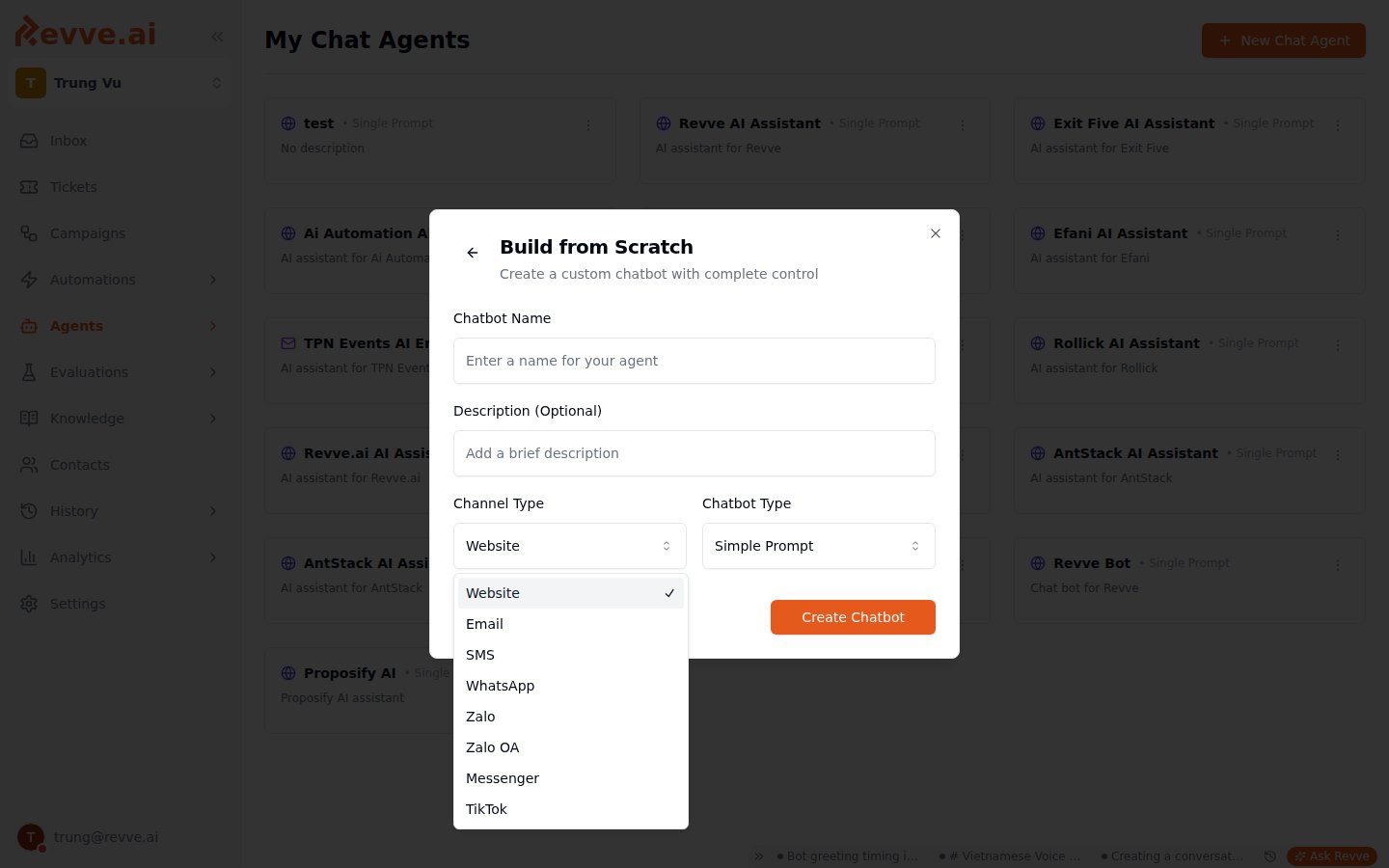
Agent Types (Engine Configuration)
When creating a Chat Agent, you choose one of two engine types:Single Prompt (Simple Prompt)
Best for most use cases. You provide a set of instructions (objectives) that tell the agent how to behave in all conversations. The agent uses these instructions along with your knowledge base to generate responses. Use when:- Your conversations follow a general pattern.
- You want a quick setup with natural, flexible responses.
- Your agent handles support, FAQ, or general lead qualification.
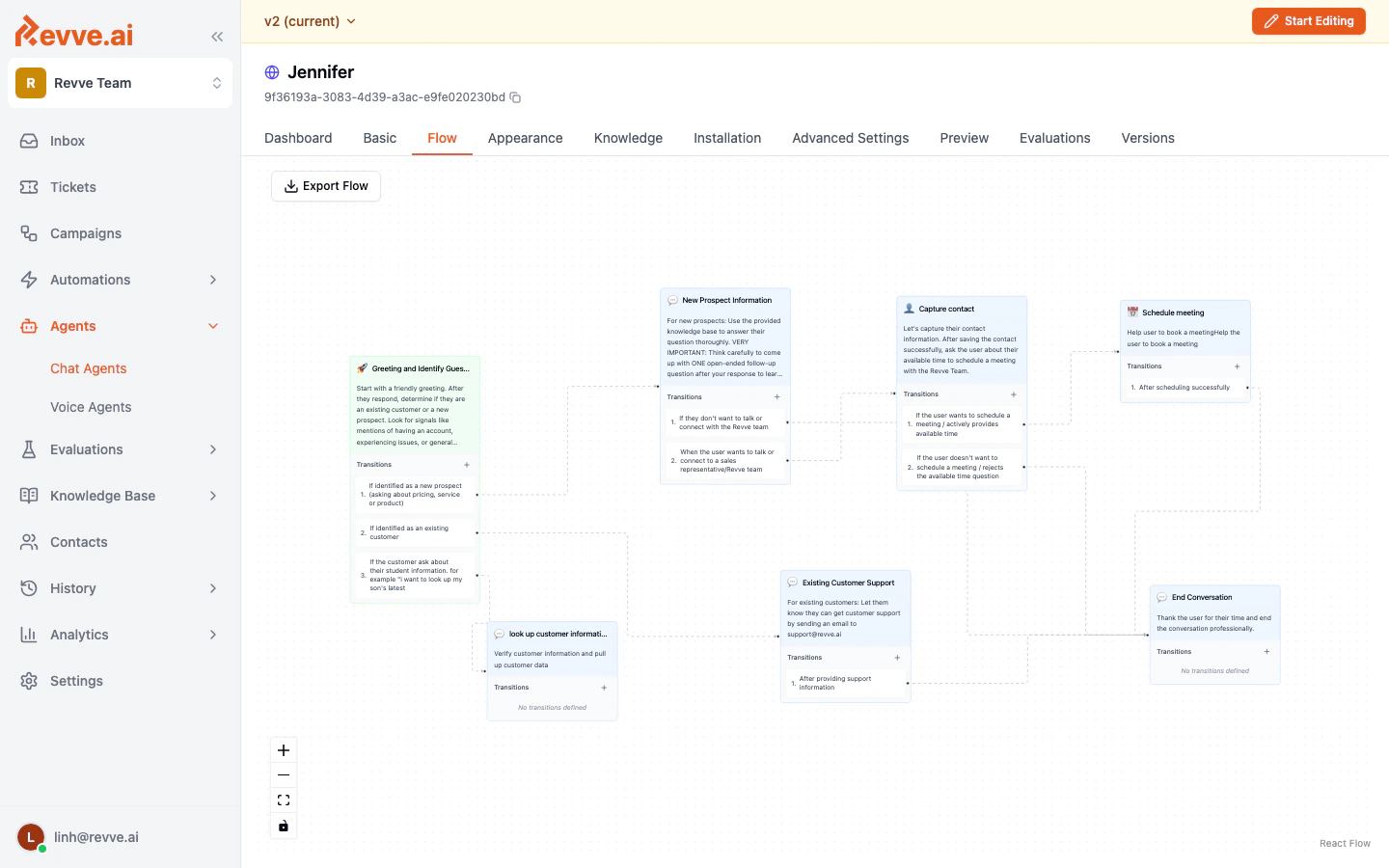
Conversational Flow
A node-based visual designer where you build a structured conversation tree. Each node represents a stage in the conversation with its own instructions and transition rules. Use when:- You need a strict, step-by-step conversation path.
- Different branches require completely different behavior.
- You’re building a qualification funnel with specific routing logic.
Key Capabilities
Every Chat Agent can be configured with:- Knowledge Base — Upload documents, crawl web pages, and add FAQs so the agent answers from your content.
- Lead Capture — Collect contact information (name, email, phone) during conversations.
- Meeting Scheduling — Let visitors book meetings directly from the chat.
- Human Escalation — Automatically hand off to a live agent when the AI can’t handle the request.
- Tools & Integrations — Connect to external APIs, CRMs, and trigger custom actions.
- Message Approval — Optionally require human approval before the agent sends a message.
- Analytics — Track conversation metrics, feedback, and agent performance.
What’s Next
- Creating Your First Chat Agent — Step-by-step guide to get your first agent running.
- Understanding Engine Types — Deep dive into Single Prompt vs. Conversational Flow.
- Publishing & Versioning — How to manage drafts, publish changes, and review version history.