

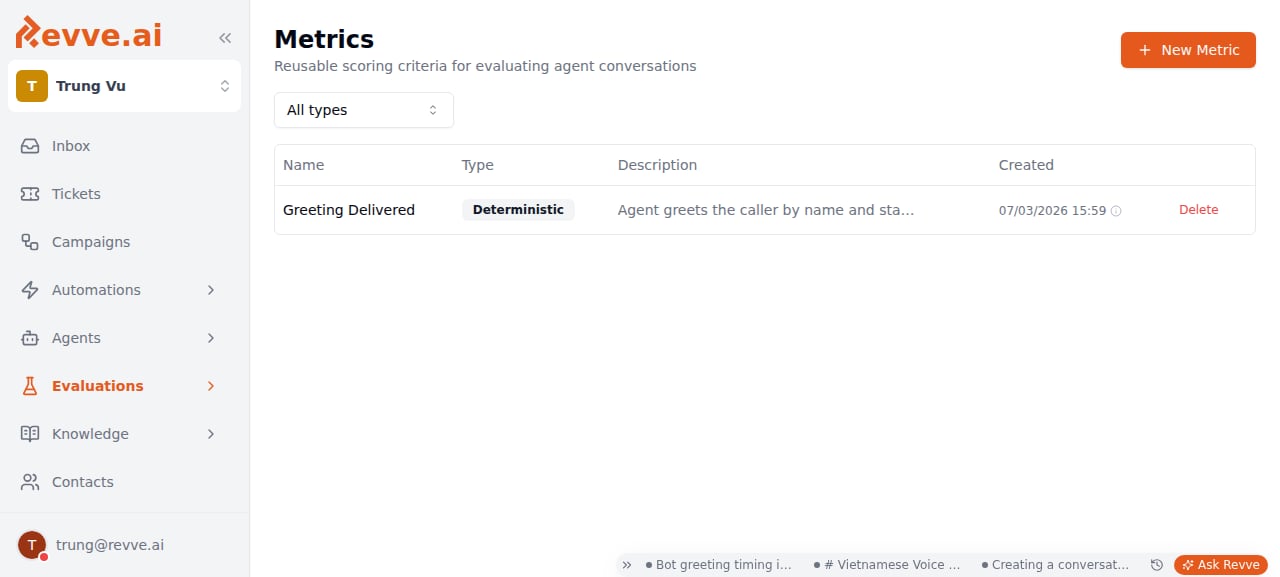
One team-wide library, several consumers. A metric created here can be attached to:
- The per-Voice-Agent Evaluation tab — see Voice Agent Evaluation.
- An Evaluator, in the top-level Evaluations product — see Creating an Evaluator.
- A Scorecard, for grading uploaded call recordings — see Evaluations Overview.
Creating a metric
Click New Metric (top right, also shown in the empty state) to open a side panel titled New Metric. Editing an existing metric — click its row — opens the same panel titled Edit Metric.
When Type is Deterministic:
When Type is LLM Judge:
Submit with the button at the bottom of the panel: Create for a new metric, Save Changes when editing.
Where metrics get used
Deleting a metric
The row-level delete action opens an AlertDialog titled Delete metric:This metric will be removed from all evaluators that use it. This action cannot be undone.Read that literally and it undersells the blast radius: the confirmation copy only mentions evaluators, but the same metric may also be attached to a Voice Agent’s Evaluation policy or a Scorecard. Deletion isn’t scoped to one consumer — if you’re not certain a metric is unused, check its usage on Voice Agents and Scorecards before deleting it, not just in the Evaluators list. There’s no undo.
What’s Next
- Voice Agent Evaluation — the metric type system in full: deterministic checks, LLM Judge scoring, speaker scope, and how a group’s final score is calculated.
- Evaluations Overview — how Evaluators, Profiles, Metrics, Scorecards, and Runs fit together.
- Creating an Evaluator — build a pre-ship test case and attach metrics from this library to it.