Your support agent opens a billing case and finds no record of the customer's earlier call. The chatbot answered correctly, but the handoff dropped the context and the promised follow-up never reached the queue. Adding AI to fragmented customer workflows creates another place to check without fixing the transfer between support and outbound. A polished answer has little value if nobody owns what happens next.
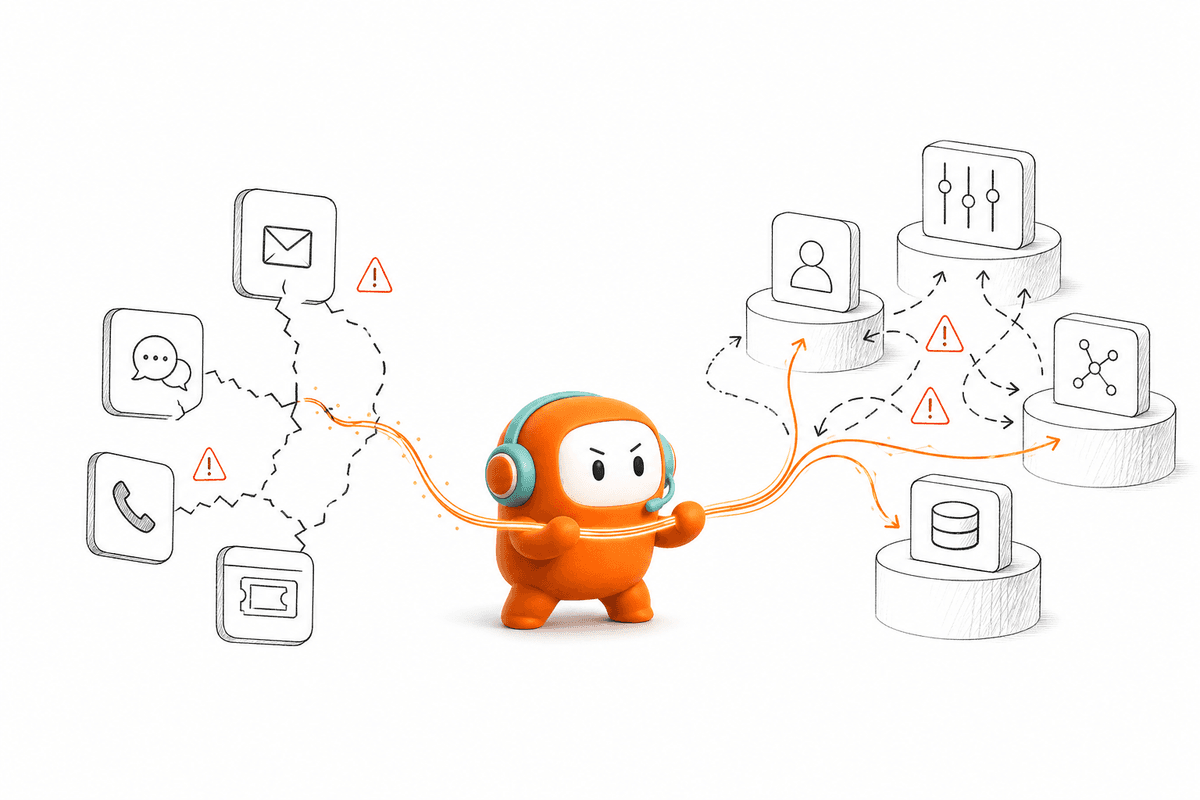
A Head of CX feels that fragmentation every week. The chatbot reports deflection, the helpdesk reports tickets, the voice vendor reports calls, and the outbound dialer reports attempts. None of them shows the full customer journey. Enterprises still choose an operating platform over another point tool because conversation quality means little when the system can't complete the work around it.
Key Takeaways:
- Audit handoffs between tools before comparing AI models or voice demos.
- Treat inbound support and outbound engagement as one customer operations problem.
- Keep human agents and AI agents on the same conversation record.
- Test routing, escalation, follow-up, and write-back before approving a platform.
- Consolidate only where shared context improves the actual workflow.
Why AI Add-Ons Increase Customer Operations Work

A Good Answer Can Still Create a Broken Handoff
At 9:07 a.m., a support manager opens Zendesk and sees an escalated billing case. The customer first used web chat, then called, then replied by SMS. The chatbot transcript sits in one system while the call recording belongs to a separate voice vendor, so the agent spends the first four minutes rebuilding the history instead of resolving the issue. By the time the customer reaches a person, they have already explained the problem twice.
The AI didn't fail on the answer itself. It identified the billing question and pulled the correct policy. The failure happened after that point, when the operation couldn't preserve context across channels and hand the conversation to the right person. This is where most AI evaluations stop too early. Buyers grade the answer while customers experience the whole workflow, and those are two different tests.
Support leaders see the cost in several places:
- Longer handling time because agents reconstruct conversation history
- Repeated questions that make customers feel ignored
- Partial reporting split across chat, voice, ticketing, and outbound systems
- Manual follow-up when one tool can't trigger the next customer action
- Conflicting records when updates don't return to the CRM
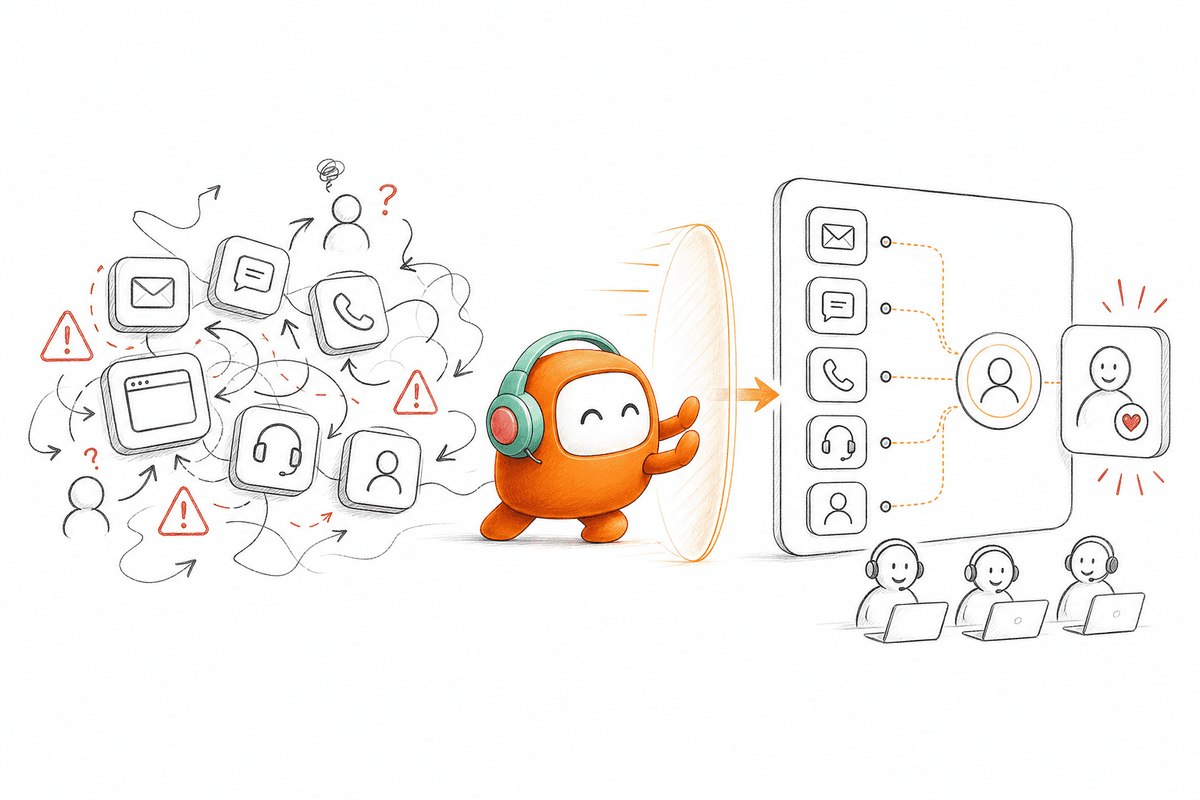
Five Tools Usually Mean Five Versions of the Customer
Fragmentation is an ownership problem before it becomes a technology problem. One team owns the helpdesk, another manages telephony, and revenue operations controls outbound engagement. Each system records a different part of the relationship. When nobody owns the full conversation lifecycle, AI becomes another participant passing incomplete information between departments.
Your customer thread starts to look like a paper service ticket passed between counters. Each counter keeps one piece, adds a note, and sends the customer somewhere else. Nobody sees the complete request, even though every system claims to hold customer context. That gap is why tool sprawl damages more than agent productivity. It changes what the company can actually understand about the customer.
When Point Tools Stop Being Enough
Point tools still have a place. A team under 20 seats may only need a basic helpdesk and a simple FAQ bot, and forcing a wider platform into that setup adds cost with no return. The same logic breaks the moment voice, messaging, support, and outbound teams share customers but not records. Once one customer journey crosses three separate systems, consolidation becomes an architecture discussion rather than a contract-renewal discussion.
The question isn't which AI widget produces the most polished demo. It is which operating model keeps context intact after the demo ends.
How Enterprises Choose a Shared Customer Operations Layer
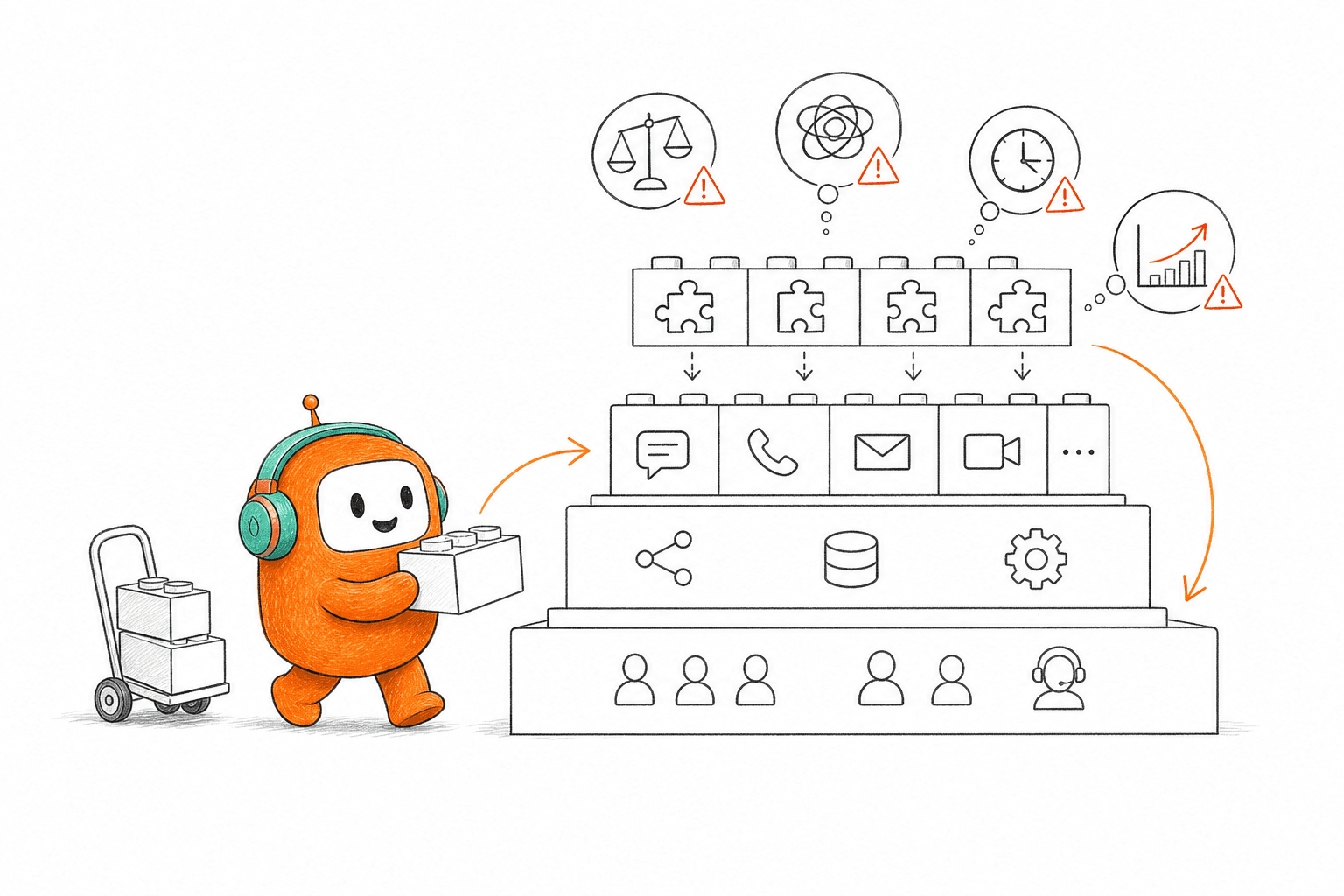
Enterprises choose a shared customer operations layer by evaluating the full workflow from first contact to final action. The evaluation covers customer identity, channel history, knowledge, routing, human handoff, outbound follow-up, and record updates. Model quality matters, but the system must also run the work that surrounds every conversation.
Diagnose Fragmentation Before Comparing Vendors
How fragmented is your operation right now? Trace one common customer request through every system it touches. Pick a workflow with enough variation to expose the gaps, such as a billing dispute, failed payment, sales inquiry, or service request. Record every queue change and every point where an agent re-enters information. If the map ends at the AI response, it isn't complete.
The useful measure isn't the number of tools alone. Two systems work well together when context moves in both directions and ownership is clear. Four tools also function when one system controls the conversation record and the others stay as systems of record. The warning sign appears when a channel switch creates a new thread, a human handoff loses history, or follow-up relies on someone remembering to do it.
Ask these questions before you build a vendor shortlist:
- Can one customer be identified across every active channel?
- Does a human agent receive the full thread when AI escalates?
- Can inbound activity trigger an approved outbound action?
- Does the CRM receive the outcome without manual data entry?
- Can operations change routing or conversation rules without an engineering ticket?
Three or more "no" answers put the problem in the operating layer, not the model. Buying a stronger model won't repair those gaps.
Design Around the Customer Thread, Not the Channel
Voice and chat aren't separate automation programs when they serve the same customer. A person starts with web chat during work, takes a phone call later, and confirms the outcome over SMS. Channel-specific tools treat those events as three interactions. A shared operating layer treats them as one continuing conversation.
That distinction changes how enterprises still choose an approach to customer operations software. Procurement normally compares voice vendors against voice vendors and helpdesks against helpdesks, which looks tidy on a spreadsheet. Customers don't behave according to procurement categories. They move to whichever channel is convenient, then expect the company to remember what already happened.
Before approving a channel tool, run one test. Start an inquiry in chat, move it to voice, and escalate it to a human. The receiving agent should see the earlier messages, the reason for escalation, the customer record, and the next allowed action. If any part must be copied, searched, or explained again, the workflow stays fragmented.
Channel coverage needs restraint too. Not every enterprise needs voice, WhatsApp, web chat, and SMS on day one. Choose the channels tied to real customer behavior first, then confirm that adding another channel won't force a rebuild of the support workflow underneath it. More channel logos on a slide don't equal better customer operations.
Connect Inbound Support With Outbound Engagement
Inbound and outbound work share the same customer context, even when different departments own them. A support case may need a reminder tomorrow. A website lead may need immediate qualification and a sales handoff. A dropped call may need an SMS follow-up, while a past-due account moves from a call to a payment conversation. Splitting these actions across separate systems creates delay and unclear ownership.
EagleView, a US geospatial and property data company, hit that exact issue in its revenue motion (US enterprise). Website lead capture and outbound engagement needed to connect to the sales process rather than live as isolated activity. The important change wasn't adding another calling tool. It was treating lead response, qualification, routing, and follow-up as one workflow with a shared lead state.
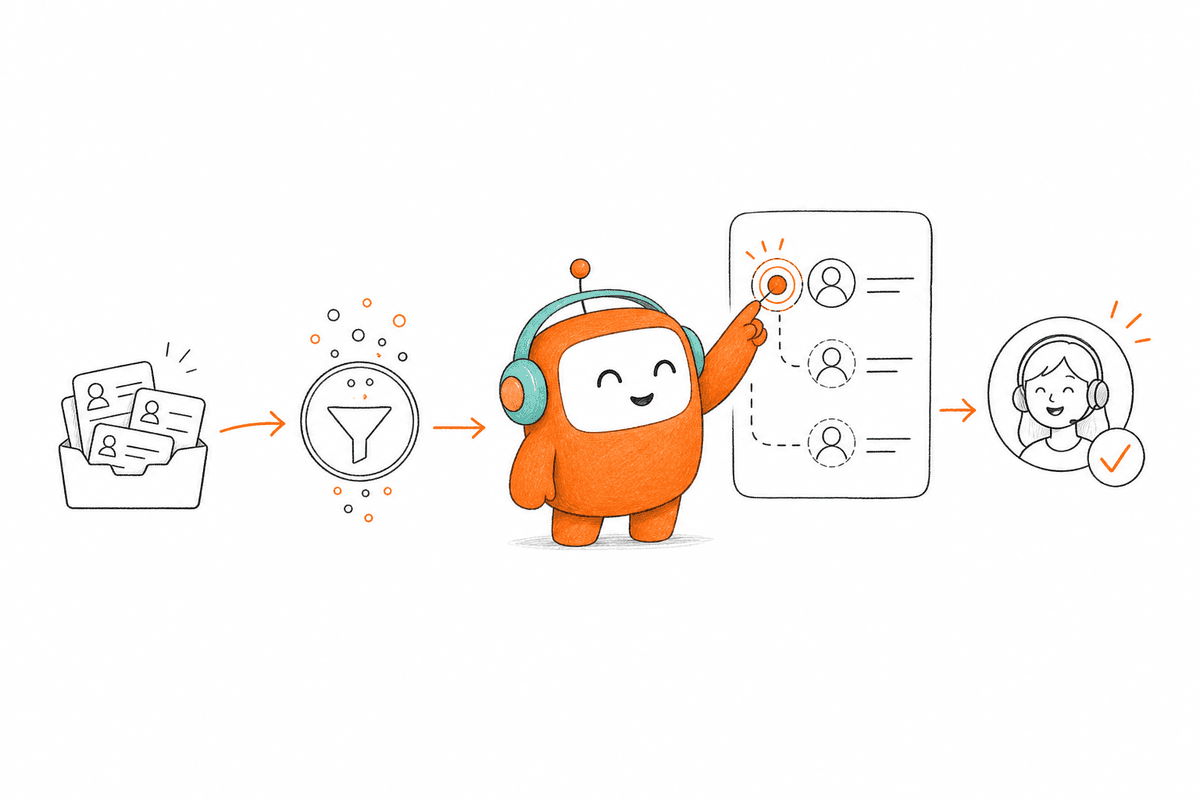
Map the workflow in four stages:
- Trigger: Define the event that starts work, such as a form submission, support request, missed call, or account status change.
- Conversation: Decide which channel handles the first contact and what approved knowledge it can use.
- Decision: Set the conditions for resolution, qualification, escalation, or exit.
- Record update: Specify what returns to the CRM or another system after the interaction.
If a workflow has no defined final update, it isn't automated. It has only moved the manual work farther downstream.
Give Humans Clear Authority Over Exceptions
Human-plus-AI work requires a written boundary between repeatable cases and judgment-heavy cases. Without that boundary, AI either escalates too often or stays in conversations where a person should take control. Both outcomes hurt support performance. One creates avoidable queues, the other creates customer risk.
Set escalation rules using observable events rather than vague ideas about complexity. Negative sentiment triggers review. A repeated unresolved intent moves the thread to a human queue. Keywords, customer tier, conversation duration, or policy exceptions change the route. Each trigger should also name the person or queue that receives the conversation.
Human review does slow some automated actions, and that cost is real when approval sits with an overloaded manager. Sensitive messages, disputed accounts, and policy exceptions still justify the delay because the risk of an unchecked response is higher. The better answer isn't removing review. It is reserving review for cases where judgment changes the outcome.
A practical boundary should state:
- Which requests AI completes without approval
- Which messages require a human before delivery
- Which signals cause immediate escalation
- What context must accompany the handoff
- Who owns the next action after transfer
The handoff should continue the conversation, not restart it. Anything less turns escalation into customer repetition.
Test Workflow Execution Under Real Failure Conditions
A polished AI demo proves that a model can handle its prepared conversation. Enterprise approval needs harder tests. Change the customer's intent halfway through, provide incomplete information, switch channels, and request a person. Then inspect what happens to the record after the conversation ends. The failures tell you more than the scripted success.
The voice or chat response is the easy part. Production breaks around permissions, stale knowledge, unclear routing, missing updates, and exception handling. Enterprises still choose an integrated system because those failures spread across departments. Support sees the customer complaint, IT sees the integration issue, and operations sees the uncompleted task.
Run the same acceptance sequence for every priority workflow:
- Complete the normal path with valid customer information.
- Repeat it with a missing or conflicting field.
- Ask a question outside the approved knowledge.
- Trigger a human handoff after switching channels.
- Check the CRM and conversation record for the final outcome.
The test should leave you with a complete record of what the AI knew, what action it took, and why a human entered. If you want to inspect how a shared workspace manages those exact handoffs, you can book a demo around one of your real workflows.
Once those requirements are clear, the product decision gets easier: choose the system that owns the workflow, not the one that only owns the response.
How Revve Connects Inbound and Outbound Work
Revve runs inbound support and outbound engagement through one customer operations platform for AI agents and human agents. Conversations, ticketing, knowledge, routing, call center activity, and follow-up operate in the same workspace. Your CRM and business systems stay in place, while the customer-facing work runs through one shared layer. Revve is not a chatbot bolted onto a helpdesk, and it is not a dialer sitting next to your inbound queue.
One Workspace Preserves the Full Conversation
Revve keeps AI and human agents on the same conversation record. When the AI handles a request, its activity stays in the thread. On escalation, the human agent receives the history, summary, and suggested next actions in the same workspace. The customer doesn't rebuild the issue from memory because the context moves with the handoff.
Knowledge-grounded automation runs on the same operating model. Teams load approved documents, website content, and curated FAQs into a shared knowledge base. AI agents retrieve from those sources during voice or digital conversations, while human teams work from the same material. When no suitable answer exists, configured rules send the request to a person instead of forcing a response.
Revve's omnichannel conversation management ties supported channels to one customer thread. A workflow begins in web chat, continues by voice, and finishes with an SMS follow-up without creating three disconnected customer histories. Channel behavior still matters, and not every deployment needs the same mix. The point is continuity, not channel count.
Revve also supports flexible deployment through cloud and on-prem options, with CRM integrations, APIs, webhooks, and data sync keeping surrounding systems connected to the same operating layer.
Outbound Becomes Part of Customer Operations
Revve includes outbound orchestration for calls, SMS, WhatsApp, messaging, and email workflows. Operations teams configure campaign steps, timing, exit conditions, and follow-up behavior instead of managing separate dialers and messaging tools. Contact enrollment comes through CRM connections or CSV imports, while outcomes return to connected systems through APIs and webhooks.
The same platform runs inbound service requests and proactive work such as lead qualification, reminders, collections, and re-engagement. That matters because outbound action often begins with an inbound event. A submitted lead needs a response, an unresolved request needs follow-up, and a missed contact needs another channel. Keeping both sides in one system removes the gap where work gets forgotten.
Revve brings several verified capabilities into that model:
- Unified AI and Human Workspace: Automation and human intervention share the same thread, routing, ticketing, and conversation history.
- Smart Escalation: Sentiment, unresolved intent, keywords, duration, and custom rules trigger a full-context human handoff.
- No-Code Configuration: Operations teams adjust scripts, routing, workflows, and scenarios, then test and roll back changes when needed.
- Compliance Controls: Configured consent checks, calling windows, do-not-call rules, opt-outs, and message approvals run before contact.
What Enterprise CX Teams Should Consolidate First
Enterprise CX teams should consolidate the customer conversation record, shared knowledge, routing, and human handoff before replacing every surrounding system. The CRM stays the system of record, and BI tools keep handling wider business reporting. Customer operations need one place where inbound and outbound work use the same context and complete the next action.
Start with one high-volume workflow that currently crosses several tools, such as a billing dispute or a failed-payment follow-up. Map its trigger, conversation, decision, handoff, and final update, then note every point where an agent re-enters data or a thread splits. That map becomes your acceptance test.
Run the failure paths before expanding to another channel or use case. Change the intent midstream, drop a required field, force an escalation, and confirm the CRM shows the final outcome. When one workflow passes the normal path and the broken paths, add the next one. This is why enterprises still choose an operating layer over stacking tools: AI becomes useful when it runs the work around the conversation, not when it becomes another queue your team has to manage.
FAQ
How do I audit handoffs between tools?
To audit handoffs effectively, start by mapping out the entire customer journey for a common request, like a billing dispute. Identify each tool involved and note where the context might be lost during transitions. Check for points where agents need to re-enter information or where the conversation splits across different channels. This will help you see where improvements are needed to ensure a smoother workflow.
What if my customer operations are fragmented?
If your operations are fragmented, consider consolidating your tools into one platform that manages both inbound support and outbound engagement. Look for a solution that allows AI and human agents to work together in the same workspace, preserving conversation history and context. This can help reduce handling time and improve customer satisfaction by minimizing the need for customers to repeat their issues.
How do I ensure smooth escalations from AI to human agents?
To ensure smooth escalations, set clear escalation rules based on observable events like customer sentiment or unresolved intents. Make sure that when an AI agent escalates a conversation, all relevant context, including prior interactions and suggested next steps, is passed to the human agent. This helps maintain continuity and allows the human agent to pick up right where the AI left off.
When should I test my workflows?
You should test your workflows before implementing any new tools or processes. Run through typical customer scenarios to identify potential gaps in the workflow. Test under various conditions, such as changing customer intent mid-conversation or switching channels. This will help you understand how well your systems handle real-world situations and where you may need to make adjustments.
Why does my team need a unified customer operations platform?
A unified customer operations platform is essential because it allows your team to handle more customer interactions without increasing headcount. It combines inbound support and outbound engagement into one system, reducing tool sprawl. This integration helps preserve conversation history, improves response times, and enhances overall customer satisfaction by ensuring that all agents have access to the same information.