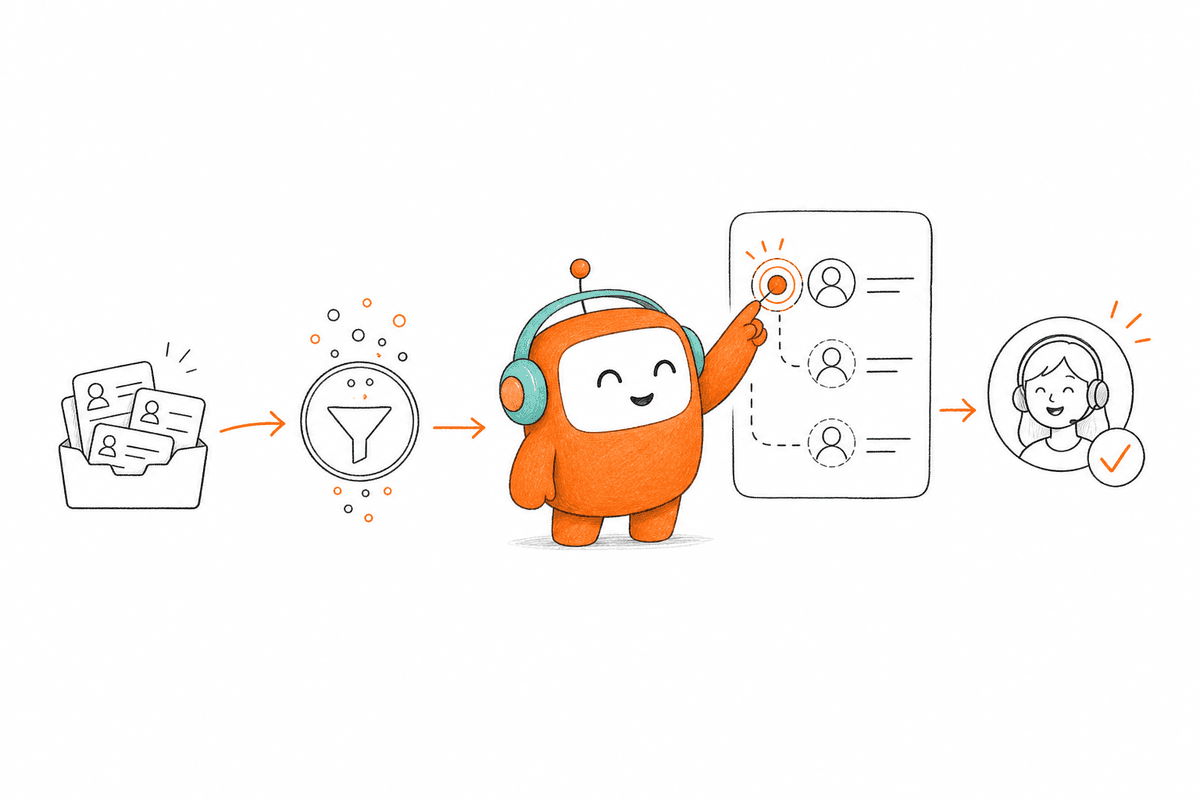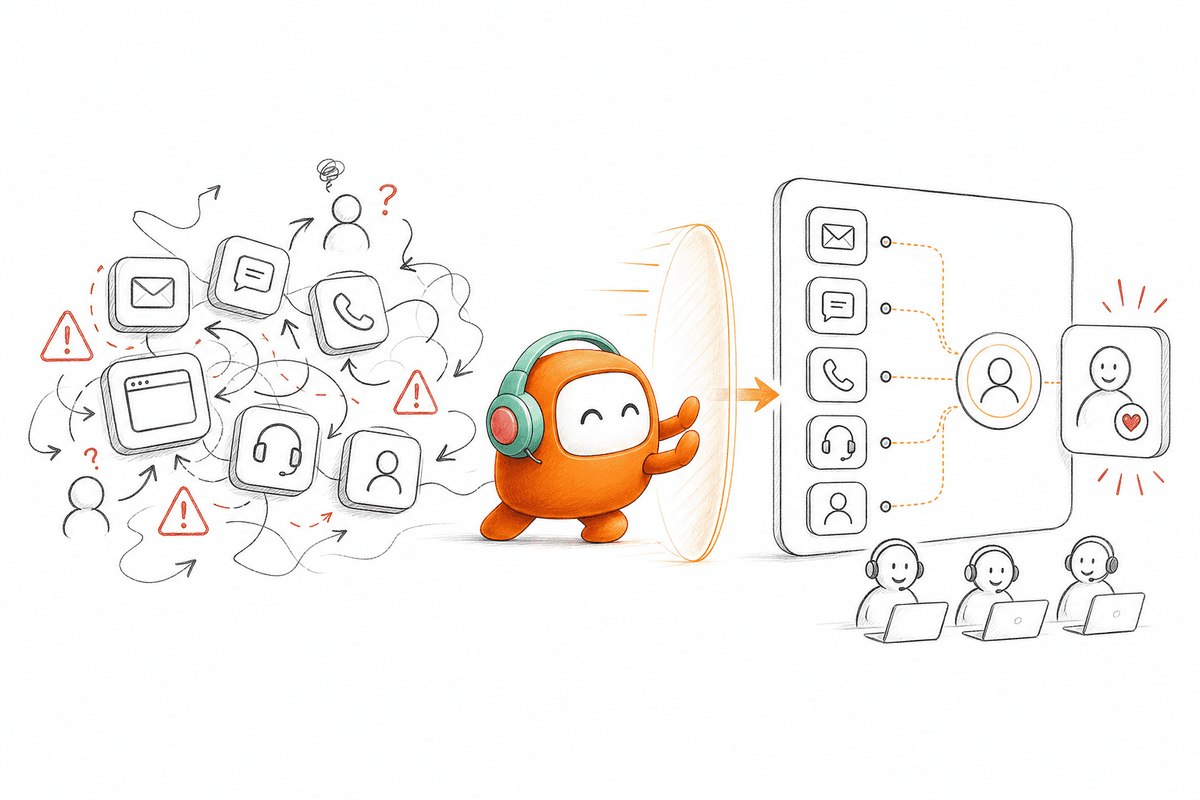
A website lead can enter Salesforce while the follow-up task waits in a separate sales queue. If that buyer contacts support before a rep responds, the support agent may see none of the qualification history. The company thinks it has one customer journey, but the work is running through several disconnected systems, each with its own record of the same person. Adding an AI agent to one of those systems doesn't repair the gaps between them.
Most B2B customer operations stacks were purchased one function at a time. Support got a helpdesk, voice got a call center, sales got a dialer, and the knowledge base became another place someone had to maintain. Each tool may work well on its own. The problem appears when a conversation moves across departments, channels, or from AI to a person, because no single tool owns the whole thread.
A platform that only resolves support tickets is missing half the customer operations problem. Companies also need to follow up with leads, recover abandoned applications, send reminders, re-engage customers, and manage outbound conversations under the right rules. The important question isn't whether AI can answer. It's whether AI and human agents can share context and complete the next step without creating another queue.
The Stack Problem Is an Operating Model Problem

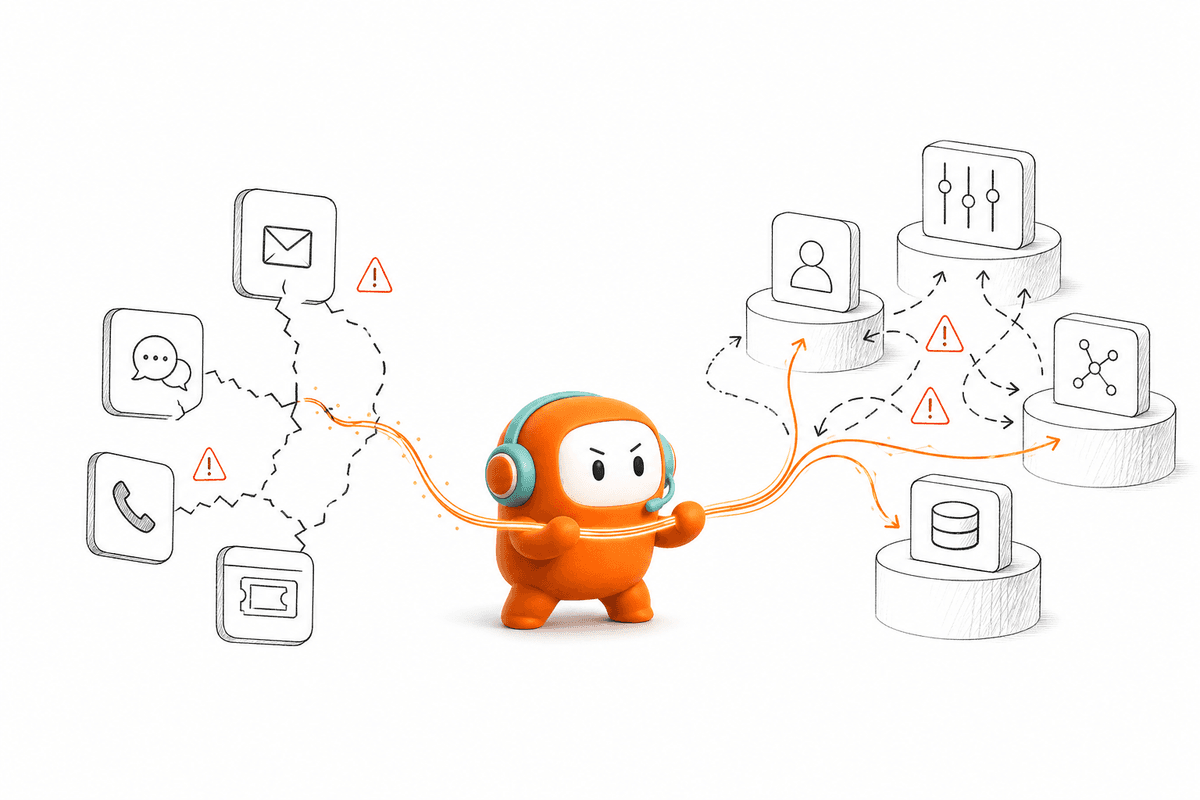
The problem isn't necessarily poor AI. The problem is that each system has its own record, routing logic, permissions, reporting, and ownership. Connecting the tools through APIs may move data between them, but moving data isn't the same as giving every participant one working context. Delayed synchronization, incomplete fields, and conflicting status rules still leave operations teams deciding which system tells the truth.
Adding more AI can make that model harder to manage. Support leaders gain another dashboard, IT owns another integration, and operations has another set of rules to update. AI may reduce work inside one channel while increasing coordination around it. The company has automated a task, but it hasn't improved the operating model around the customer.
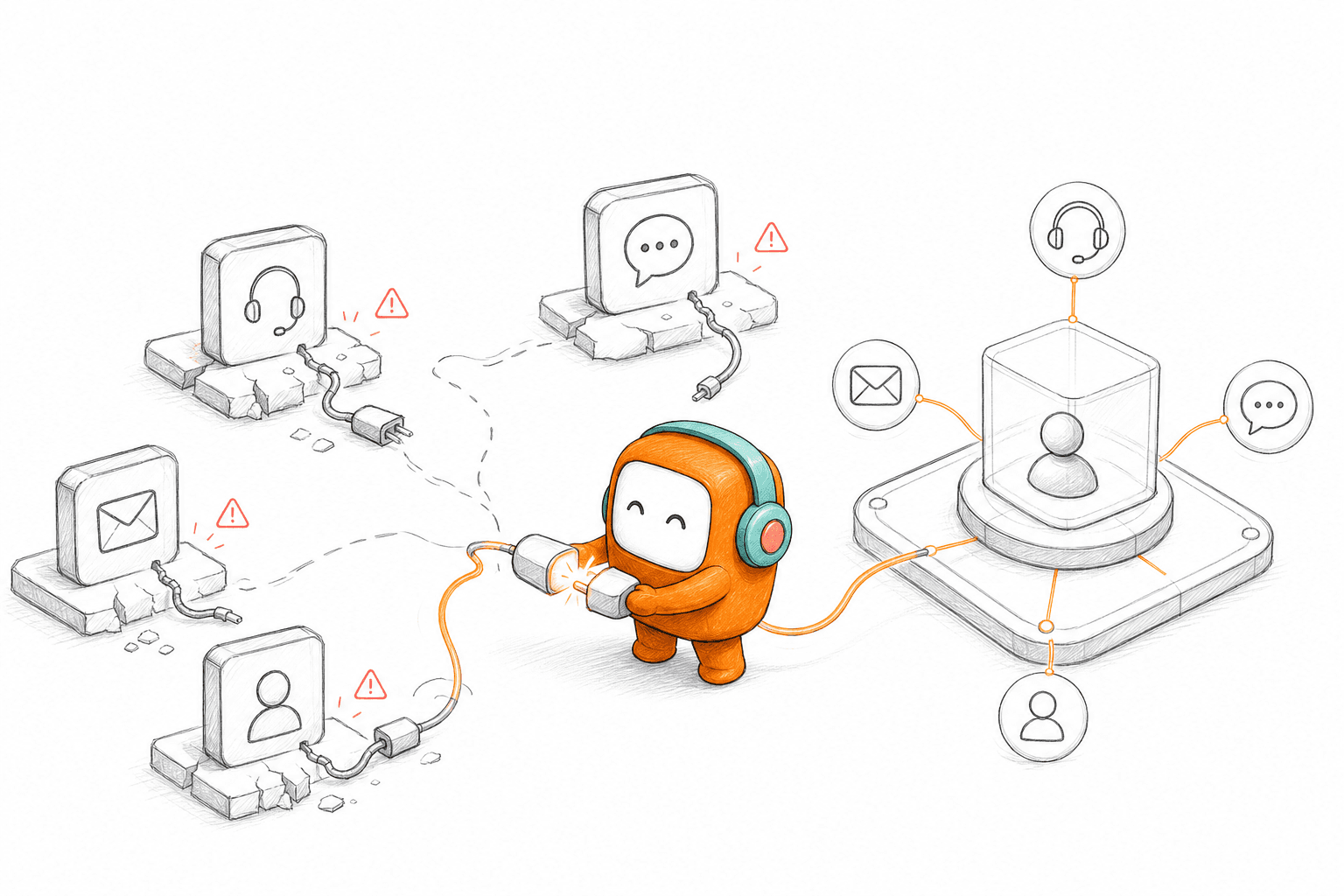
A shared customer operations layer starts from a different place. Voice, chat, SMS, messaging, ticketing, knowledge, routing, and outbound workflows draw on the same conversation history. AI agents handle defined work inside that environment, while human agents take over when judgment or an exception requires them. Both sides work from the same record instead of reconstructing context after every handoff.
Where Fragmentation Becomes Expensive
Tool sprawl isn't only an IT cost. It changes how quickly teams can respond, how consistently they follow up, and how much manual work sits between one customer event and the next. Those costs appear in daily operations long before they appear in a software renewal discussion.
Customer Context Breaks During Handoff
A customer may begin on web chat, continue by phone, and receive an SMS follow-up. If those interactions live in separate systems, the customer sees one relationship while the company sees three tickets. Agents spend time searching, confirming information again, and deciding whether earlier notes are current.
AI-to-human escalation exposes the same weakness. A bot can collect the customer's intent and provide several answers, but the value disappears if the human agent receives only a new queue item. The agent has to rediscover the issue, and the customer has to explain why the previous answer didn't work. A good handoff should carry the full thread, a summary, prior history, and the next actions the AI already suggested.
Shared context also matters after the conversation ends. Support, revenue, and operations leaders need to know what happened, who handled it, and what workflow followed. When each system records a different part of the interaction, managers can inspect channel activity without seeing the complete customer outcome.
Inbound and Outbound Work Drift Apart
Many customer operations products concentrate on inbound support. They answer questions, route tickets, and reduce repetitive work after a customer contacts the company. Useful, but incomplete.
B2B teams also need to act before the customer returns. A new lead may require qualification and booking. A stalled application may need a call followed by a message. A payment reminder may require contact rules, an opt-out check, and escalation to a person when the situation becomes sensitive.
When outbound sits in a separate dialer or campaign tool, it loses the context built through inbound conversations. A customer can resolve an issue with support and still receive an outdated follow-up because another system has not received the new status. Revenue teams may contact an account without seeing an active service problem. The customer experiences one brand, but internal systems act like unrelated departments. The point isn't outbound automation on its own. It's connecting lead response and follow-up to the sales workflow around it, so one side of the conversation knows what the other side already did.
Ownership Gets Split Across Teams
Fragmented systems create fragmented accountability. Support owns the helpdesk, sales owns outbound, marketing owns lead capture, and IT owns the integrations holding everything together. When a workflow fails between those systems, no single team has the complete record or the authority to correct it.
Operations teams then depend on engineering or vendors for routine changes. Updating an escalation rule, adjusting qualification logic, or changing an outbound sequence becomes a ticket rather than an operational decision. Even a small revision can require checks across several tools because each one interprets customer status differently.
Reporting follows the same pattern. A call center can report call outcomes, a helpdesk can report ticket status, and a CRM can report opportunity stages. None of those views automatically explains whether the entire customer workflow worked. More dashboards do not create more clarity when each dashboard measures only its own step.
What One Customer Operations Layer Changes
Every problem in the last section comes back to the same root: several systems, several records, no shared place to work the conversation. So it's worth looking at what changes when one layer runs inbound and outbound together. Revve brings ticketing, a knowledge base, an omnichannel inbox, call center activity, AI agents, and human-agent workflows into one customer operations platform. It isn't only a support bot, a dialer, or a phone product. The platform is built to run inbound support and outbound engagement from the same operating environment.
AI and Human Agents Share the Same Work
Conversations from inbound and outbound channels flow into a shared workspace used by both AI and human agents. When AI handles a request, its activity stays attached to the same conversation record. The platform is designed so that when an issue escalates, the human agent picks up the existing thread with its history and context rather than starting from a disconnected queue item.
Teams define when the AI should step aside. Smart escalation can respond to unresolved intent, negative sentiment, keywords, conversation duration, customer tier, or custom rules. Human agents continue inside the same workspace and stay responsible for conversations that need judgment, negotiation, or exception handling.
A shared workspace doesn't mean removing people from customer operations. It means assigning repeatable requests and workflow steps to AI while keeping people in control of higher-risk or less predictable cases. Agents can also review AI-suggested responses, and approval steps can hold sensitive messages until a person checks them.
If your current handoff forces agents to reconstruct what the AI already learned, book a demo to see how Revve keeps both sides on the same conversation record.
Inbound and Outbound Use the Same Context
Revve runs inbound customer service alongside outbound workflows such as lead qualification, reminders, collections, re-engagement, and sales follow-up. Outbound sequences can include calls, SMS, WhatsApp, other configured messaging channels, and email. Teams set the steps, timing, exit conditions, and messaging rules rather than asking the AI to invent an outreach strategy.
Lead qualification follows the same operating principle. When an inbound lead arrives through a supported channel, AI can ask questions based on user-defined criteria and route the next step according to the answers. Qualified leads can move to a sales rep, live transfer, or meeting booking flow, while the questions, scores, and transcripts stay logged.
Outbound contact also needs more than sending messages. Revve includes compliance controls and approval workflows so outbound activity can be governed by configured rules, and AI-drafted messages can be held for a human to approve, edit, or reject before they go out. Those controls support governance, but the customer still owns legal review, consent, disclosure, and regulatory obligations. Software does not absorb them.
Knowledge, Channels, and Routing Stay Connected
AI responses are grounded in a shared knowledge base built from uploaded documents, crawled websites, and curated FAQs. During a conversation, the system identifies intent and retrieves relevant approved content. If no suitable answer exists or the issue crosses a defined boundary, the conversation can move to a human rather than forcing an answer.
Human teams use the same knowledge environment. Corrections and content updates can improve later responses without maintaining a separate training source for every channel. Operations leaders can also review conversation scoring, resolution signals, sentiment, and knowledge gaps, then update the relevant rules or content with human oversight.
Supported conversations can run across voice, chat, SMS, email, and configured messaging channels. Interactions stay connected to one customer thread while channel-specific formats, such as templates or delivery status, remain intact where supported. Routing can consider language, skills, agent availability, customer status, or prior ownership.
Revve connects with Salesforce, HubSpot, ActiveCampaign, and custom CRM setups through integrations, APIs, and webhooks. The CRM can remain the system of record for accounts and opportunities while Revve manages the conversations and customer workflows around those records. Companies do not need to replace billing systems, core banking platforms, data warehouses, or every reporting tool to create a shared customer operations layer.
How to Evaluate Your Current Stack
The right evaluation starts with the complete workflow, not a feature comparison between AI agents. Choose a real customer journey and trace it from the first contact to its final outcome. Every time an employee changes tools, copies information, waits for synchronization, or asks the customer to repeat something, mark the break.
Five questions usually expose where the operating model is failing:
- Can every agent see the full customer conversation? Review what happens when a customer moves from chat to voice or from AI to a person. A customer profile isn't enough if the conversation history and prior actions are missing.
- Can the AI execute the next workflow step? Answering a question has limited value if a person still has to route the ticket, log the outcome, trigger follow-up, or qualify the lead. Check whether automation completes work or only produces text.
- Does outbound use the same customer context as inbound? Compare the data used for reminders, lead follow-up, collections, and re-engagement with the records used by support. Separate context creates duplicate contact and outdated outreach.
- Can operations change rules without waiting on daily engineering work? Scripts, qualification criteria, routing, timing, and escalation thresholds change as teams learn. The system should let operations users configure, test, and roll back supported workflows, while IT stays involved in initial integrations and infrastructure.
- Can managers review the complete outcome? Channel metrics matter, but they don't explain whether a customer issue was resolved or a qualified lead reached sales. Reporting should preserve the relationship between the conversation, the handoff, and the workflow result.
A company doesn't need to replace every tool because one workflow has a weak handoff. Some systems should remain. CRMs, billing platforms, policy systems, banking systems, data warehouses, and BI tools often hold records that customer operations depends on. The goal is to give conversations one execution layer around those systems, not to pretend one product should own the entire enterprise stack.
When Revve Is the Right Fit
Revve is built for mid-market and enterprise teams handling enough conversation volume or operational complexity to make consolidation worthwhile. As a general buying consideration, it fits best when a company needs both inbound and outbound workflows, several customer channels, and shared work between AI and human agents. It offers flexible deployment, with cloud for general cases and on-prem where regulated production requirements call for more deployment control.
The commercial model reflects an implementation-led product rather than a self-serve tool. Revve is configured and deployed with your team, not signed up for and switched on. Talk to the team about contract terms and how usage is measured for your deployment, since the right structure depends on your channels, volume, and requirements.
Not every B2B team needs that model. A company with low conversation volume and a small team may be better served by a smaller point product. The same applies to a team that only wants a homepage FAQ widget, a basic phone system, or inbound automation inside an existing helpdesk with no outbound requirements.
Engineering teams that want to own every model, prompt, workflow node, and integration may also prefer to build their own stack. Revve is built for companies that want customer operations software they can configure and operate, not a blank development environment. Regulated companies should expect legal, compliance, risk, and security teams to stay involved, because software does not absorb the company's obligations.
B2B teams struggle with customer operations when every channel and department receives its own tool, its own queue, and its own version of the customer. AI doesn't solve that structure by sitting on top of it. The stronger model gives AI and human agents the same context, the same knowledge, and the same workflows across inbound and outbound work.
FAQ
How do I ensure seamless handoffs between AI and human agents?
To ensure seamless handoffs, establish clear escalation criteria based on factors like complexity or customer sentiment. Make sure both AI and human agents have access to the same conversation history so that when an issue escalates, the human agent can pick up right where the AI left off. This avoids the customer having to repeat their issue and helps maintain a continuous experience. Regularly review these handoff processes to refine them based on team feedback and operational needs.
What if my customer interactions are spread across different channels?
If your customer interactions are spread across different channels, consider using a unified platform that consolidates these interactions into one view. This way, whether a customer reaches out via chat, email, or phone, all their conversation history is accessible to your agents. This not only speeds up response times but also ensures that customers don’t have to repeat themselves, enhancing their overall experience.
How do I improve my team's response time to customer inquiries?
To improve your team's response time, first, analyze the current workflow to identify bottlenecks. Implement AI automation for routine inquiries so that your team can focus on more complex issues. Additionally, ensure that all agents have access to a shared knowledge base that allows them to quickly find answers. Regular training sessions can also help keep your team sharp and ready to respond promptly.
When should I consider using AI for customer interactions?
Consider using AI for customer interactions when you have a high volume of routine inquiries that can be automated. AI can handle tasks like answering FAQs or processing simple requests, allowing human agents to focus on more complex issues that require empathy or judgment. However, ensure that there is a clear process for escalating inquiries to human agents when necessary, so customers receive the best possible support.
What if my current tools are causing fragmented customer experiences?
If your current tools are causing fragmented customer experiences, it may be time to evaluate your customer operations stack. Look for a solution that integrates multiple channels and provides a unified view of customer interactions. This helps ensure that all agents can see the complete conversation history, reducing the chances of customers having to repeat themselves and improving overall satisfaction.