By lunch, your support queue is full of calls that should never have become calls. A customer tried chat, received a generic answer, then called because nobody updated the order or explained what would happen next. The call isn't the original problem. It's the final sign that an earlier channel failed to finish the work.
Trying to reduce call volume with another voice bot usually misses that point. A bot may answer faster and sound more human, but neither matters if it can't check the right knowledge, take the next action, or pass the customer to a person with context. Call volume falls when customers finish what they came to do. Deflection alone just moves the problem.
Key Takeaways:
- Start with call reasons, not an automation vendor or channel.
- Separate questions that need an answer from requests that need an action.
- Give customers a complete digital path before asking them to avoid calling.
- Use one knowledge source across voice, chat, SMS, and human agents.
- Escalate with the full conversation attached, so customers don't repeat themselves.
- Use proactive outreach to prevent predictable inbound calls.
- Measure completed work and repeat contacts, not deflection by itself.
Why More Automation Often Fails to Lower Call Volume
Adding automation won't lower call volume when the customer journey still breaks between channels, knowledge, and operational systems. A faster chatbot can create more failed interactions if it gives partial answers without completing the request. The visible queue grows downstream, while the actual failure happened earlier.
The Call Begins Before the Phone Rings
A customer checking an order may start in web chat, move to email, and call only after both channels fail. By the time an agent answers, the customer isn't asking one question anymore. They're asking why the company couldn't handle it in the first place. That frustration makes the call longer and harder to resolve.
Your phone queue is a lagging receipt. It records failures created in self-service, messaging, routing, and follow-up, often hours before the customer dials. If you only study calls, you'll see the last contact without seeing what caused it. You reduce call volume with a different starting point: trace each major call reason back to the first failed step, not the phone number that logged it.
Fragmented Tools Turn One Request Into Several Contacts
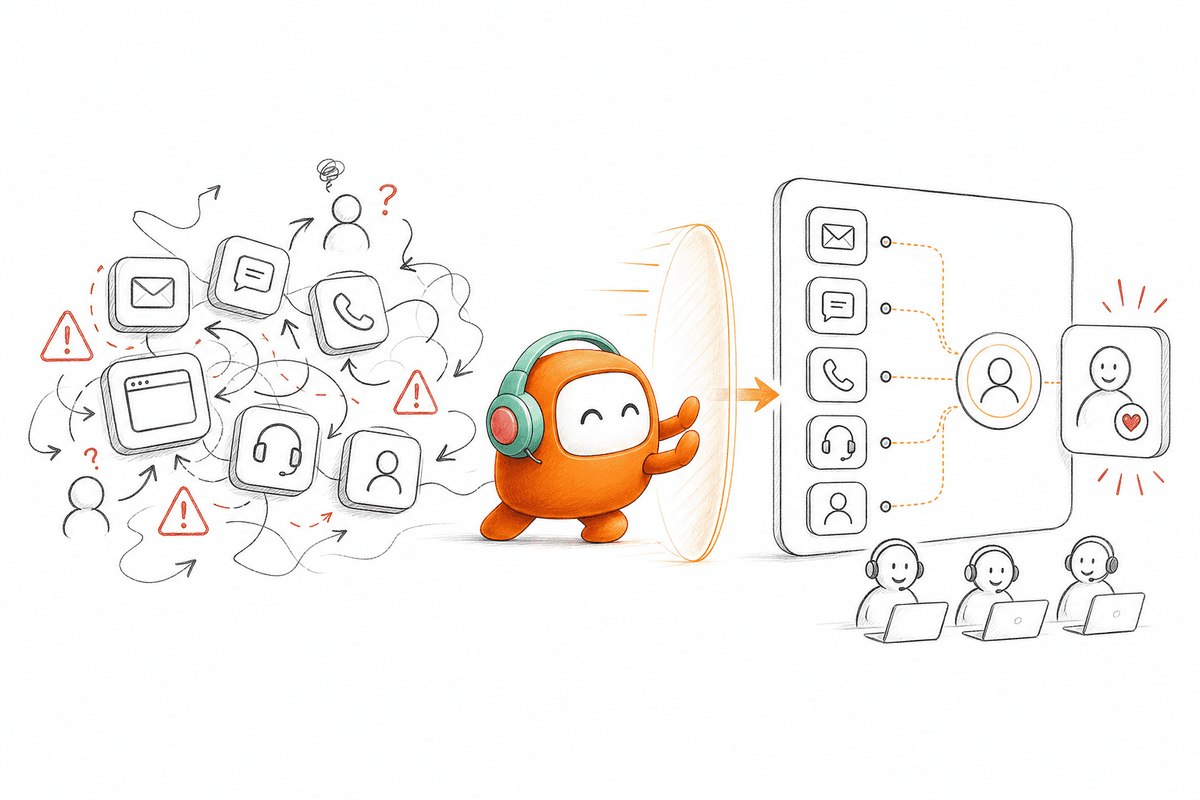
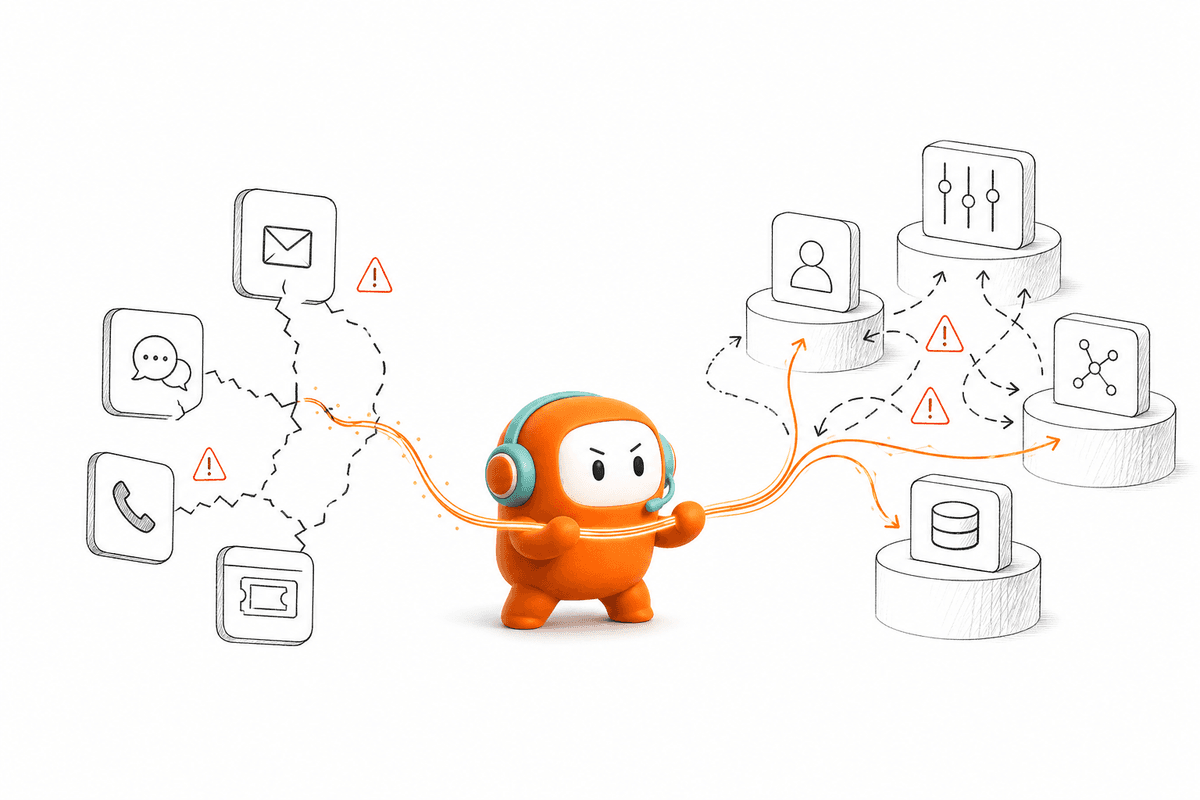
The support manager sees a call in the contact center, while the agent sees a ticket in another system. Chat history sits somewhere else, and the outbound team has already sent a reminder without knowing the customer replied. Nobody has the complete thread. The customer becomes the integration layer, repeating details between systems because the software won't carry them forward.
Five tools can each work correctly and still produce a broken experience. Frankly, that's why adding another AI point product often makes operations harder rather than reducing inbound calls. Each handoff creates another place where context can disappear or ownership can become unclear. The more channels you add, the more expensive that gap becomes.
Deflection Can Hide a Failed Customer Journey
A basic FAQ bot has a valid place. If customers ask simple opening-hour or policy questions, a lightweight tool may be enough, especially for a low-volume business. That concession is real, and it matters: not every contact needs an operating layer behind it. The mistake is treating blocked access to an agent as proof that demand disappeared, because customers may retry, switch channels, or leave with the issue unresolved.
Watch the second contact. If a digital interaction is followed by a call about the same issue within 24 hours, the first interaction didn't reduce demand. It delayed it and added customer effort. Track that repeat-contact rate before and after any deflection change, since a deflection number that rises while repeat contacts also rise is proof the journey is failing, not improving.
How to Reduce Call Volume Across Customer Operations
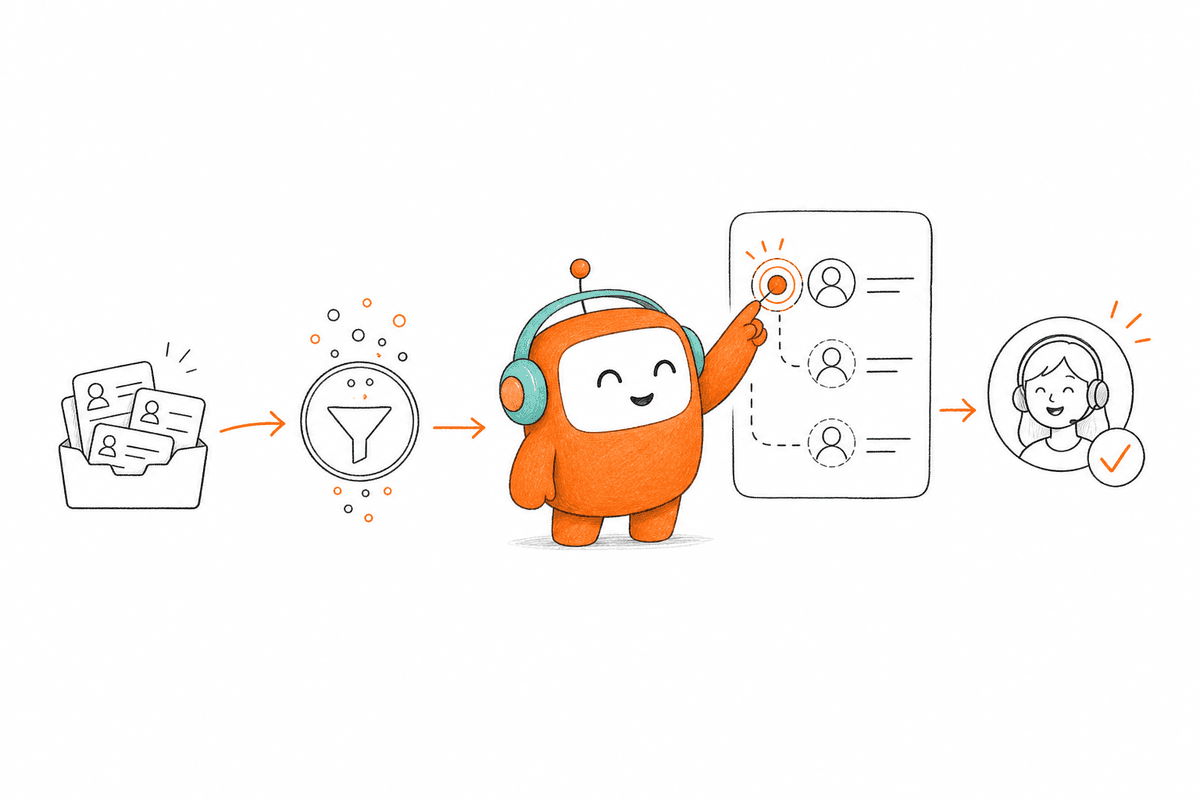
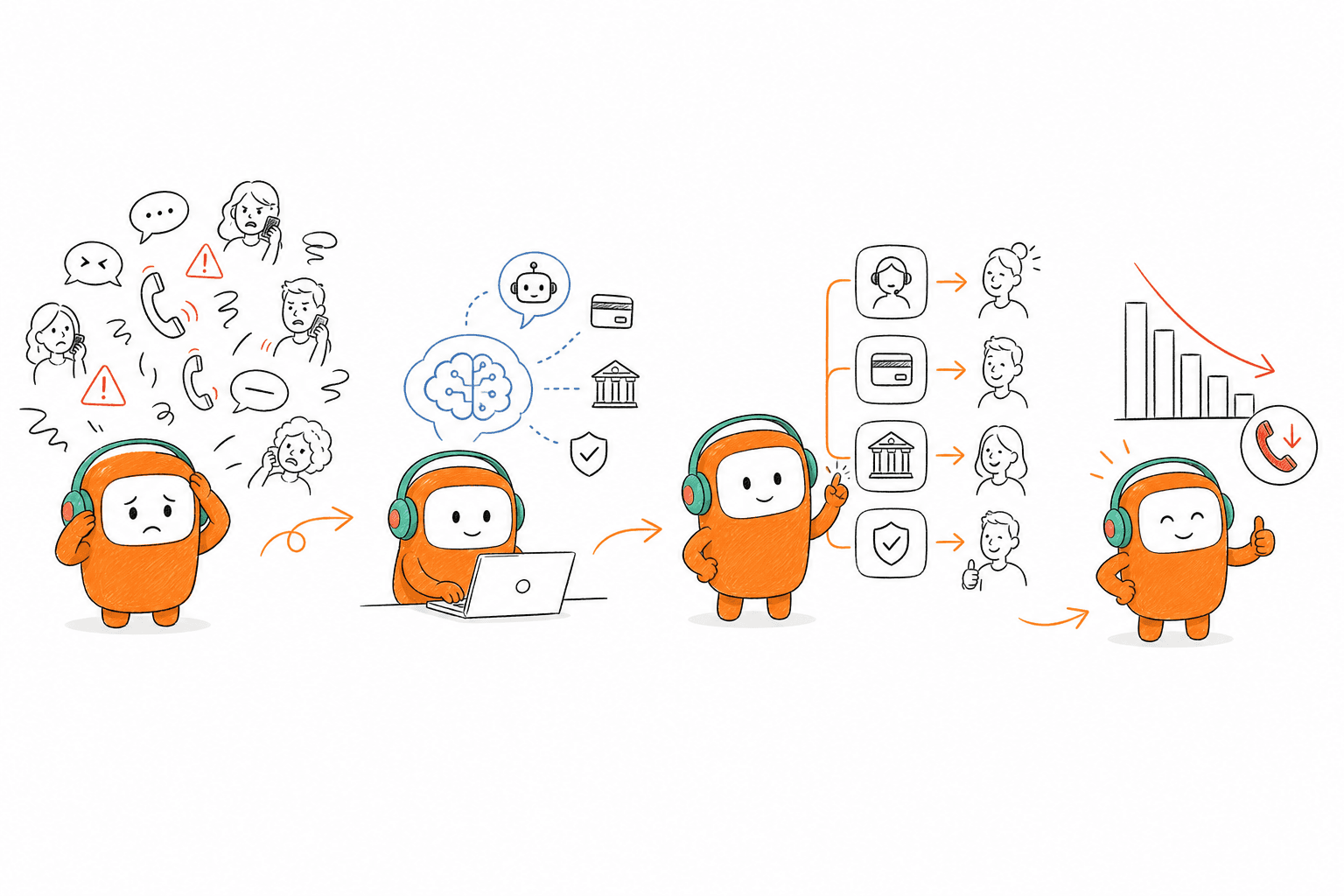
To reduce call volume with AI, redesign the work around complete customer outcomes rather than isolated channel responses. Start by identifying why people call, then connect knowledge, actions, routing, and escalation around those reasons. Automation should finish repeatable work and send exceptions to humans with the original context intact.
Audit Demand Before Choosing What to Automate
Two weeks of call records can tell you more than a polished AI demo. Review conversations across different shifts, products, and customer types, then group them by the job the customer wanted completed. Don't rely on the disposition code alone because agents often choose the closest available label. Read the transcript or listen to the call.
The first audit should answer five questions. Which calls repeat every day? Which began in another channel? Which needed a system action rather than an answer? Which became longer because context was missing? Which required judgment that shouldn't be automated?
Use the findings to sort demand:
- Answerable requests: The customer needs approved information, such as a policy or order status.
- Actionable requests: The customer needs a record changed, an appointment booked, or a follow-up triggered.
- Sensitive requests: The issue requires judgment, negotiation, or a policy exception.
- Failure-driven requests: The customer called because another channel, workflow, or prior handoff broke.
Here's the decision rule that matters: if the same reason appears in more than a handful of calls across the sample and follows a stable process, it's a strong automation candidate. If the outcome depends on discretion or incomplete data, route it to a person instead. That boundary protects service quality while giving call volume reduction a realistic starting point.
Separate Answers From Actions
An answer that doesn't complete the request often creates another call. Telling a customer how to reschedule is weaker than completing the reschedule inside the same interaction. Explaining that a payment is due is different from helping the customer choose the approved next step. Conversation quality matters, but workflow completion matters more.
Map each call reason from intent to outcome. For every stage, identify the information required, the approved action, the system involved, and the exception path. If any stage ends with "an agent checks another tool," you haven't designed full automation yet. You've designed a faster front door to the same manual process.
A practical workflow review follows this order:
- Identify the customer's intent.
- Retrieve the approved answer or account context.
- Complete the allowed action.
- Confirm the outcome in clear language.
- Log what happened.
- Escalate if a defined rule is triggered.
Some teams will prefer to automate only the answer because it's faster to launch. That choice is fair for an early test, and I won't pretend the shortcut has no value. It shouldn't be reported as resolved demand if the customer still needs to call, though. Measure the job completed, not the sentence delivered.
Give Digital Channels a Complete Exit
Where should a customer go after chat provides the answer? If the path ends at "call us," digital service has become a directory, not a resolution channel. A complete exit may mean confirmation, a scheduled follow-up, a routed request, or a handoff to the right person. Customers need to know what happened and what comes next.
Channel choice should follow the job. Chat works well for short exchanges and links. SMS fits reminders and simple confirmations, while voice is better when the request is urgent, nuanced, or easier to explain aloud. Never force every issue into the same channel just to protect a deflection metric.
Before moving a call reason away from the phone, check four conditions:
- The digital channel can identify the request correctly.
- The required knowledge is approved and current.
- The customer can complete the intended action.
- A person can take over without restarting the conversation.
If one condition fails, keep a direct route to human support while the gap is fixed. Call avoidance that traps customers is false economy. Real reduction gives the customer a shorter path, not a locked door.
Build One Knowledge Source With Clear Limits
In SEA BFSI, voice automation has to handle local language, bank workflows, and internal control requirements together. VIB replaced a script-based incumbent with an on-prem Revve deployment across text and voice use cases. Its voice deployment achieved 75% auto-resolution, a result that applies only to that specific VIB voice program. The lesson isn't that every bank should expect the same number.
The more useful lesson is architectural. An agent needs approved knowledge, defined conversation logic, and a clear escalation boundary before it can handle real banking requests. A human-sounding voice without those controls is still an unreliable operator. Accuracy comes from what the agent is allowed to know and do.
Create a knowledge review process around production evidence:
- Assign an owner to each major content area.
- Record the effective date and intended channel.
- Flag answers that require account data or a system action.
- Define topics the AI must never answer without escalation.
- Review unresolved conversations for missing or conflicting knowledge.
Shared knowledge does require ownership. Somebody still has to approve policy changes, remove outdated answers, and resolve conflicts between documents. That work can't be avoided, but doing it once is better than correcting separate voice scripts, chat flows, and agent notes every week.
Escalate With the Conversation Attached
A warm handoff and a blind transfer can reach the same agent, yet only one protects the customer experience. The agent should receive the full thread, the detected intent, relevant customer context, and a clear reason for escalation. Without that package, the customer starts again. Repeat explanations add handling time and make the earlier automation feel pointless.
Set escalation rules before launch rather than waiting for angry customers to expose the gaps. Negative sentiment, unresolved intent, sensitive keywords, long conversation duration, and custom business rules can all indicate that AI should step aside. In my view, the strongest deployments are conservative about judgment and aggressive about passing context. AI should handle repetition, not pretend every exception is routine.
Test the handoff with real edge cases:
- The customer changes topics halfway through the conversation.
- The knowledge base contains two conflicting answers.
- The requested action falls outside the approved workflow.
- The customer asks for a person directly.
- A sensitive phrase or negative response appears.
If your current handoff drops history between voice, chat, and the agent queue, seeing the shared thread in practice is more useful than another voice demo. You can book a demo to review how that context moves from automation to a human workspace.
Use Outbound Work to Prevent Predictable Calls
Proactive outreach can reduce inbound call volume before demand reaches the queue. Appointment reminders, payment notices, application updates, and service-status messages answer the customer's next question before they have to ask it. The message must use current context and stop when the customer responds or the workflow changes.
Outbound can also create more calls when it runs separately from support. A reminder sent after payment, an application prompt sent after submission, or repeated contact after an opt-out gives customers a new reason to complain. Treat inbound and outbound as one customer history. Each touch should know what happened before it.
Review predictable call reasons and ask:
- What event usually happens before the call?
- Can that event trigger an approved message?
- Which channel fits the urgency and content?
- What response should stop or change the sequence?
- When must a person review the case?
Don't automate outreach policy itself. Your operations and legal teams still define consent, contact windows, disclosures, and opt-out rules. Automation should execute those approved rules consistently, which is where a shared customer operations layer becomes useful.
How Revve Connects Conversations to Work
Revve brings inbound service and outbound engagement into one customer operations platform, so AI and human agents work from shared conversations, knowledge, and workflows. Instead of adding another isolated voice bot, it connects supported channels to the operational steps that resolve requests. Human agents remain available for exceptions and judgment-heavy work.
One Workspace for Inbound and Outbound
Revve's Unified AI and Human Workspace keeps automated conversations and human work inside the same operating environment. Activity is logged in the same customer record, and escalated conversations arrive with their history intact. The Omnichannel Conversation Management layer can tie supported voice, chat, SMS, email, and messaging interactions to one customer thread. Agents don't have to reconstruct the issue from separate tabs.
Outbound Orchestration adds the proactive side of call volume reduction. Teams can configure multi-step campaigns across calls and supported messaging channels, with timing and exit conditions set by the business. A reminder can be followed by another approved touch, while a customer response can change what happens next. Revve doesn't invent the outreach strategy, since the rules and messaging still come from your team.
Knowledge-Grounded Automation With Full-Context Handoff
Revve grounds AI responses in documents, approved websites, and curated FAQs loaded into a shared knowledge base. During the conversation, the AI identifies intent and retrieves relevant content instead of answering outside the approved material. That boundary matters when the goal is to reduce call volume with automation that doesn't trade fewer calls for inaccurate answers. Operations teams can update knowledge and conversation rules as issues appear.
Smart Escalation and Full-Context Handoff covers the point where automation should stop. Configured triggers can move a conversation to a person with the thread, summary, prior history, and suggested next steps attached. Revve isn't replacing the CRM, billing platform, or every system already in your company. It acts as the customer conversation and workflow layer around them, with integrations, APIs, webhooks, and data sync that connect conversations and outcomes back to the systems your team already uses.
Reduce Call Volume by Fixing the Operating Layer
Lower call volume comes from completing more customer work before a call becomes necessary. That means accurate knowledge, connected actions, proactive communication, and a human handoff that preserves context. Another isolated bot may answer a few questions, but it won't repair a customer journey split across separate queues and tools.
Revve gives enterprise operations teams one place to run those conversations across inbound and outbound workflows. The goal isn't to stop customers from calling. It's to remove the avoidable reasons they had to call in the first place.
FAQ
How do I handle edge cases effectively?
To handle edge cases effectively, start by identifying the specific scenarios that often lead to customer frustration or confusion. Implement specific logic in your workflows to address these situations. For instance, you can use Revve's Smart Escalation feature to automatically route complex inquiries to human agents while preserving the conversation context. This ensures that customers don’t have to repeat themselves, improving their overall experience.
What if my customers still call after using self-service?
If customers are still calling after using self-service, it might indicate that the self-service options aren't fully resolving their issues. Review the customer interactions to identify common pain points. You can leverage Revve's Knowledge-Grounded AI Automation to ensure that the AI provides accurate and complete answers based on a shared knowledge base. This can help reduce repeat calls by addressing issues more effectively during the initial interaction.
Can I automate follow-ups after customer interactions?
Yes, you can automate follow-ups using Revve's Outbound Orchestration feature. This allows you to create multi-step outreach campaigns that can send reminders or confirmations to customers after their interactions. Set up your campaigns to trigger based on specific actions, like completing a service request, ensuring that your customers receive timely updates without needing to call back.
When should I consider using AI for customer support?
Consider using AI for customer support when you notice a high volume of repetitive inquiries or when your team struggles to keep up with demand. Revve's AI Agents can handle routine questions and tasks, allowing human agents to focus on more complex issues. Start by analyzing your call records to identify common questions and then implement AI solutions to automate those responses.
Why does my self-service not reduce call volume?
If your self-service options aren't reducing call volume, it may be due to incomplete information or a lack of clear next steps for customers. Ensure that your self-service channels provide a complete digital path for customers. Revve's Unified AI and Human Workspace can help by integrating AI and human efforts, ensuring that agents have access to the same context as the AI, which can lead to more effective resolutions.