Your customer changed channels twice this week and had to explain the same problem three times. If your virtual assistant only answers the first message, you haven't fixed the customer journey. You've added another place where context can disappear. The hard part isn't adding voice or chat. It's making every channel follow the same customer record and workflow.
Teams trying to implement omnichannel virtual assistants often begin with a channel list. Voice gets one owner, chat gets another, and outbound sits with revenue or collections. Each assistant may work well on its own, yet the operation behind it stays broken. Inbound-only AI is especially narrow when your team also handles reminders, lead follow-up, payment recovery, or re-engagement.
Key Takeaways:
- Start with one complete customer workflow, not every available channel.
- Test whether customer identity and context survive each channel change.
- Separate questions that need answers from requests that require actions.
- Design human handoff before expanding automation coverage.
- Give operations direct control over scripts, routing rules, testing, and rollbacks.
- Measure completed workflows, not message volume or bot containment alone.
Why Omnichannel Virtual Assistants Fail After Launch
Omnichannel virtual assistants fail when separate channels share branding but not customer context, workflow rules, or ownership. Customers experience one company, while internal teams still manage several disconnected systems. Adding more assistants to that setup spreads the same operational problem across more channels.
Channel Coverage Can Hide Operational Fragmentation
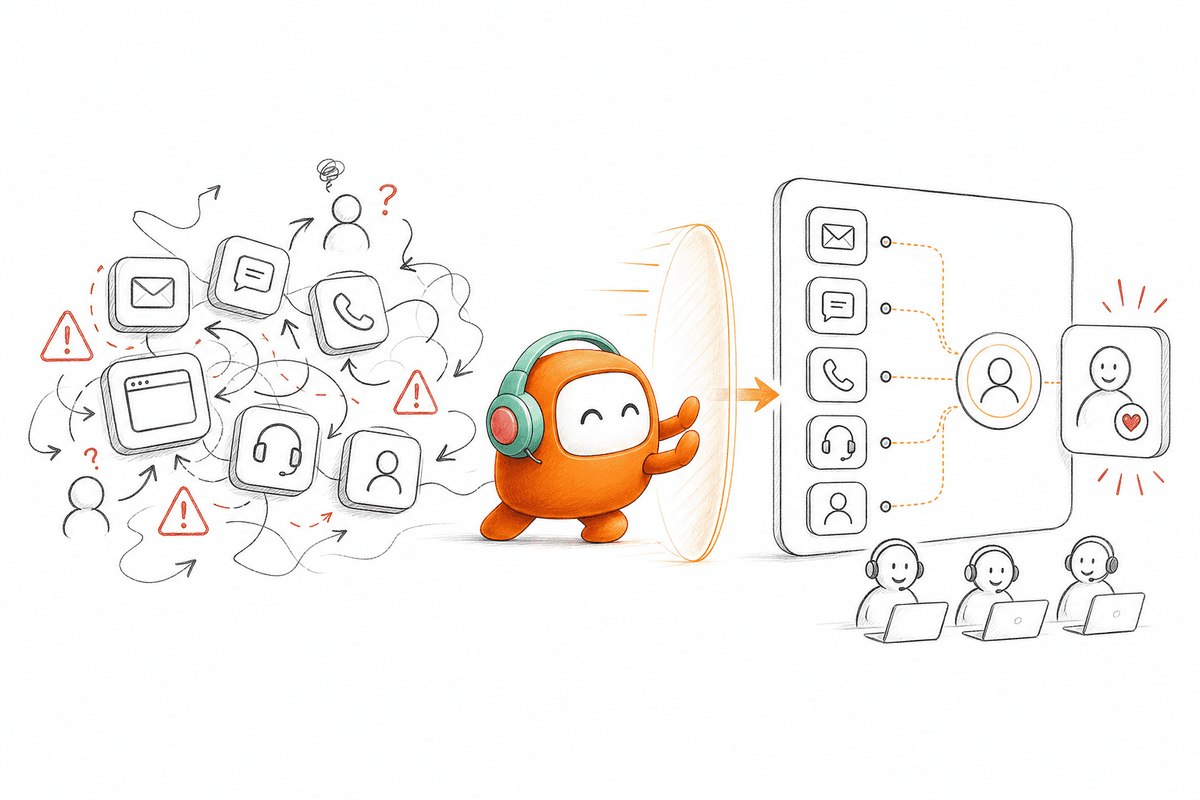
A customer starts in web chat at 9:12 on a Monday because a payment failed. The assistant sends an SMS link, the link doesn't solve the issue, and the customer calls twenty minutes later. When the human agent answers, the chat history and SMS response aren't visible in the call workspace. The customer repeats everything while the agent toggles between three systems, and the two-minute problem turns into a nine-minute call with an annoyed customer on the other end.
From the customer's side, one issue has moved through three touchpoints. Internally, it has become three separate records with different owners and different reporting. A customer thread should work like one case file moving between rooms. The people handling it may change, but the history, decisions, and next action should stay attached to the file.
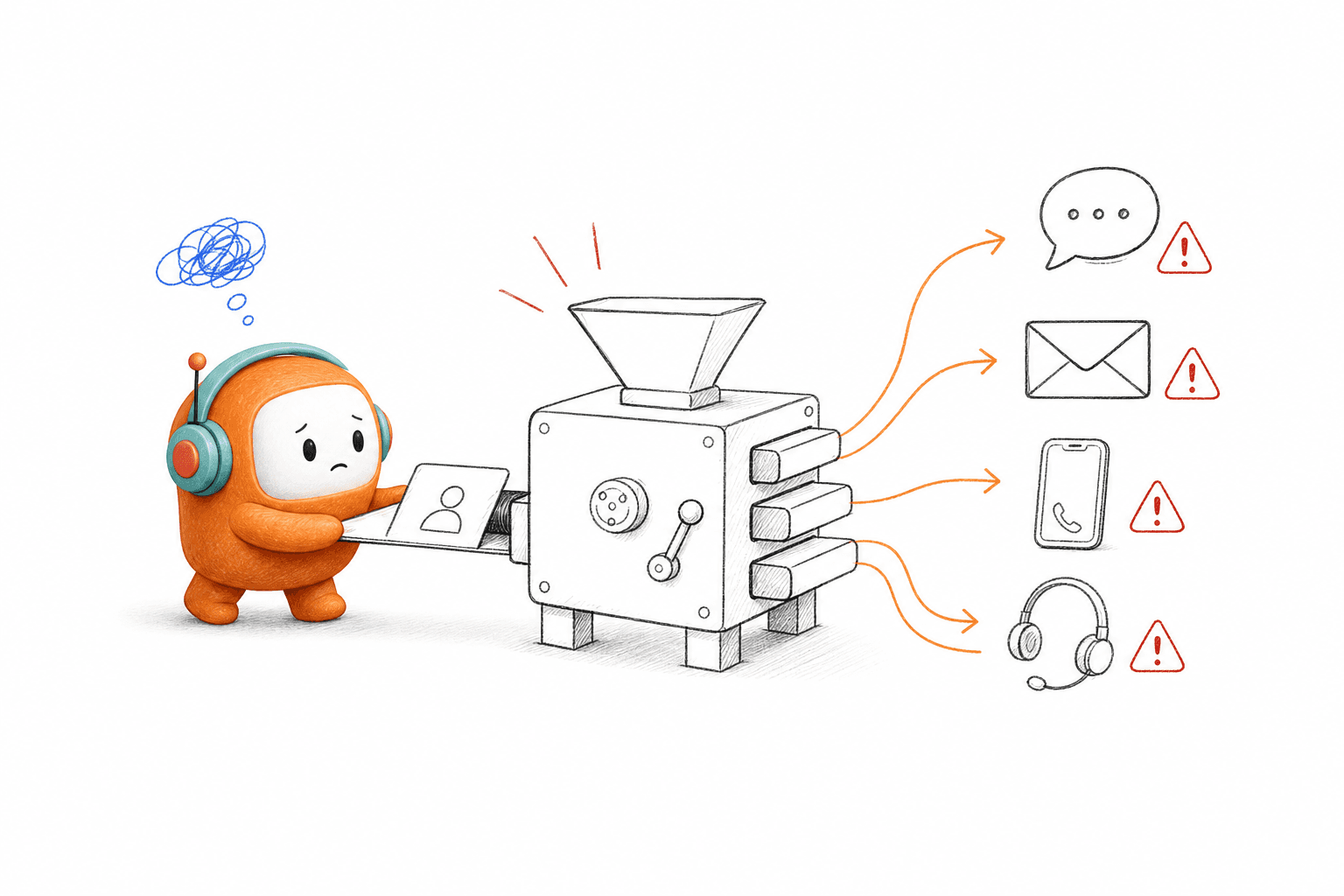
Channel count is a poor measure of omnichannel maturity. Frankly, five connected channels with weak identity matching can create more confusion than one well-run channel. If the assistant can't recognize the same customer after a channel switch, you're running parallel bots, not an omnichannel operation.
Inbound-Only AI Covers Half the Work
Inbound automation can remove repetitive questions from support queues, and that has real value. A support-only team with no proactive workflow may be well served by a focused chat assistant. Buying a larger customer operations platform for a small FAQ use case would add cost and work the team doesn't need. That trade is real, and it's the honest exception to everything else in this piece.
The limit appears when customer operations also owns outbound activity. Collections teams need follow-up after missed payments. Revenue teams need fast lead qualification. Service teams need reminders, status updates, and re-engagement when a process stalls. If these jobs stay in separate dialers, campaign tools, or spreadsheets, the virtual assistant hasn't changed the operating model.
A customer who asks for help today may need a reminder tomorrow. Treating those moments as unrelated forces teams to rebuild context every time. In my view, an assistant that can only wait for the next inbound message is too narrow for enterprise customer operations.
Operations Loses Control After the Pilot
A good demo can hide a bad change process. The assistant understands the happy path, answers approved questions, and moves through a planned conversation. Then a policy changes, a new objection appears, or an escalation rule needs updating before the next campaign.
Operations sends the change to engineering or the vendor. Someone edits the logic, schedules a release, and asks the business team to test it again. A minor wording correction becomes a ticket with several handoffs. People get tired of asking, so outdated rules stay in production longer than anyone wants to admit.
Engineering involvement is valid for integrations, permissions, and infrastructure. Daily script edits and routing changes are different. If routine updates require code or vendor intervention, operations doesn't truly own the assistant. That leaves one implementation question worth answering: how do you connect channels without taking control away from the people running the work?
How to Implement Omnichannel Virtual Assistants Around Real Work
To implement omnichannel virtual assistants, map one customer journey, preserve context across each channel, define executable actions, and set clear human handoff rules. Channel connections come after those decisions. The goal is one operating flow that continues when the customer changes channel or the conversation changes owner.
Diagnose the Breaks Before Choosing Channels
Pull 20 recent customer journeys that touched more than one channel. Take examples from support, lead follow-up, reminders, or whichever workflow carries the greatest business risk. For each journey, mark where identity was lost, where an agent searched another system, and where the next action depended on manual follow-up. Twenty examples usually expose the repeated breaks without turning the audit into a three-month project.
The audit should focus on observable behavior, not opinions about which tool people like. Ask whether the customer had to repeat information, whether two records were created, and whether a promised follow-up actually happened. Here is the decision rule: if more than five of the 20 journeys show the same break, fix that break before adding another channel. Expanding first will only reproduce it across more surfaces.
Look for these warning signs:
- The same customer appears under different identities across voice and messaging.
- Human agents can't see what the assistant already asked.
- Outbound follow-up starts without the prior inbound conversation.
- Escalations arrive without a summary or stated reason.
- Operations needs engineering to change routine conversation rules.
Define the Workflow Before the Assistant
Channel-first planning asks where the assistant should appear. Workflow-first planning asks what the customer is trying to finish. That change sounds small, yet it determines whether the assistant completes work or merely produces natural-sounding replies.
Choose one journey with a clear beginning and end. A lead qualification flow might begin when a form is submitted and end when the lead is routed, booked, or closed. A payment reminder flow might begin with an approved account list and end with payment, a payment arrangement, an opt-out, or human escalation. Every valid end needs an owner and a recorded outcome.
Document the workflow in this order:
- Entry event: Define what starts the journey.
- Identity check: Decide how the system recognizes the customer.
- Required context: List the data needed before the conversation begins.
- Allowed actions: Specify what the assistant may answer, update, send, or trigger.
- Exit conditions: Define completion, escalation, opt-out, and failure.
- Record update: State where the final outcome must be written.
A single workflow may use web chat, voice, and SMS, but the channels are delivery points. They aren't the design. If the workflow can't be explained without naming a channel, it probably hasn't been defined clearly enough.
Keep One Identity and Context Record
What must follow a customer between channels? At minimum, the next agent needs the customer identity, prior conversation, current intent, completed actions, and pending next step. Without those fields, the new channel begins with a blank page and the customer starts over.
Identity matching deserves more attention than most teams give it. Email, phone number, account ID, and CRM contact ID may refer to the same person, yet they don't always arrive together. Set a clear rule for confident matches and send uncertain matches to review. Merging two customers incorrectly is worse than asking one customer to confirm an identifier.
Context should also have limits. Copying every available CRM field into each interaction raises risk and makes the workflow harder to test. Include only the data needed for the current task. If an order-status assistant needs an order number and delivery state, it probably doesn't need the customer's complete sales history.
Separate Answers From Actions
A virtual assistant that answers well can still leave the work unfinished. "Your appointment can be changed" is an answer. Updating the booking and sending confirmation is an action. Production design has to separate those two jobs because they carry different permissions, tests, and failure paths.
For every intent, write down whether the assistant should inform, collect information, trigger an action, or transfer the conversation. If an action changes a customer record or business state, define what happens when the write fails. The assistant shouldn't confirm success before the target system confirms it. That one rule prevents a polite response from becoming a false promise.
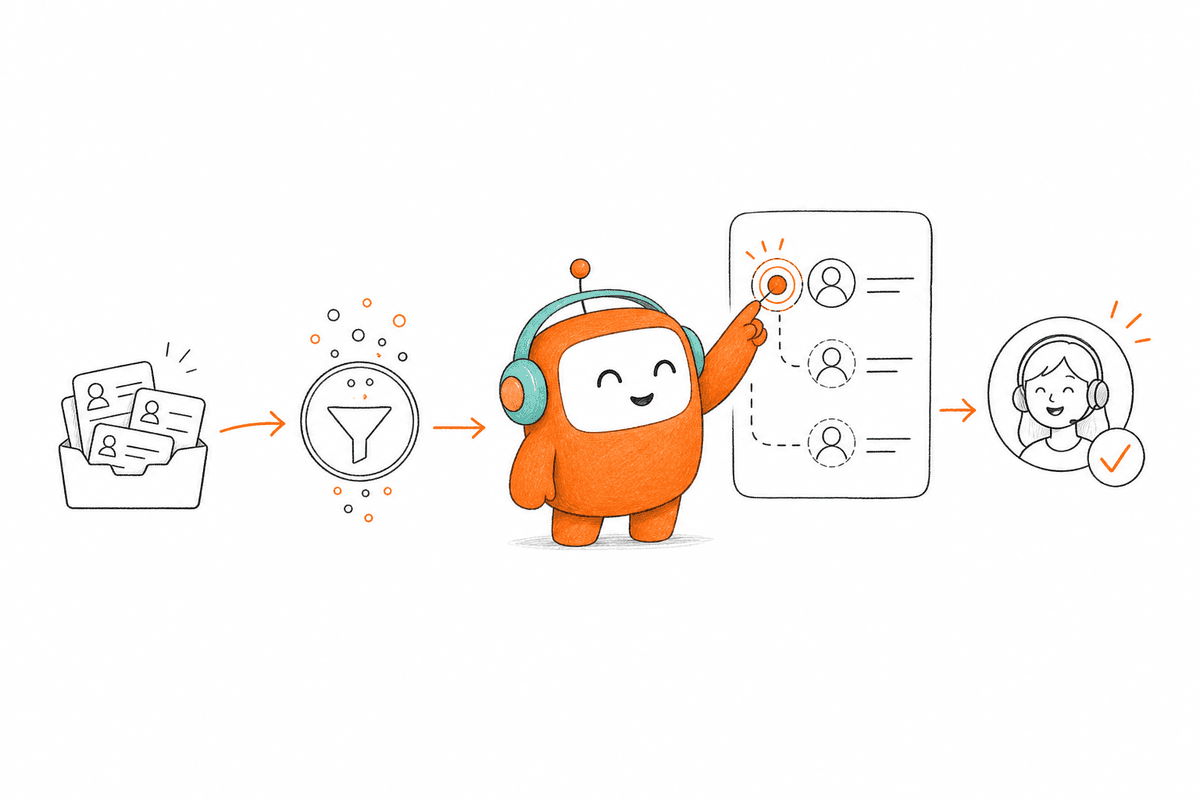
One SaaS recruiting team applied the same logic to candidate screening. Email opened the workflow, a Vietnamese voice agent ran the screen, an evaluator scored the completed call, and branching logic sent the next message. The setup returned roughly 70 recruiter hours in two weeks and brought time-to-screen to about 17 hours, because the workflow connected each action instead of automating one isolated task.
Design Human Handoff Before Automation
A useful handoff tells the human what happened and why ownership changed. Sending a customer into a general queue with a transcript attached isn't enough. The agent still has to read the full conversation, find the issue, and work out what the assistant already tried.
Define at least five items for every handoff: reason, summary, customer identity, actions completed, and recommended next step. Add routing rules based on the work your team actually uses, such as skill, shift, customer tier, or queue capacity. If any required item is missing, treat the handoff test as failed.
High automation coverage looks attractive, and there are workflows where the assistant should finish most routine cases. Still, forcing complex exceptions to stay automated creates longer conversations and angrier customers. Set escalation triggers for unresolved intent, sensitive topics, explicit requests for a person, and failed actions. Judgment belongs with people.
If you want to inspect how those handoff rules can work across a real voice, chat, or outbound journey, book a demo around one workflow your team already runs.
Put Operations Inside the Change Loop
A policy update lands at 2 p.m., and the new wording needs to be live before tomorrow's outreach. Under a vendor-controlled model, operations writes a ticket and waits, and the outreach ships with the old wording. Under an operations-controlled model, the team updates the approved flow, runs test cases, gets the required review, and publishes the change the same afternoon.
Control doesn't mean removing IT. Technical teams still own initial integrations, access, infrastructure, and higher-risk changes. Operations should own routine scripts, branching rules, routing, channel behavior, and approved campaign changes after setup. Clear boundaries keep the business moving without turning production systems into an open editing surface.
Before publishing any change, run a fixed release sequence:
- Compare the new flow against the current approved version.
- Test at least 20 normal and edge-case journeys.
- Confirm all actions, handoffs, opt-outs, and failure states.
- Get the required business or compliance approval.
- Publish with a rollback path already prepared.
If every routine change enters an engineering sprint, the assistant will fall behind the operation it supports. No-code configuration matters because customer workflows change more often than core integrations do.
Expand Only After the Workflow Holds Together
A broad launch looks ambitious. A narrow production path reveals more. Begin with one workflow, two relevant channels, and a small set of measurable outcomes before extending the assistant elsewhere.
Measure whether the journey finishes correctly, not how many messages the assistant sends. Completion rate, handoff quality, failed actions, repeated information, and follow-up completion tell you whether the operating flow works. Containment alone can mislead, because a conversation may stay automated while the customer's request stays unresolved.
Don't add the next channel until 20 consecutive test journeys preserve identity, context, and the correct exit condition. Production traffic will still expose exceptions, so keep review active after launch. In my experience, the first expansion should reuse the same workflow rather than introduce a new workflow and channel together. Change one variable at a time and failures become far easier to trace.
Once the operating model is clear, the remaining question is whether your platform can support it without adding another queue.
How Revve Gives Operations Teams Direct Control
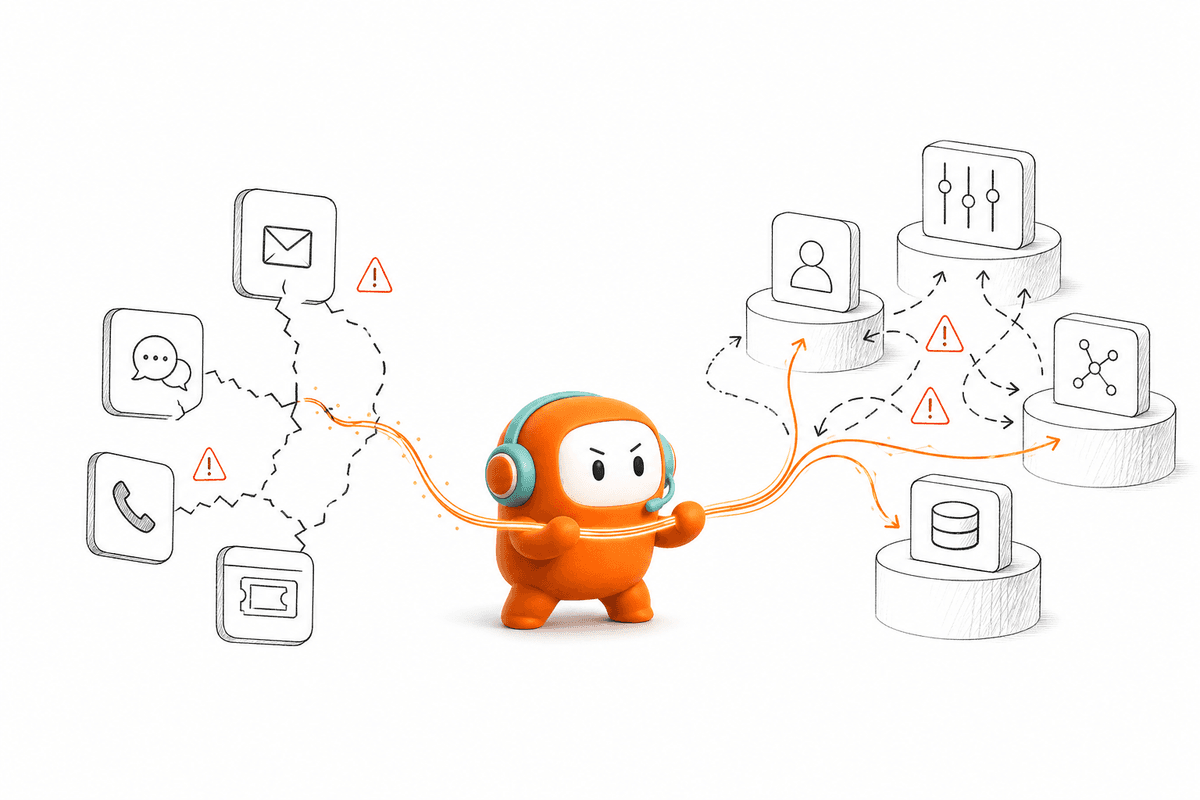
Revve puts voice, chat, SMS, configured messaging channels, outbound workflows, and human agents inside one customer operations platform. Operations teams can manage everyday workflow changes without asking engineering or a vendor to rebuild each flow. Initial integrations still involve technical teams, which keeps the boundary practical rather than pretending implementation requires no work.
No-Code Changes With Testing and Rollbacks
Revve lets operations users adjust scripts, routing, tone, scenarios, and workflow rules through plain-language settings and visual builders. Changes can be previewed, checked against test payloads, run through batch tests, and rolled back when needed. That gives the team running the workflow direct control over routine updates.
The distinction matters after launch. A new qualification question shouldn't wait for a development sprint, while a new system integration still deserves technical review. Revve keeps those jobs separate. Cloud and on-prem deployment are both supported, which gives teams flexibility when infrastructure or governance requirements shape the rollout.
Core controls include:
- No-code workflow editing: Operations can update approved flows and routing without writing code.
- Pre-release testing: Teams can preview changes and test normal cases before publication.
- Rollback support: A failed change can be reversed without rebuilding the prior version.
- Approval workflows: Sensitive messages can retain human review.
One Workspace Across Inbound and Outbound
Revve keeps supported channel activity tied to one customer thread, so AI and human agents work from the same history. Smart escalation passes the conversation, summary, prior actions, and relevant context into the human workspace. The platform isn't designed to remove people. It gives them a cleaner starting point when judgment or exception handling is required.
Outbound orchestration uses the same operating layer for lead follow-up, reminders, re-engagement, and collections workflows. That matters because lead qualification, outreach, and follow-up can stay connected to the same CRM-linked workflow instead of being split across separate tools and manual handoffs.
Revve can connect with CRM and enterprise systems through integrations, APIs, webhooks, and data sync, but it doesn't replace the CRM or core system of record. Customer consent, legal interpretation, and regulatory approval also stay the customer's responsibility. The platform runs the customer conversation and workflow layer around those systems.
A strong platform choice should remove handoff gaps and vendor dependencies, not hand operations another assistant to supervise.
Start With One Workflow, Then Add Channels
A production-ready omnichannel rollout begins with one complete workflow and expands only after context, actions, and human handoff work correctly. Teams should judge success by completed customer outcomes, not the number of channels connected. That approach makes failures visible while they are still small enough to fix.
Revve is built for enterprise teams with enough conversation volume and workflow complexity to justify one customer operations platform. A small team that only needs a homepage FAQ bot should choose something simpler. For teams running inbound and outbound work across several channels, direct operational control is no longer optional.
FAQ
How do I ensure customer context is preserved across channels?
To keep customer context intact, start by defining a clear workflow that includes an identity check for each channel. Use Revve's omnichannel conversation management to ensure that all interactions—whether through voice, chat, or SMS—are tied to one customer thread. This way, when a customer switches channels, their previous interactions and intent are readily available to the next agent, reducing the need for them to repeat information.
What if my team needs to make quick updates to workflows?
If your team needs to adjust workflows rapidly, Revve's no-code configuration tools are ideal. You can use plain-language settings to modify scripts, routing, and business rules without needing developer assistance. This allows you to respond quickly to changes in customer needs or operational policies, ensuring your workflows remain effective and relevant.
Can I automate follow-ups for missed payments?
Yes, you can automate follow-ups for missed payments using Revve's outbound orchestration feature. This allows you to set up multi-step outreach campaigns via calls, SMS, or emails. You can define the timing and conditions for follow-ups, ensuring that customers receive timely reminders while maintaining compliance with regulations.
When should I escalate a conversation from AI to a human agent?
You should escalate a conversation when the AI detects complexity, sentiment issues, or specific keywords that indicate the customer needs human intervention. Revve's smart escalation feature ensures that the full context of the conversation is passed to the human agent, allowing them to continue without missing any details. This helps maintain a seamless customer experience.
Why does my team need a unified inbox for customer conversations?
A unified inbox is crucial because it centralizes all customer interactions across different channels into one view. Revve's omnichannel inbox allows your team to manage conversations from voice, chat, and messaging apps without switching tools. This reduces context loss, speeds up response times, and improves overall customer satisfaction.