A 3-hour delay after a pricing-form submission is not a sales problem anymore; it is an operations problem. How revenue teams improve outbound now depends less on copywriting and more on whether every signal turns into the right next action. A form fill, missed call, abandoned application, payment reminder, or renewal nudge should not sit inside five disconnected queues while a rep decides what to do next.
The old outbound playbook was built for campaigns. The new one has to be built for customer operations. Revenue teams improve contact rates and follow-up consistency when outbound is tied to customer context, inbound history, routing logic, compliance checks, and human handoff from the beginning.
Key Takeaways:
- Revenue teams improve outbound when they treat every customer signal as work to be routed, not a name to be added to a list.
- The biggest outbound problem is rarely message quality alone. It is the gap between interest, context, follow-up, and ownership.
- If speed-to-lead is above 5 minutes for high-intent inquiries, the process is already losing buyers to faster competitors.
- Multi-step campaigns need rules before volume. Channel order, exit criteria, time windows, and escalation triggers matter more than blast size.
- Human reps should own judgment-heavy conversations, while AI handles repeatable contact attempts, reminders, qualification, and follow-up steps.
- A strong outbound system measures completed workflows, not just emails sent, calls placed, or messages delivered.
Why Revenue Teams Miss Customers After the First Signal

The Real Bottleneck Sits Between Interest and Action
A VP of Revenue checks the dashboard at 8:40 a.m. and sees 63 new form fills from the night before. The CRM has the names, the inbox has a few replies, the dialer has yesterday’s call list, and the support team has two open tickets from the same accounts. Nobody is doing anything wrong. The system is just asking humans to connect facts that should already be connected.
That is where how revenue teams improve outbound gets misunderstood. Leaders often blame the rep, the script, or the channel. Sometimes those are real problems, fair enough. But if the same customer can ask a support question on chat, submit a lead form, miss a call, and receive a generic email from a campaign tool, the issue is not rep effort. The issue is operational memory.
The practical test is simple: pick 20 recent outbound touches and ask whether the person contacting the customer had the last inbound conversation, current status, next recommended action, and escalation path in front of them. If fewer than 16 of those 20 touches had all four, your outbound engine is running with missing context. That costs more than a weak subject line.
Fragmented Tools Make Follow-Up Look Like Activity
Separate tools have a logic to them, a dialer is good at calls, a CRM is good at records, a marketing tool is good at sequences, and a helpdesk is good at tickets. The mistake is assuming that four good systems automatically create one good customer motion.
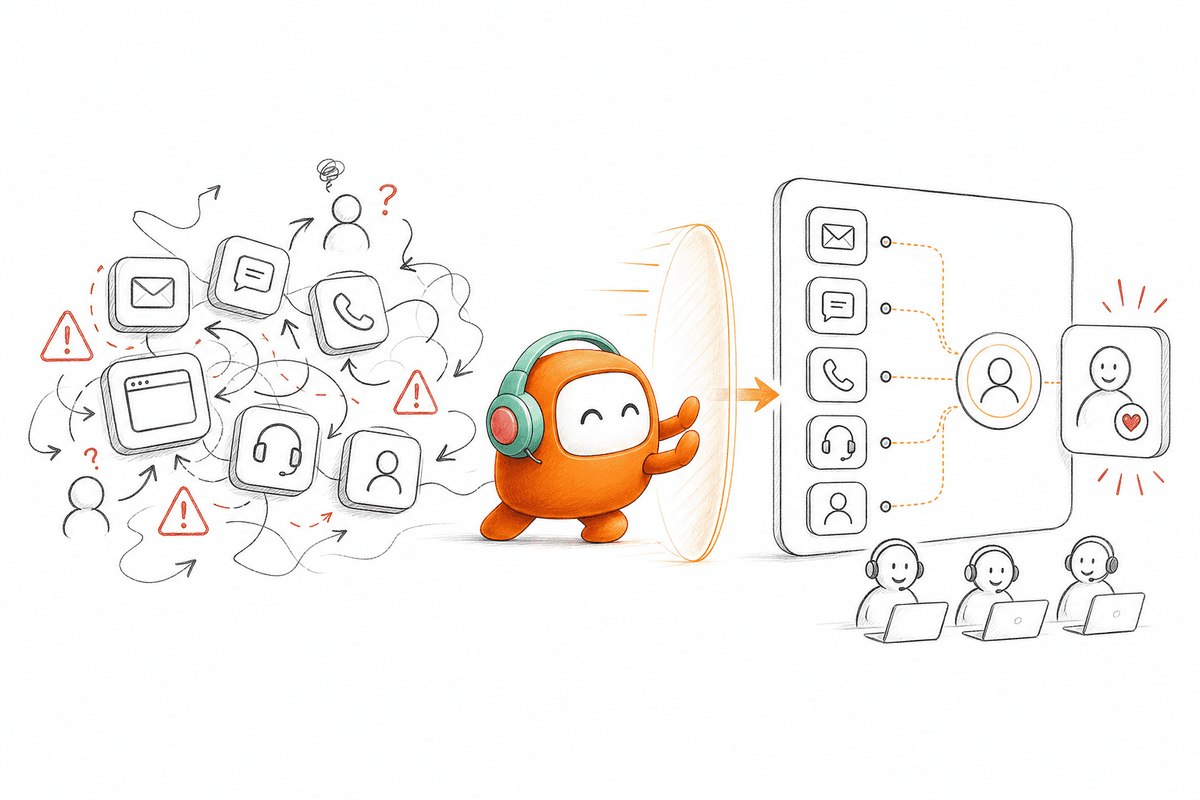
The hidden cost shows up as false activity. Reps call, send, log, tag, and follow up, but the work still fails because every system sees only one slice of the customer. A call center queue knows a customer did not answer. The CRM knows the deal stage. The chat tool knows the customer asked about pricing. The campaign tool knows an email bounced. Without one shared operating view, the revenue team improves effort while the customer experience stays broken.
Outbound campaigns are like a dispatch board inside a busy operations room. If the board only shows who needs a call, the team keeps dialing. If it also shows who already replied, who asked for a person, who opted out, who is in an active ticket, and who should move to another channel, the team starts making better decisions. Same people. Better board.
The Human Cost Shows Up in the Queue
Revenue operations pain is not always dramatic. It is the Tuesday afternoon queue with 214 contacts waiting for the next touch, 37 replies nobody has categorized, and a sales manager asking why a hot lead waited until tomorrow. You feel it in the small manual checks that never make the weekly report.
The emotional part matters because teams normalize the mess. Reps build personal spreadsheets. Managers ask for screenshots. Ops people become the glue between systems that were never designed to share ownership. After a while, everyone accepts slow follow-up as the price of running outbound across channels. It is not. It is a design choice.
A useful threshold: if more than 25% of outbound follow-up requires a person to check another system before deciding what happens next, the campaign is not ready for more volume. More volume will only create a larger queue with the same missing context. The next question is not how to send more. It is how revenue teams improve the operating model behind every send.
How Revenue Teams Improve Outbound Campaigns Without Adding More Reps
Revenue teams improve outbound campaigns by rebuilding the workflow around customer signals, not campaign calendars. The stronger approach connects inbound history, outbound sequences, routing, and human handoff into one operating model. That lets teams increase reach without turning every rep into a manual coordinator.
Diagnose Whether Your Outbound Problem Is Speed, Coverage, or Control
Start with diagnosis before buying another outbound tool. Ask three questions: how fast do high-intent customers receive the first touch, how many qualified customers never receive the second touch, and how often do reps change the sequence because the default path no longer fits? Those three answers will tell you whether the core problem is speed, coverage, or control.
If first response exceeds 5 minutes for high-intent leads, speed is the first fix. If more than 10% of qualified contacts miss the second touch within 24 hours, coverage is leaking. If reps override sequences more than 20% of the time, control is weak because the workflow does not match real customer conditions. I would not automate anything until those numbers are visible. Automation hides bad process very well.
The red flags are easy to spot once you look for them:
- Speed problem: customers wait in forms, inboxes, routing rules, or CRM queues before anyone contacts them.
- Coverage problem: follow-up depends on rep memory, calendar reminders, or manual task creation.
- Control problem: compliance rules, channel preferences, and escalation paths live in notes instead of the campaign logic.
- Context problem: outbound contact happens without recent inbound history or support status.
- Ownership problem: sales, support, and operations each think another team owns the next action.
Treat Inbound and Outbound as One Customer Motion
A customer does not care whether your team labels the interaction inbound or outbound. They care whether the company remembers the last conversation and acts accordingly. That is why how revenue teams improve follow-up has to start with one customer thread, not separate channel reports.
Consider a renewal workflow. A customer opens a support ticket about billing, then receives a generic renewal call the next morning from a sales rep who cannot see the ticket. The rep sounds careless, even if the rep followed the assigned task perfectly. Now flip the workflow: the renewal touch waits until the billing issue is resolved, then triggers a message that references the right account status and routes to a person if the customer replies with a concern. Same renewal goal. Very different operating model.
A good inbound-plus-outbound rule is simple: any outbound workflow touching an active customer should check for open support issues, recent inbound messages, opt-out status, and owner assignment before the next action fires. If one of those checks fails, pause or reroute the workflow. Critics might say that slows revenue down. Sometimes it does, and that is valid when you are working a low-risk prospecting list. For existing customers, though, speed without memory creates risk.
Build Follow-Up Rules Before You Build Sequences
Sequences are easy to design because they look clean on a slide. Day 1 call, Day 2 SMS, Day 4 email, Day 7 follow-up call. Real customers are less tidy. They reply from the wrong channel, miss calls during work hours, ask support questions inside sales threads, and change intent halfway through a conversation.
Follow-up rules decide what happens when reality interrupts the campaign. If a customer replies by WhatsApp, does the email sequence stop? If a lead answers an AI call and asks for pricing, does the workflow route to sales or send another nurture email? If a collections contact asks for a human, does the AI keep messaging or hand off with context? These rules are not details. They are the campaign.
The sequence should not launch until six conditions are written down:
- Entry rule: who enters the workflow and what data must be present.
- Channel order: which channel comes first, second, and third based on urgency.
- Exit rule: what stops the campaign immediately.
- Escalation rule: what sends the conversation to a human.
- Timing rule: when contact is allowed and when retries stop.
- Record rule: what gets logged back to the system of record.
If those rules still live in spreadsheets, queue notes, and manager memory, the next campaign will inherit the same gaps. For teams trying to move those rules into one operating workflow, book a demo after mapping where the current handoffs fail.
Put Humans Where Judgment Changes the Outcome
Human reps should not be used as expensive routers. They should be used where judgment changes the result. A person is needed when a buyer asks a nuanced pricing question, a customer is upset, a past-due account needs negotiation, or a strategic opportunity needs account context. A person is not needed to send the second reminder, confirm interest, collect basic qualification data, or log that a customer did not answer.
The division of labor should be written as a threshold, not a slogan. If the interaction requires empathy, negotiation, exception handling, or account strategy, send it to a human. If the interaction requires repeatable contact, structured questions, approved answers, or routine follow-up, let automation run the step and pass the full history when needed. Frankly, this is where many revenue teams get nervous. They worry automation will make the customer experience worse.
That concern is fair. Bad automation does make outreach feel colder. The answer is not to keep every task manual; it is to set clear boundaries so AI handles the repetitive 70% and humans own the 30% that actually needs a human. Revenue teams improve quality when people stop chasing every task and start handling the moments where their judgment matters.
Measure Completed Workflows, Not Message Volume
Outbound reporting often rewards the wrong behavior. Calls placed, emails sent, SMS delivered, and contacts enrolled are activity counts. They prove motion, not progress. A revenue team can hit every activity target and still lose customers because the workflow did not qualify, route, book, collect, remind, recover, or escalate at the right time.
Measure workflow completion instead. For lead qualification, track time to first touch, qualification completion, qualified routing rate, and booked meeting handoff. For re-engagement, track right-party contact, reply intent, next action completed, and customer status updated. For collections or reminders, track contact reached, promise captured, payment path initiated, human request routed, and opt-out respected. The better question is not “How many messages did we send?” It is “How much customer work got finished?”
A practical benchmark: every outbound campaign should have one primary workflow outcome and no more than three supporting measures. If a campaign has 12 success metrics, nobody will manage it well. If it has one outcome, such as “qualified lead routed to sales with transcript and score,” the team can tune every step around that result. That is how revenue teams improve with evidence instead of noise.
How Revve Runs Outbound Workflows
Revve runs outbound workflows by putting AI agents, human agents, customer context, and multi-step campaigns inside one customer operations platform. The platform supports calls, SMS, WhatsApp, messaging apps, and email from the same operating layer. That matters because outbound only works when follow-up, routing, and handoff share the same record.
One Workspace for AI and Human Follow-Up
Revve gives revenue teams one shared workspace where AI agents and human agents work from the same conversation context. When AI handles a call, message, reminder, or qualification step, the activity stays attached to the same customer record. When the conversation needs a person, the human agent receives the thread, summary, history, and suggested next action instead of starting from nothing.
That directly addresses the cost described earlier: reps checking multiple systems before deciding what to do next. Revve’s Unified AI and Human Workspace and Omnichannel Conversation Management keep inbound and outbound activity tied to one customer thread. The AI Voice Agent can support outbound calls and automated follow-up, while the AI Chat Agent can handle routine digital replies across configured channels. The point is not replacing the team. The point is removing the manual coordination that slows the team down.
Revve is also strongest when outbound is not treated as a side tool. Lead qualification, reminders, re-engagement, collections, and campaign outreach can run beside inbound support history, agent handoff, and customer conversation records. For a VP Sales or Revenue leader, that changes the question from “Did the campaign send?” to “Did the customer reach the right next step?”
No-Code Campaign Control With Governed Outreach
Revve’s Outbound Orchestration lets teams build multi-step campaigns across calls, SMS, WhatsApp, messaging apps, and email using configured steps, timing, and exit conditions. Operations users can adjust scripts, workflows, routing, tone, and scenarios through no-code configuration, testing, and rollbacks after initial setup. That matters because outbound campaigns change constantly, and every change should not wait on engineering or vendor implementation.
The platform also supports compliance controls and approval workflows, including configured checks such as consent status, local time windows, do-not-call restrictions, and opt-out requirements before outbound contact or sensitive message delivery. Revve does not remove the customer’s legal responsibility for review or policy. It gives operations teams a governed place to run the rules they define.
Revve connects with CRM systems and enterprise tools through integrations, APIs, webhooks, CSV imports, and downstream data sync where configured. That means a revenue team can enroll contacts, run outreach, capture transcripts or outcomes, and write information back into the broader operating stack without turning every campaign into a manual export exercise. Revve also supports both cloud and on-prem deployment models for teams that need flexibility around infrastructure and control.
What Revenue Teams Should Fix Next
Revenue teams improve outbound by fixing the work layer, not by adding another channel tool. Start with the diagnostic: speed, coverage, control, context, and ownership. Then rebuild the campaign around rules that decide what happens after every customer signal.
Revve is built for teams that have enough customer volume and operational complexity to justify a shared AI and human workspace. It is not just a chatbot, not just a dialer, and not a replacement for your CRM. It is the customer operations platform where outbound, inbound, knowledge, routing, and handoff can finally work from the same context.
FAQ
How do I set up an outbound campaign with Revve?
To set up an outbound campaign with Revve, start by defining your campaign goals and target audience. Next, use the Outbound Orchestration feature to create multi-step outreach sequences across various channels like calls, SMS, and email. You can configure steps, timing, and exit conditions based on your needs. Once your campaign is designed, test it to ensure everything works smoothly before launching. Revve’s no-code configuration makes it easy to adjust workflows as needed.
What if my follow-up rates are low?
If your follow-up rates are low, consider diagnosing your process using Revve. Check the speed of your initial responses—ideally, high-intent leads should be contacted within 5 minutes. Use the unified workspace to ensure that all team members have access to customer context, which helps in timely follow-ups. Additionally, implement rules for follow-up actions based on customer signals to improve engagement and ensure that no leads fall through the cracks.
Can I automate customer interactions across multiple channels?
Yes, you can automate customer interactions across multiple channels using Revve’s Omnichannel Conversation Management feature. This allows you to manage voice, chat, SMS, and messaging interactions all in one place, ensuring that your team has a complete view of customer conversations. By automating routine inquiries, you can focus your human agents on more complex interactions, improving overall efficiency.
When should I escalate a conversation to a human agent?
You should escalate a conversation to a human agent when the inquiry becomes complex or requires empathy. Revve’s Smart Escalation feature helps determine when to transfer a conversation based on specific triggers, such as customer sentiment or the complexity of the request. This ensures that customers receive the appropriate level of support without losing the context of their previous interactions.
Why does my team need a unified workspace?
A unified workspace is essential because it allows both AI and human agents to work from the same conversation context. This reduces the time spent switching between different systems and helps maintain continuity in customer interactions. With Revve’s Unified AI and Human Workspace, your team can improve response times and ensure that every customer touchpoint is informed by the complete history of interactions.