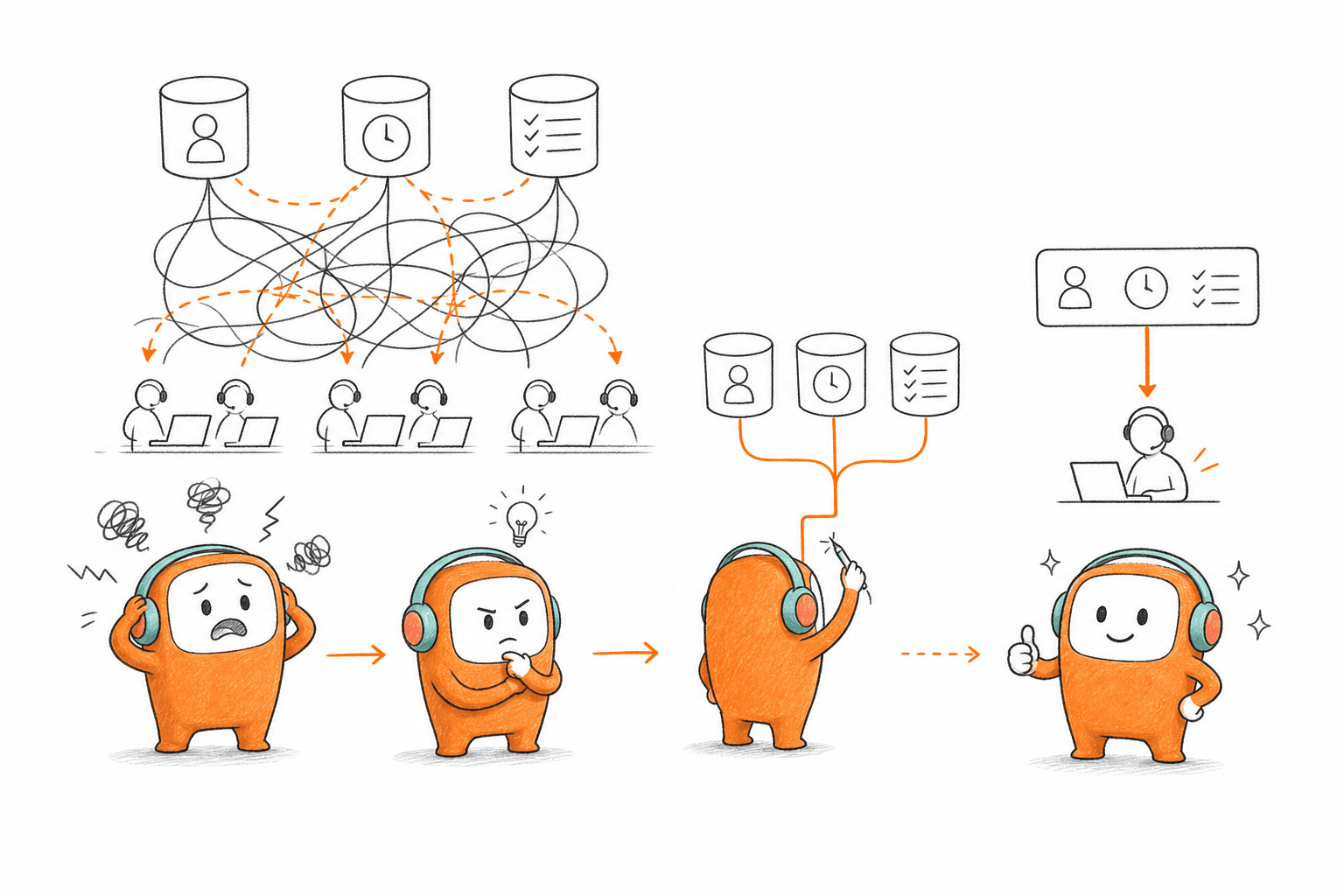
At 8:30 on Monday morning, a collections manager opens the billing system, dialer, SMS inbox, and agent queue. Each system shows a different version of the same customer. One says overdue, another says contacted, while the agent note says the customer promised to pay on Friday.
The useful question is how finance teams increase collection capacity without multiplying queues or hiring agents at the same rate. More calls won't fix broken account context. Finance teams increase recovery capacity when inbound replies, outbound contact, payment status, and human follow-up work from the same operating record.
Key Takeaways:
- Measure unique customers reached and resolved, not raw call attempts.
- Organize collections around account state rather than separate channel queues.
- Reconcile inbound replies with outbound campaigns before the next contact.
- Automate repeatable contact steps, then send disputes and exceptions to people.
- Put consent, contact-window, and opt-out checks before each outreach attempt.
- Review failed workflows weekly, then update knowledge and routing rules.
Why Collection Capacity Breaks Before Headcount Does
Collection capacity usually breaks because account state, customer history, and follow-up rules live in separate systems. Adding agents may increase activity, but it also creates more handoffs across the same broken setup. Finance teams increase capacity by fixing the operating flow before increasing contact volume.
More Activity Can Hide Less Control
A busy dialer can look productive. Calls are leaving, SMS reminders are scheduled, and agents are working through assigned queues. The numbers rise. Yet the finance team may still struggle to explain which customers were actually reached, which promises remain open, or why someone received another reminder after paying.
At 9:10, an agent calls an account marked overdue. The customer paid through the portal at 8:55, but the campaign list hasn't refreshed. Later, an automated message asks for payment again, and the customer's reply lands in a separate inbox. The manager now has to reconstruct the sequence across three systems before deciding what went wrong.
Honestly, the old setup has merits. For a small portfolio, one channel, and a short queue, a spreadsheet plus a dialer may be cheaper and easier to manage. The model breaks when the same account moves between calls, messages, payment events, disputes, and human follow-up. More agents create more motion, not necessarily more recovery.
Fragmented Work Produces the Wrong Metrics
Raw attempts measure system activity, not collection progress. A finance leader may see thousands of calls placed while having no clear view of unique customers reached, open disputes, kept payment promises, or repeat contact caused by stale data. Finance teams increase collections by measuring movement through the account lifecycle instead of celebrating output from one channel.
Treat each customer conversation like an entry in a ledger. If a payment, dispute, callback request, and outbound reminder aren't reconciled against the same record, the operating balance is wrong. No finance team would accept an unreconciled ledger at month-end, yet many accept that exact condition in customer contact every day.
The operational cost lands in several places, Agents repeat work, and Managers spend time checking records. Customers lose trust when outreach ignores what they already said. The harder question is no longer how many contacts the team can attempt, but how many customer cases it can move forward without losing context.
How Finance Teams Increase Collection Capacity Without More Agents
Finance teams increase collection capacity by redesigning the workflow around customer state, shared context, and controlled automation. The sequence matters: diagnose the current gaps, define account states, connect inbound and outbound work, assign human judgment deliberately, then review production failures. Each step removes work that headcount alone can't solve.
Start With the Gaps Between Systems
Can your team explain one customer's full collection history in under two minutes? If the answer requires opening the billing system, dialer, email inbox, and an agent spreadsheet, capacity is being lost between tools. The first diagnostic isn't agent productivity. It's whether the operation can produce one reliable account story.
Run the test on recently completed and still-open cases. Pick customers who paid, disputed, requested a callback, opted out, or moved to a human agent. Follow each case from the first outbound contact through its current status, recording every manual lookup and duplicate entry. Frankly, gaps surface faster through real cases than through a polished process diagram.
Ask five questions during the review:
- Can an agent see the latest payment and contact status in one place?
- Does an inbound reply stop or change the next outbound step?
- Can managers identify why a case moved to a person?
- Are consent and contact restrictions checked before outreach?
- Does the final outcome return to the system used for finance reporting?
If any answer depends on someone remembering to update another tool, the workflow has an ownership gap. Fix that gap before buying more contact volume.
Design the Workflow Around Account State
A channel plan says call first, send an SMS later, and email after that. An account-state plan asks whether the customer is uncontacted, reached, disputing, promised to pay, paid, or waiting for human review. Channel plans schedule activity. State plans control what should happen next.
Finance teams increase recovery capacity when every action follows a valid account state. A customer who disputes a charge shouldn't remain in the same sequence as someone who hasn't responded. Someone who asks for a callback needs a different route from someone who promises to pay on a specific date. The contact channel supports the decision, but it shouldn't define the decision.
Build the state flow in this order:
- Set the entry condition: Define which account status makes a customer eligible for contact.
- Define valid outcomes: Include no answer, right-party contact, dispute, payment promise, payment, opt-out, and escalation.
- Assign the next action: Map each outcome to a follow-up, pause, closure, or human queue.
- Add stop conditions: End outreach when payment, opt-out, or another defined event makes further contact wrong.
- Write back the outcome: Return the current state to the finance or account system used by the team.
State design takes more work than uploading a list. That downside is real. Once it is done, though, operations can change channel timing without rebuilding the collection logic underneath it.
Join Inbound Replies With Outbound Contact
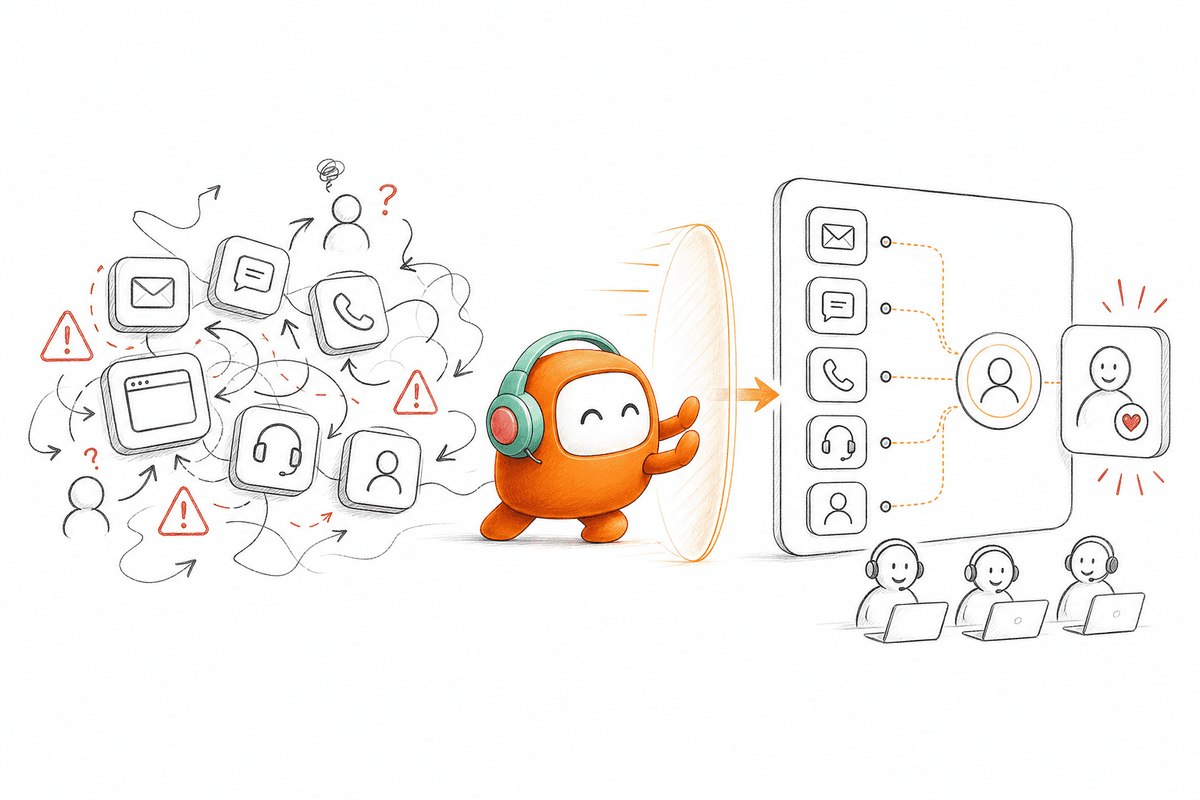
An account holder may ignore two calls, reply to an SMS, and then call the service line after checking the balance. Treating those events as separate conversations forces the customer to restart and leaves agents guessing. A connected workflow keeps the reply, prior attempts, payment context, and next action on one thread.
The link between inbound and outbound is often the hidden limit on collection capacity. Outbound contact creates responses, disputes, questions, and requests for people. If those responses land in another queue, every successful contact produces more manual coordination. Finance teams increase collections only when the operation can absorb the response created by its own campaigns.
Set explicit rules for cross-channel changes:
- If a customer replies on any supported channel, pause the next automated touch until the reply is classified.
- If payment is confirmed, close the active sequence and record the outcome.
- If the customer disputes the balance, route the full history to the assigned human queue.
- If a customer requests another channel, continue only through the approved route.
- If identity or account context is incomplete, stop account-specific discussion and move to the defined verification path.
Those rules prevent a common mistake: treating outreach as complete when the message leaves the system. Collection work is complete when the customer state changes and every connected workflow knows it.
Give Automation the Repetitive Work
Automation should stop where judgment starts. Routine reminders, basic account questions, scheduled follow-up, and status capture can follow defined rules. Disputes, hardship cases, negotiation, and sensitive exceptions need a person with enough context to make a responsible decision.
The division isn't fixed forever. Start with conversations that have clear entry conditions, approved knowledge, limited outcomes, and obvious escalation points. Keep people on cases where policy interpretation or empathy affects the outcome. In my view, trying to automate the hardest cases first is usually a proof-of-concept mistake, not an operations strategy.
A practical rollout has four stages:
- Observe: Document what agents do on repeatable cases, including the exceptions.
- Constrain: Define the knowledge, scripts, states, and actions automation may use.
- Escalate: Set triggers for disputes, unresolved intent, sensitive language, or customer requests.
- Review: Sample completed and escalated conversations, then correct the workflow before adding volume.
A human review gate does add time. That tradeoff is valid for higher-risk messages and unusual cases. The stronger approach isn't removing every review, but placing review where human judgment changes the decision.
If you want to see how shared context and controlled handoff can fit beside an existing collection process, book a demo around one live workflow rather than a generic AI presentation.
Put Contact Rules Before Campaign Execution
Every outreach attempt should pass its operating checks before the customer is contacted. Consent status, permitted contact windows, opt-out records, customer preferences, and internal approval rules belong in the workflow itself. A policy document that sits outside campaign execution depends on agents remembering every rule during a busy shift.
The customer still owns legal review and policy decisions. Software can't decide what a regulated finance team is allowed to do in every market. That limitation matters. Once the organization defines its rules, the operating system should apply them consistently, record what happened, and stop contact when a configured restriction is triggered.
Before launching a campaign, confirm:
- Which customers are eligible for the workflow
- Which channels are permitted for each customer
- Which local contact windows apply
- Which messages require human approval
- Which events pause or end the sequence
- Which records must be retained for review
If the team can't answer those questions before launch, more contact capacity increases exposure rather than recovery. Finance teams increase operational capacity when governance is part of execution, not a checklist completed after an incident.
Review Exceptions as Production Data
Every failed conversation tells you where the operating model needs work. A customer question may expose missing knowledge. A repeat escalation may show that the automation boundary is too narrow, while a wrong follow-up can reveal stale account state or a broken stop condition.
Review exceptions by cause, not just by agent or campaign. Group them into knowledge gaps, routing failures, incorrect account data, unclear rules, and unsupported requests. Then assign each group to the person who can change the workflow. Coaching an agent won't fix a synchronization failure, and editing a script won't fix an account state that never updated.
A weekly review should answer four questions:
- Which conversations failed to reach a valid outcome?
- Which cases reached a person without enough context?
- Which automated steps continued after the customer state changed?
- Which correction should update knowledge, routing, or campaign logic?
Few teams need more dashboards. They need a shorter path from production evidence to an operating change. That review loop is how finance teams increase capacity without allowing small workflow errors to multiply.
How Revve Connects Finance Customer Operations
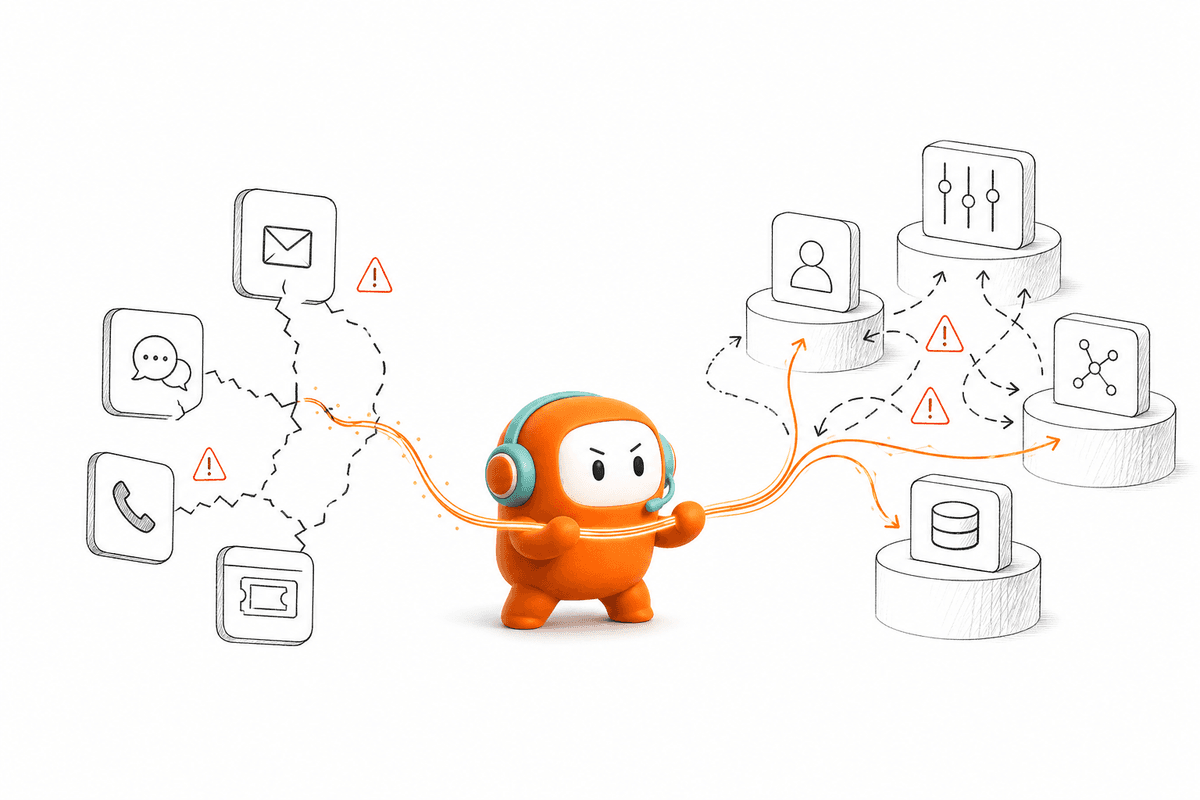
Revve brings inbound support and outbound engagement into one customer operations platform. Voice, chat, SMS, messaging, ticketing, knowledge, and human work can operate from shared customer context. Finance teams use that structure to reduce duplicate queues while keeping systems of record, legal review, and human judgment in place.
One Workspace for Customer History and Handoff
Revve's Unified AI and Human Workspace keeps automated activity and human handling in the same operational record. When a conversation needs a person, the agent receives the thread, prior history, relevant context, and suggested next steps. Customers don't have to restart the conversation because the automation reached its boundary.
Omnichannel Conversation Management ties supported voice and digital interactions to one customer thread. A call can lead to an SMS response, then move to a person without turning into three unrelated cases. Revve doesn't replace the billing platform, core banking system, or CRM. It sits around those systems as the conversation and workflow layer.
The setup is meant for teams with meaningful customer volume and operational complexity. A small finance team using one channel may not need it. For regulated production programs, Revve supports both cloud and on-prem deployment, which can help teams align the platform with internal security or data-control requirements.
Outbound Sequences That React to Customer Action
Revve's Outbound Orchestration lets teams configure multi-step contact across calls, SMS, WhatsApp, other configured messaging channels, and email. Each step can follow defined timing, exit conditions, customer context, and prior conversation history. A payment, reply, opt-out, or escalation can change what happens next instead of leaving the customer inside a fixed campaign.
Configured controls can check consent status, contact windows, do-not-contact restrictions, and opt-out requirements before outreach. Approval workflows can keep people involved for sensitive messages. Revve records interactions for operational review, but the customer still defines the policies and remains responsible for legal obligations.
Increase Collection Capacity Without Losing Control
Finance teams increase collection capacity by connecting customer state, conversations, outreach, and human decisions. More agents can't repair a workflow that forgets payments, separates inbound replies from outbound contact, or sends escalations into another queue. The operating model has to change first.
Revve gives enterprise finance operations one place to run customer conversations across inbound and outbound while preserving the systems and people that still own the financial record. Start with one workflow, define its states and stop conditions, then measure customers moved forward rather than messages sent. Capacity comes from closing the loop, not filling the queue.
FAQ
How do I connect multiple communication channels for collections?
To connect multiple communication channels for your collections, you can use Revve's Omnichannel Conversation Management. This feature allows you to manage voice, chat, SMS, and messaging all in one place. Start by setting up your channels in Revve, ensuring that each channel is linked to the same customer thread. This way, when a customer interacts through one channel, all agents can see the full conversation history, which helps maintain context and improves response times.
What if my team struggles with customer follow-ups?
If your team struggles with follow-ups, consider using Revve's Outbound Orchestration feature. This allows you to create multi-step outreach campaigns that can adapt based on customer responses. Define your follow-up sequences, set timing, and include conditions that change the next action based on customer interactions. This way, you can ensure that follow-ups are timely and relevant, improving your chances of successful collections.
Can I automate consent checks before outreach?
Yes, you can automate consent checks before outreach with Revve's built-in Compliance Controls and Approval Workflows. This feature ensures that each outreach attempt adheres to consent status, contact windows, and opt-out records. Set up your workflows to include these checks automatically, so your team can focus on engaging customers without worrying about compliance issues.
When should I escalate a conversation to a human agent?
You should escalate a conversation to a human agent when the AI encounters complexity or when a customer expresses frustration. Revve's Smart Escalation feature helps with this by analyzing triggers like sentiment and keywords. If the AI detects that a conversation is beyond its capabilities, it can seamlessly hand off the full context to a human agent, ensuring continuity and a better customer experience.
Why does my team need a unified workspace for AI and human agents?
Having a unified workspace for AI and human agents, like what Revve offers, is crucial for operational efficiency. It reduces the time agents spend switching between systems and helps maintain conversation context. This means agents can respond faster and more accurately, enhancing customer satisfaction. By keeping everything in one place, your team can manage workflows more effectively and track interactions without losing important information.