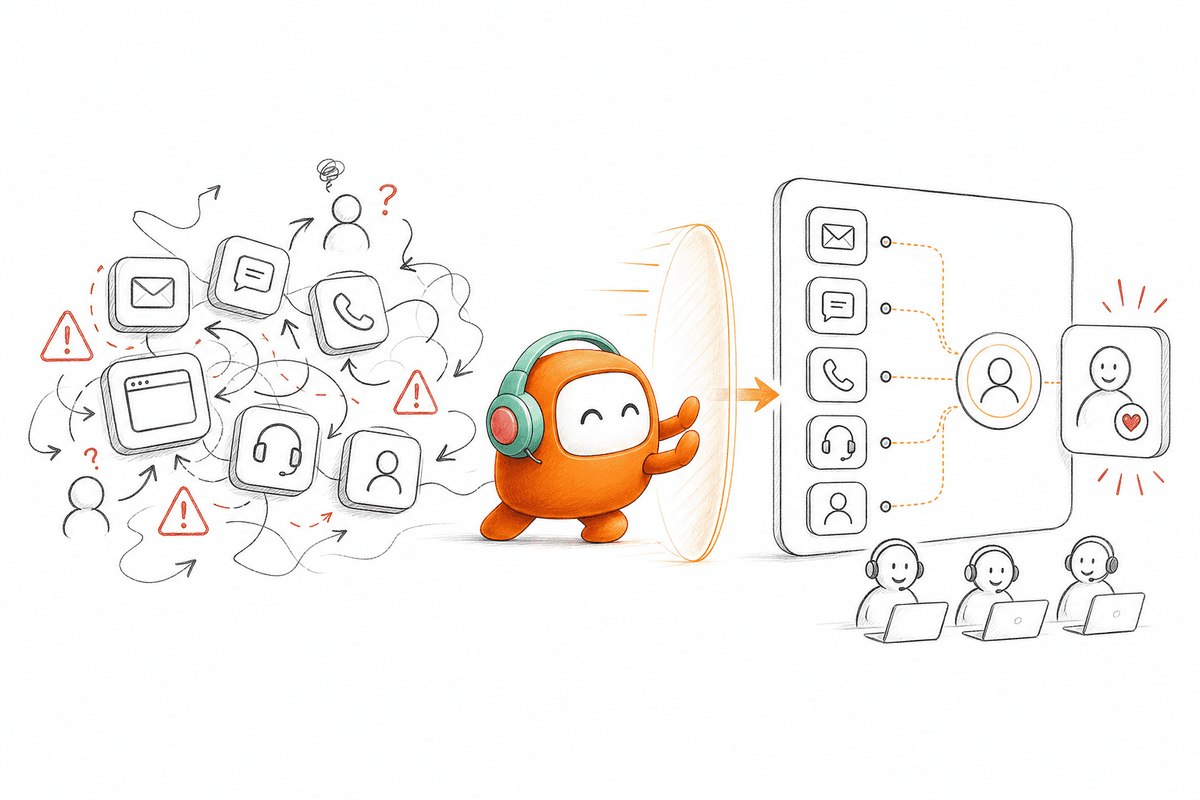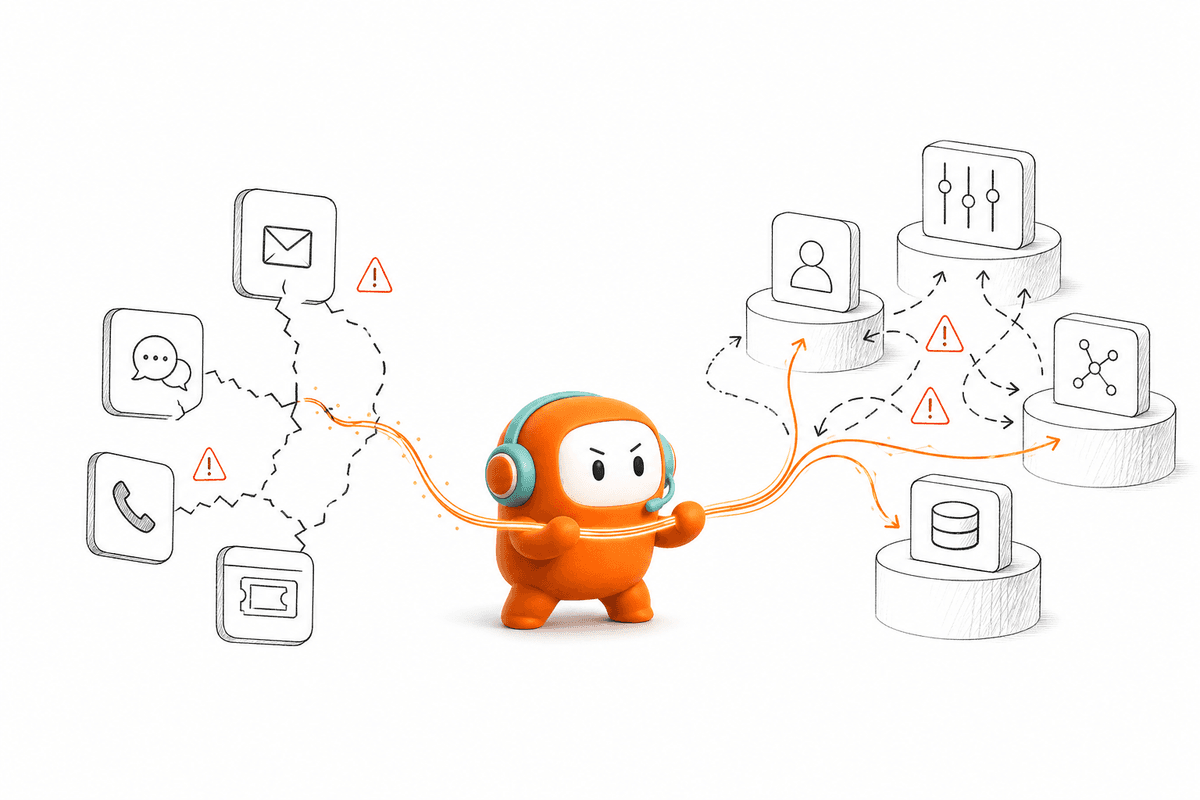
Five systems can touch one B2B customer before a human sees the full history. Yet many B2B teams automate the reply, not the work that should happen after it. The bot answers, the CRM waits, the outbound queue stays unchanged, and an agent copies notes between tabs. Automation exists, but the operation still runs by hand.
The real question is how B2B teams automate customer work from first contact through completion. A useful AI agent doesn't just sound natural. It knows which record to update, when to trigger follow-up, and when a person should take over. Conversation quality matters, but workflow execution decides whether anything gets done.
Key Takeaways:
- Start with a complete customer workflow, not a single message or channel.
- Define the business outcome before writing prompts or selecting an AI model.
- Keep customer context available across inbound and outbound conversations.
- Set clear escalation rules for sensitive requests, exceptions, and unresolved intent.
- Measure completed work, handoff quality, and follow-up execution, not just response speed.
Why B2B Automation Breaks Outside the Workflow

Fluent Answers Can Hide Incomplete Work
A polished answer creates a strong first impression. It can also hide a broken process. If the customer asks to change an appointment, the AI may explain the policy correctly while leaving the actual booking untouched. Someone still needs to find the request, update the record, and confirm the change.
B2B teams automate individual conversations because they're easy to demonstrate and easy to approve. Completed workflows are harder. They require access to approved knowledge, action rules, routing logic, and a defined owner for every exception. Frankly, the second version is less exciting in a demo, but far more valuable in production.
A simple check exposes the gap. After any automated conversation, ask what changed outside the chat or call. If the answer is “nothing,” the system produced a response rather than completing customer work.
Five Tools Create More Handoffs Than They Remove
At 8:40 on a Monday, a revenue operations manager opens Salesforce beside a dialer, a shared inbox, a support queue, and a campaign spreadsheet. A website lead replied over chat on Saturday, but that conversation never reached the outbound sequence. Sales now sees the contact record without the question, while support sees the question without the sales owner. Two days of silence later, the lead has already booked a call with a competitor.
Customer operations starts to resemble a line of clerks copying one case file by hand. Each clerk holds one page, adds a note, and passes an incomplete version forward. Adding AI to one desk makes that desk faster, but the case file still breaks apart between desks.
Point tools have real merit. If you only need a basic FAQ widget or a phone API, a focused product may be cheaper and faster to deploy. The argument for consolidation becomes stronger when the same customer moves across channels, teams, and inbound or outbound workflows.
Exceptions Reveal the Real Automation Boundary
What happens when a qualified lead asks a technical question before booking? A weak system either guesses or drops the conversation into a generic queue. A usable system recognizes that the workflow has changed, preserves what it already learned, and sends the case to the right person.
Exceptions matter because customer operations rarely follows one clean script. An account may begin with a support request, reveal a renewal risk, and require proactive follow-up two days later. B2B automation breaks when each stage belongs to a different tool with different context.
Not every exception should be automated. Negotiation, sensitive complaints, and unusual account decisions often need human judgment. The better target is a clear division of work where AI handles repeatable steps and people own the moments that require judgment. Automate the exceptions you can name in advance; escalate the ones you can only recognize after they arrive.
How B2B Teams Automate Work From Contact to Completion
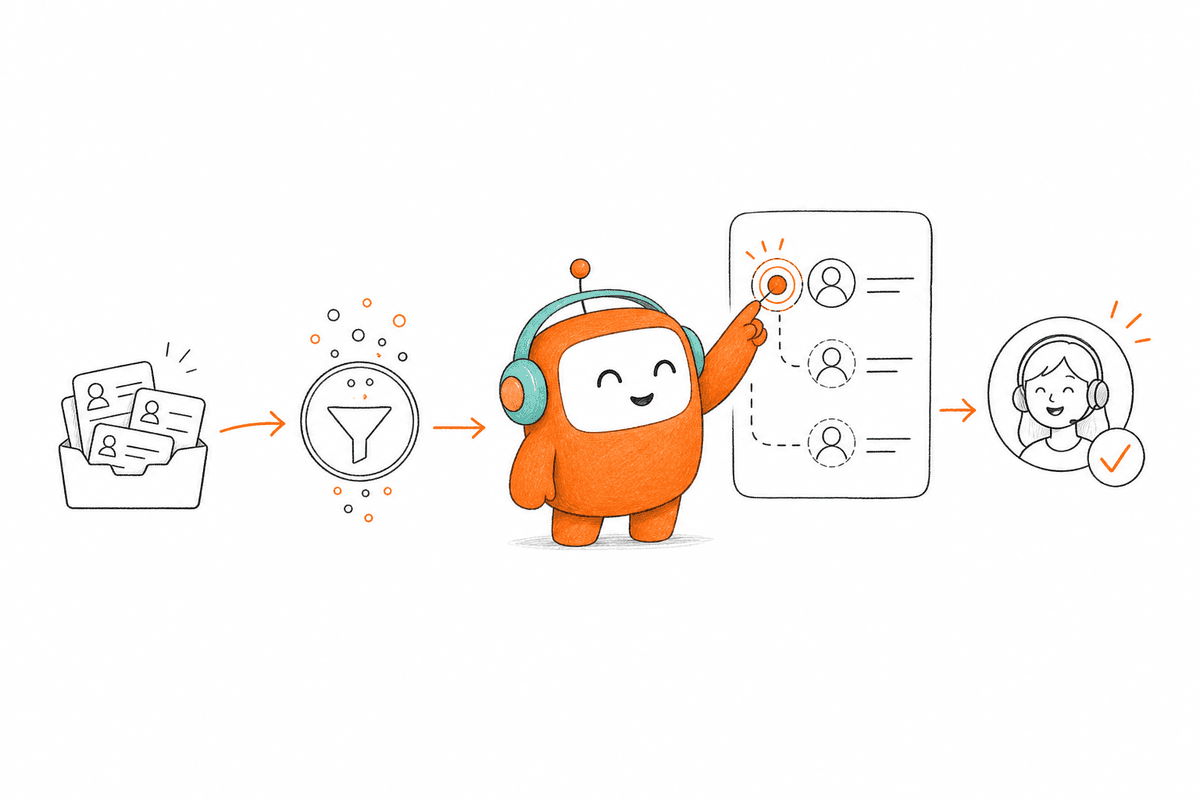
B2B teams should automate complete workflows by defining the outcome, connecting the required context, and setting a clear human handoff. Each automated step needs an action, an owner, and a recorded result. Without those elements, the workflow ends at the message instead of the business outcome.
Find the Work That Stops After the Reply
Three questions show whether your current automation is doing real work. Does it update the right system? Does it trigger the next step without manual copying? Can a human continue from the same context when the AI reaches its limit? A “no” on any question marks a workflow break.
Run the check on one common customer request rather than reviewing the whole operation at once. Follow it from first contact to final status, recording every tool opened and every handoff made. In my view, screen recordings work better than process diagrams here because they expose tab switching and copied notes. The process map should reflect what operators actually do, not what the policy document says they do.
Review the workflow in this order:
- Start event: Identify the call, form, message, email, or status change that begins the work.
- Required context: List the customer data and approved knowledge needed to respond.
- Action: Name the record, task, booking, routing decision, or follow-up that must change.
- Exception path: Define the conditions that send the work to a person.
- Completion record: Specify where the outcome is logged for the next team.
Define Completion Before Writing the Prompt
A prompt describes how the AI should communicate. A workflow definition describes what must be completed. The distinction sounds minor until an agent gives the right answer but fails to qualify the lead, schedule the follow-up, or route the request. Words are only one part of the job.
Begin with a sentence that names the finished state. For lead qualification, it might be: “The lead is scored against our criteria, routed to the correct owner, and given the appropriate next step.” Once that state is clear, you can work backward into questions, decision rules, actions, and escalation points. Writing the prompt first usually locks the team into conversation design before anyone has agreed on the business outcome.
One SaaS team used this approach to automate recruiting screens. A manual screen had consumed 50 to 75 minutes per candidate across the call, follow-up email, scoring, and write-up. The rebuilt flow used an email step, a Vietnamese voice screen, a fixed five-part evaluation, and branching follow-up while recruiters kept the final hiring decision. It returned about 70 recruiter hours in two weeks and brought time-to-screen down to about 17 hours.
Keep Context Attached to the Customer
Customer context should travel with the person, not stay trapped in the channel where it was collected. A lead who explains their use case in web chat shouldn't repeat it on a follow-up call. An existing customer who replies by SMS shouldn't become a new record because the original conversation began over email.
The minimum useful context is smaller than many teams assume. You need the customer identity, conversation history, current workflow status, and relevant approved knowledge. More data isn't automatically better. Passing an entire CRM record into every interaction adds clutter and raises governance questions without improving the decision.
Set a strict rule for context design: include a field only if it changes the response, the action, or the routing decision. If removing the field changes nothing, leave it out. B2B teams automate more reliably when every piece of context has an operational purpose.
Useful context usually falls into four groups:
- Identity: Who the customer is and which account they belong to.
- History: What they asked, received, or agreed to earlier.
- Status: Where they currently sit in the workflow.
- Authority: Which approved policy or knowledge governs the next action.
Write Escalation Rules Before Launch
Who should take over when the AI can't complete the request? “Send it to support” isn't enough. The receiving team needs a trigger, a priority, the full conversation, and a reason for escalation. Without those details, the human starts discovery again while the customer repeats everything.
Strong escalation rules are based on observable conditions. Unresolved intent after a defined attempt, negative sentiment, sensitive keywords, customer tier, and requests for a person can all trigger a handoff. The exact mix will differ by workflow, but the ownership can't remain vague. If two teams can reasonably claim the case belongs to the other one, routing hasn't been finished.
Automation leaders sometimes resist early escalation because it lowers the visible automation rate. That's a fair concern. Still, keeping a customer inside a failed AI loop protects the metric while damaging the operation, which is the wrong trade. A good working rule: if the AI has failed the same intent twice in one conversation, hand off before the third attempt rather than after it.
Before approval, test at least these paths:
- A routine request completed without human review.
- A valid request that falls outside approved knowledge.
- A customer who asks for a person immediately.
- A sensitive request requiring approval.
- A failed action where the conversation must remain recoverable.
Join Inbound and Outbound Around One Customer
Inbound and outbound are two stages of the same customer relationship. A support question can require a reminder later, while a website lead may need qualification followed by a call or message. Splitting those stages across separate systems creates duplicate records and missed follow-up.
A US property-data company faced that exact operating problem across outbound lead engagement and website lead capture. The useful change wasn't simply placing more calls. It was connecting automated engagement to the sales process so the revenue team could focus on qualified opportunities rather than reconstructing the lead history. B2B teams automate more effectively when the follow-up uses what the customer already said.
Build the outbound step while designing the inbound flow. For every resolved or qualified interaction, decide whether follow-up is required, which channel fits the request, and what should stop the sequence. A reply, booking, opt-out, or status change should alter the next action. Fixed sequences that ignore customer behavior create more work for the team expected to clean them up.
If you want to compare that connected handoff with your current voice, chat, and outbound setup, book a demo and bring one real workflow to the session.
Measure Completed Outcomes Instead of Polished Conversations
Response time tells you how quickly the system spoke. Conversation quality tells you whether the exchange made sense. Neither confirms that the requested work reached completion. The strongest measurement starts with the operational outcome and traces backward.
For qualification, track whether the lead was evaluated, routed, and followed up according to the defined rules. For support, check whether the issue was resolved or handed to a person with enough context to continue. For outbound work, measure whether the right customer was reached and whether the promised next action occurred.
I've seen teams spend too much review time on tone while basic workflow failures remain open. Tone still matters, especially in voice. Yet a warm agent that forgets the booking or loses the escalation is producing a pleasant failure. If your quality reviews score wording but never check whether the record changed, you're auditing the script and ignoring the operation.
Use a compact scorecard for each workflow:
- Completion: Did the intended business outcome occur?
- Action accuracy: Did the system update or trigger the correct next step?
- Handoff quality: Could the human continue without repeating discovery?
- Recovery: Did failed actions remain visible and recoverable?
- Governance: Were configured approval and contact rules followed?
How Revve Connects Conversations to Customer Workflows
Revve connects customer conversations to workflow execution through one customer operations platform. Voice, chat, SMS, and configured messaging channels can share customer history across inbound and outbound work. Human agents remain part of the operating model, taking over when rules or judgment require them.
One Customer Thread Across Supported Channels
Revve’s omnichannel conversation management keeps supported calls and messages tied to the same customer thread. A customer can begin in web chat, continue by phone, and receive an SMS follow-up without forcing the operations team to rebuild the history in separate tools. Channel behavior stays appropriate to the medium while internal context remains connected.
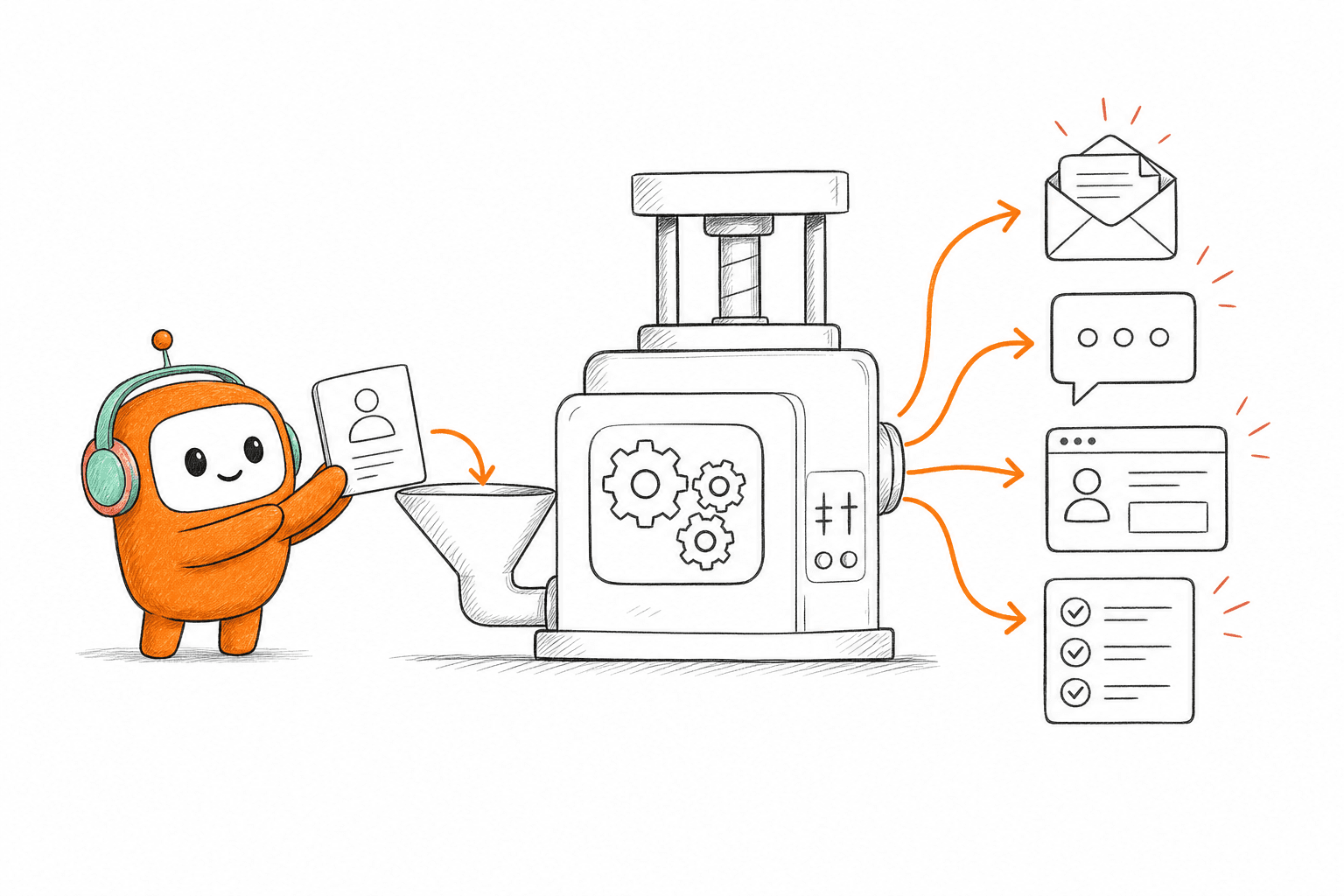
Outbound orchestration extends that thread into proactive work. Teams can configure multi-step sequences across calls, SMS, WhatsApp, messaging apps, and email, with timing and exit conditions defined by the business. It doesn't invent the outreach policy. Operations leaders still decide the message, rules, and conditions under which contact should stop.
Human Agents Inherit the Full Conversation
Revve places AI and human agents in a unified workspace rather than separating automation from the human queue. When a conversation moves to a person, the record can include the existing thread, relevant context, and suggested next steps. The agent continues the work instead of asking the customer to begin again.
Smart escalation uses configured triggers such as unresolved intent, negative sentiment, keywords, conversation duration, or custom business rules. A team can decide which cases move automatically and which require another approval path. Revve doesn't remove human judgment, and it shouldn't. The platform gives that judgment a clearer place in the workflow.
Operations Control the Rules After Deployment
Revve gives operations users no-code controls for scripts, routing, workflow behavior, tone, and scenarios. Teams can preview changes, test edge cases, and roll back updates without sending every daily adjustment through engineering. Initial integrations and infrastructure still require technical involvement, especially in complex enterprise deployments.
Cloud and on-prem deployment options give teams flexibility in how Revve fits into their environment. On-prem voice deployments require suitable GPU server capacity, and Revve is described as SOC 2 compliant. Revve fits between customer channels and systems of record rather than pretending the CRM, billing platform, or data warehouse should disappear.
What B2B Teams Should Automate First
The first workflow should be frequent, rule-based, and easy to verify from beginning to end. Start where the team already spends time copying context, sending repeat follow-up, or routing predictable requests. Avoid beginning with sensitive exceptions that still depend on negotiation or broad human judgment.
How B2B teams automate matters more than how quickly they buy an AI agent. A natural conversation earns attention, but completed work earns trust. Revve is built for enterprise teams that need both: customer conversations across supported channels and the workflow control required to carry those conversations through to a real outcome.
FAQ
How do I connect inbound and outbound workflows?
To connect inbound and outbound workflows effectively, start by mapping out the customer journey. Identify key touchpoints where interactions occur, such as a web chat leading to a follow-up call. Use Revve’s omnichannel conversation management to ensure all communications are tied to the same customer thread. This way, agents can access the full context of previous interactions, making transitions smoother and reducing the need for customers to repeat information.
What if my AI fails to handle a customer request?
If your AI encounters a request it can't handle, Revve's smart escalation feature comes into play. It automatically transfers the conversation to a human agent while preserving the full context of the interaction. To set this up, define clear escalation rules based on factors like unresolved intent or customer sentiment. This ensures that agents can pick up where the AI left off, providing a seamless experience for the customer.
Can I automate follow-ups after customer interactions?
Yes, you can automate follow-ups using Revve’s outbound orchestration feature. Start by designing multi-step outreach campaigns that include follow-up messages based on customer interactions. For instance, if a customer expresses interest in a service, you can schedule a follow-up call or message automatically. This not only saves time but also ensures that no lead falls through the cracks, enhancing your engagement strategy.
How do I ensure compliance in automated communications?
To ensure compliance in your automated communications, utilize Revve’s built-in compliance controls and approval workflows. Start by defining your compliance requirements, such as consent verification and time-of-day restrictions. Revve will enforce these rules during outbound communications, ensuring that every message adheres to legal standards. Regularly review your compliance settings to adapt to any changes in regulations.
When should I escalate a conversation from AI to a human agent?
You should escalate a conversation from AI to a human agent when the AI cannot resolve the customer's request after a couple of attempts or when it detects negative sentiment. Revve’s smart escalation feature helps automate this process. Set up triggers based on specific conditions, like unresolved intent or customer frustration, to ensure that customers receive the human support they need without unnecessary delays.