> ## Documentation Index
> Fetch the complete documentation index at: https://www.revve.ai/docs/llms.txt
> Use this file to discover all available pages before exploring further.
# Transferring Calls to a Human
> Configure a voice agent to hand a live call to a human — in-app to a Revve user, or out to a SIP address or phone number.
Some calls need a person: the caller asks for one, the question is outside the agent's scope, or a high-value lead deserves a human close. Call Transfer lets the agent escalate mid-call instead of dead-ending. By the end of this page you'll have an agent that speaks a handover message, summarizes the call, and rings a human — with a fallback if nobody picks up.
This is the voice equivalent of [Human Takeover](/docs/inbox/human-takeover) in the chat Inbox — same idea, different channel.
## How a transfer works
1. The agent decides to transfer (your System Prompt controls when — tell it explicitly, e.g., "If the caller asks for a human, or asks about refunds, transfer the call").
2. It speaks your **Transfer Message** to the caller, so the handover doesn't feel like a hang-up.
3. It generates a call summary (guided by your **Summary Prompt**) for the human who picks up.
4. It routes the call according to **Transfer To**: ringing an available agent in the Revve app, or dialing out to a SIP address or phone number.
For **SIP Address** and **Phone Number** transfers using the default **Bridge Transfer** type, there's an extra step between 3 and 4: the caller is put on hold with music while the agent privately briefs the human — see [Bridge or cold transfer](#bridge-or-cold-transfer) below.
## Step 1: Configure Call Transfer on the agent
Open your voice agent, go to **Advanced Settings** → **Call Transfer**, and flip the toggle on to reveal the settings.
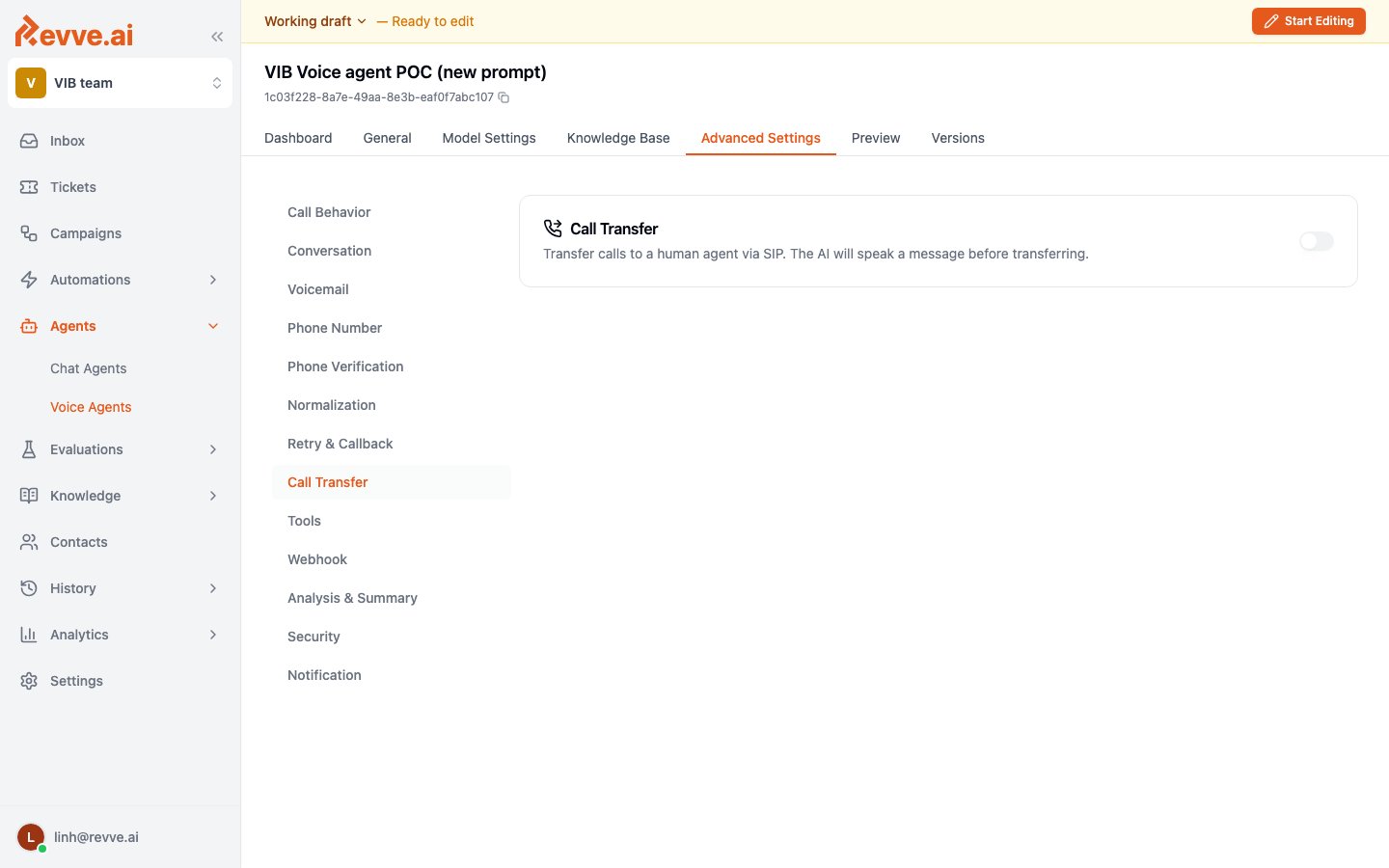 ### Choose where the call goes
**Transfer To** has three options:
| Option | What it does | When to use it |
| ----------------------------- | ---------------------------------------------------------------------------------------------------------------------------- | ----------------------------------------------------------------------------------------------------------------------------------------- |
| **Revve User (in-app agent)** | Routes the call to an available human agent in the Revve app — no phone system needed. | Your team works in Revve anyway. This is the simplest setup: teammates toggle **Accept Calls** on and answer in the browser (see Step 2). |
| **SIP Address** | Transfers the call to a SIP endpoint (full URI, e.g., `sip:agent@domain` — it must start with `sip:`). | You run a call center or PBX with SIP addressing. |
| **Phone Number** | Transfers the call to an external phone number. Set the **Destination Phone Number** in E.164 format (e.g., `+84775352590`). | The human side is just a phone — a hotline, a queue, someone's mobile. |
For **Revve User**, also set the **Fallback Phone Number (optional)** — an E.164 number to fall back to if no agent is available. Without it, an unanswered transfer has nowhere to go, so set it unless your team truly staffs the app around the clock.
### Bridge or cold transfer
For **SIP Address** and **Phone Number** transfers, choose a **Transfer Type**:
| Type | Mechanics | Choose it when |
| ----------------------------- | ------------------------------------------------------------------------------------------------------------------------------------------------------------------------------------------------------------------------------------------------------------------------------------------------- | ---------------------------------------------------------------------------------------------------------------------------------------------------------------------------------------------------------------------------------------------------------------------------------------------------------------------------------------------------------------- |
| **Bridge Transfer** (default) | A warm consult transfer with a private briefing. The caller is put on hold with music while the agent dials the human privately and speaks the call summary to them — the caller can't hear it. Only once the human is briefed are the two connected, and the AI goes silent (but keeps logging). | You want the human to walk in already knowing who's calling and why — valuable for escalations like fraud or account disputes, where the customer shouldn't overhear the handoff. You also get the full conversation recorded and analyzed end to end. For phone-number transfers, also pick the **Outbound Phone Number** used to dial the human into the call. |
| **Cold Transfer** | SIP REFER — the call is handed off entirely. No further logging of the customer-agent conversation. | Compliance contexts where the AI must fully exit the call once a human takes over. |
**Revve User** transfers don't have this choice — the call routes in-app.
### Write the handover
| Setting | What it does | Guidance |
| ------------------------------- | ----------------------------------------------------------------------------- | ----------------------------------------------------------------------------------------------------------------------------------- |
| **Transfer Message (optional)** | Text the AI speaks to the customer before initiating the transfer. | Always set one — a silent transfer feels like being hung up on. Something like "Let me connect you with a specialist — one moment." |
| **Summary Prompt (optional)** | Guides the AI when summarizing the call for the agent receiving the transfer. | Tell it what the human needs at a glance: "Summarize who's calling, what they want, and any account details collected so far." |
The Transfer Message buys the summary time to generate and the human time to pick up. A one-liner covers a fast bridge; if your team takes a few rings to answer, mention the short wait ("this may take a moment") so the caller doesn't hang up mid-transfer.
## Step 2: Make your team reachable
For **Revve User** transfers, a teammate only receives calls while they're accepting them. Open the account menu (bottom-left, your email) — it has three availability toggles: **Accept Conversations**, **Accept Tickets**, and **Accept Calls**, each showing **Accepting** or **Paused** with a green or red dot.
Turn **Accept Calls** on. Anyone with it paused is skipped when a transfer comes in — if your whole team shows **Paused**, every transfer goes straight to the fallback number (or fails, if you didn't set one).
## Step 3: Answer the transfer
When the agent initiates an in-app transfer, available teammates see an **Incoming call transfer** card appear anywhere in the app. It shows "A caller is waiting to be connected." and an "Expires in `{n}`s" countdown.
* **Accept** — you're connected to the caller in the browser, and you get the AI-generated call summary so you're not walking in blind.
* **Decline** — you pass; other available agents can still pick it up.
* Nobody accepts before the countdown ends — the call falls back to the **Fallback Phone Number**, if configured.
## What's Next
* [Voice Agent Settings](/docs/voice-agents/voice-agent-settings) — the rest of the Advanced Settings, including the tuning workflow.
* [Human Takeover](/docs/inbox/human-takeover) — the chat-side equivalent: claiming conversations from the Inbox and handing them back to the AI.
### Choose where the call goes
**Transfer To** has three options:
| Option | What it does | When to use it |
| ----------------------------- | ---------------------------------------------------------------------------------------------------------------------------- | ----------------------------------------------------------------------------------------------------------------------------------------- |
| **Revve User (in-app agent)** | Routes the call to an available human agent in the Revve app — no phone system needed. | Your team works in Revve anyway. This is the simplest setup: teammates toggle **Accept Calls** on and answer in the browser (see Step 2). |
| **SIP Address** | Transfers the call to a SIP endpoint (full URI, e.g., `sip:agent@domain` — it must start with `sip:`). | You run a call center or PBX with SIP addressing. |
| **Phone Number** | Transfers the call to an external phone number. Set the **Destination Phone Number** in E.164 format (e.g., `+84775352590`). | The human side is just a phone — a hotline, a queue, someone's mobile. |
For **Revve User**, also set the **Fallback Phone Number (optional)** — an E.164 number to fall back to if no agent is available. Without it, an unanswered transfer has nowhere to go, so set it unless your team truly staffs the app around the clock.
### Bridge or cold transfer
For **SIP Address** and **Phone Number** transfers, choose a **Transfer Type**:
| Type | Mechanics | Choose it when |
| ----------------------------- | ------------------------------------------------------------------------------------------------------------------------------------------------------------------------------------------------------------------------------------------------------------------------------------------------- | ---------------------------------------------------------------------------------------------------------------------------------------------------------------------------------------------------------------------------------------------------------------------------------------------------------------------------------------------------------------- |
| **Bridge Transfer** (default) | A warm consult transfer with a private briefing. The caller is put on hold with music while the agent dials the human privately and speaks the call summary to them — the caller can't hear it. Only once the human is briefed are the two connected, and the AI goes silent (but keeps logging). | You want the human to walk in already knowing who's calling and why — valuable for escalations like fraud or account disputes, where the customer shouldn't overhear the handoff. You also get the full conversation recorded and analyzed end to end. For phone-number transfers, also pick the **Outbound Phone Number** used to dial the human into the call. |
| **Cold Transfer** | SIP REFER — the call is handed off entirely. No further logging of the customer-agent conversation. | Compliance contexts where the AI must fully exit the call once a human takes over. |
**Revve User** transfers don't have this choice — the call routes in-app.
### Write the handover
| Setting | What it does | Guidance |
| ------------------------------- | ----------------------------------------------------------------------------- | ----------------------------------------------------------------------------------------------------------------------------------- |
| **Transfer Message (optional)** | Text the AI speaks to the customer before initiating the transfer. | Always set one — a silent transfer feels like being hung up on. Something like "Let me connect you with a specialist — one moment." |
| **Summary Prompt (optional)** | Guides the AI when summarizing the call for the agent receiving the transfer. | Tell it what the human needs at a glance: "Summarize who's calling, what they want, and any account details collected so far." |
The Transfer Message buys the summary time to generate and the human time to pick up. A one-liner covers a fast bridge; if your team takes a few rings to answer, mention the short wait ("this may take a moment") so the caller doesn't hang up mid-transfer.
## Step 2: Make your team reachable
For **Revve User** transfers, a teammate only receives calls while they're accepting them. Open the account menu (bottom-left, your email) — it has three availability toggles: **Accept Conversations**, **Accept Tickets**, and **Accept Calls**, each showing **Accepting** or **Paused** with a green or red dot.
Turn **Accept Calls** on. Anyone with it paused is skipped when a transfer comes in — if your whole team shows **Paused**, every transfer goes straight to the fallback number (or fails, if you didn't set one).
## Step 3: Answer the transfer
When the agent initiates an in-app transfer, available teammates see an **Incoming call transfer** card appear anywhere in the app. It shows "A caller is waiting to be connected." and an "Expires in `{n}`s" countdown.
* **Accept** — you're connected to the caller in the browser, and you get the AI-generated call summary so you're not walking in blind.
* **Decline** — you pass; other available agents can still pick it up.
* Nobody accepts before the countdown ends — the call falls back to the **Fallback Phone Number**, if configured.
## What's Next
* [Voice Agent Settings](/docs/voice-agents/voice-agent-settings) — the rest of the Advanced Settings, including the tuning workflow.
* [Human Takeover](/docs/inbox/human-takeover) — the chat-side equivalent: claiming conversations from the Inbox and handing them back to the AI.