> ## Documentation Index
> Fetch the complete documentation index at: https://www.revve.ai/docs/llms.txt
> Use this file to discover all available pages before exploring further.
# What Is Evaluations?
> Pre-ship regression testing for your agents — define scenarios, run them against a Text or Voice agent, and see pass/fail results and transcripts before real customers hit the change.
**Evaluations** is where you test an agent before it goes live, not after. You define a test scenario — a persona to simulate, or a fixed script — run it against a Text or Voice agent, and get back a pass/fail verdict with the full transcript, graded against metrics you choose. It's the tool for answering "did my prompt edit break anything?" before you publish, rather than finding out from a customer complaint or a bad call.
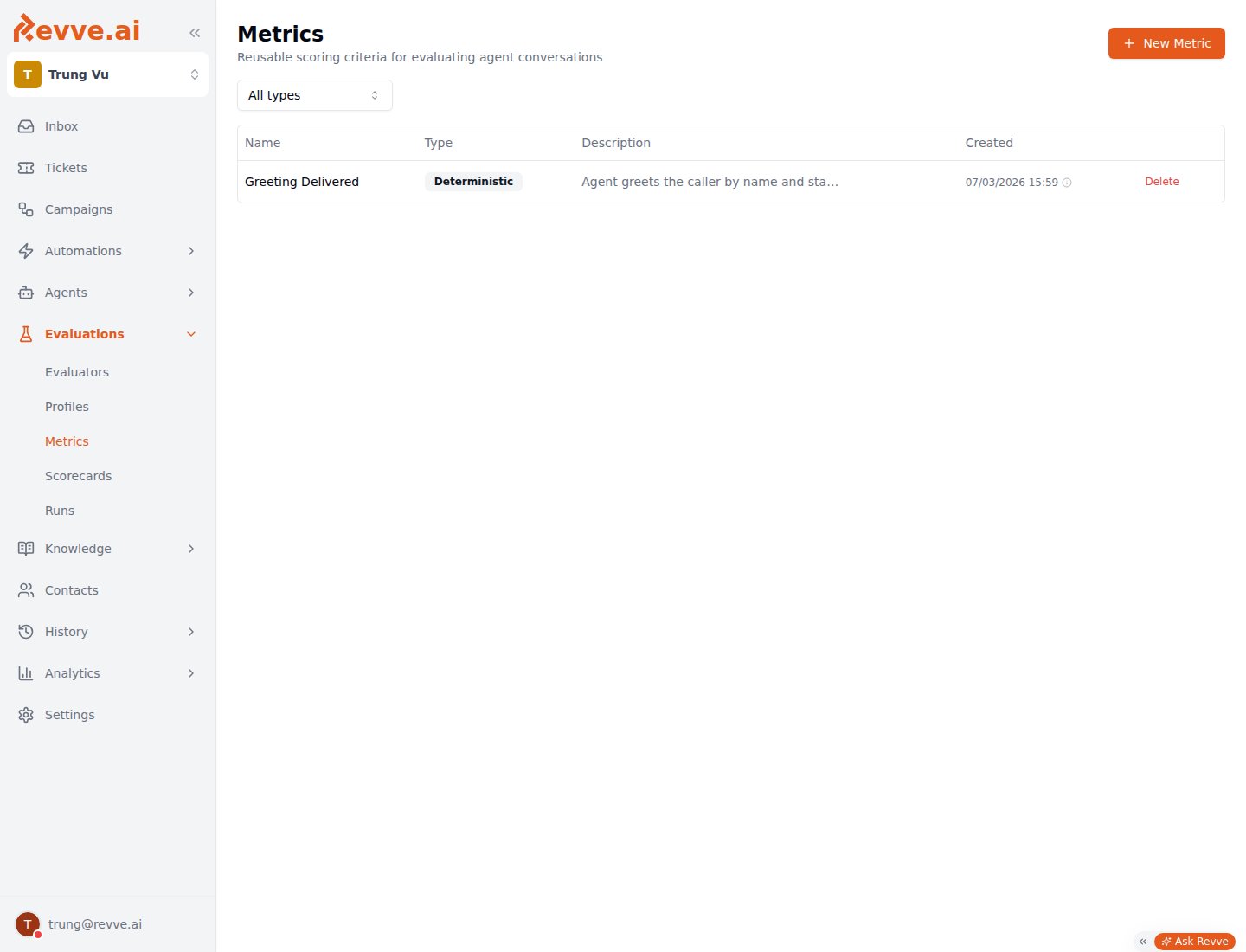
Evaluations is its own item in the left dashboard nav (flask icon), visible to anyone holding the **Manage Agents** permission (see [Roles & Permissions](/docs/governance-access/roles-and-permissions)). It expands to five areas: **Evaluators**, **Profiles**, **Metrics**, **Scorecards**, and **Runs**.
 Evaluations is easy to confuse with two other things that use similar words:
1. **The per-Voice-Agent Evaluation tab** ([Voice Agent Evaluation](/docs/voice-agents/voice-agent-evaluation)) automatically grades every *live* call a single voice agent completes, after the fact. It's configured on that one agent and needs no test scenarios — Evaluations, by contrast, runs simulated or scripted tests *before* a call ever happens with a real customer.
2. **The per-Chat-Agent "Evaluations" tab** (mentioned in [Creating Your First Chat Agent](/docs/getting-started/creating-your-first-chat-agent)) is an older, separate legacy system for one chatbot's test cases and test history. It predates this product, runs on different underlying tables, and isn't documented further here.
## How it works
1. **Build an Evaluator.** An Evaluator is a test case: pick the agent under test (any Text/Chat agent or Voice agent), define a scenario — either an LLM-generated persona and instructions, or a fixed script of messages — and choose the metrics to grade it against. You also set limits: max turns, and for voice, max call duration.
2. **Add a Profile, for voice evaluators only.** A Profile is a reusable simulated-caller persona: which LLM plays the caller, what it sounds like (TTS voice/language), how it listens (STT), and a free-text instruction describing who it is and its emotional state (e.g. "Frustrated caller"). Text evaluators skip this — there's no simulated voice to configure.
3. **Grade against Metrics.** Metrics are your team's shared scoring-criteria library — deterministic checks and LLM-judged criteria — reused across Evaluators, per-agent Evaluation policies, and Scorecards alike. See [Evaluation Metrics](/docs/evaluations/evaluation-metrics) for the full breakdown of metric types.
4. **Launch a Run from the Evaluators page.** Running one or more Evaluators (against the same agent) kicks off a **Run** — a queued, asynchronous batch execution. There's no "New Run" button on the Runs page itself; Runs is read-only execution history.
5. **Read the results.** A finished run reports pass/fail counts, a success rate, and per-conversation transcripts with tool-call logs, so you can see exactly why a scenario failed. The full create-evaluator-then-run-it workflow is covered in [Creating an Evaluator](/docs/evaluations/creating-an-evaluator).
Evaluators work across agent types — the Evaluators list has an Agent Type filter for **All Types** / **Text** / **Voice**, so this is a team-wide tool, not something scoped to one product line.
## Capabilities
| Area | What it's for | Where to go deeper |
| -------------- | --------------------------------------------------------------------------------------------------------------------------------------------------------------------- | ----------------------------------------------------------- |
| **Evaluators** | Define a test case: agent under test, scenario (generated persona or fixed script), metrics, and turn/duration limits. Run one or many at once with **Run Selected**. | [Creating an Evaluator](/docs/evaluations/creating-an-evaluator) |
| **Profiles** | Voice-only. Reusable simulated-caller configurations — LLM, TTS voice/language, STT, and a persona instruction — attached to voice Evaluators. | [Evaluation Profiles](/docs/evaluations/evaluation-profiles) |
| **Metrics** | The shared scoring-criteria library (deterministic checks and LLM-judged criteria) used by Evaluators, the per-agent Evaluation tab, and Scorecards. | [Evaluation Metrics](/docs/evaluations/evaluation-metrics) |
| **Scorecards** | A separate system for grading batches of *uploaded call recordings* (from Call History) against the same shared Metrics library — not simulated pre-ship runs. | [Scorecards](/docs/evaluations/scorecards) |
| **Runs** | Read-only history of queued/executed evaluation runs — pass/fail counts, success rate, transcripts. Launched from Evaluators, not from here. | [Creating an Evaluator](/docs/evaluations/creating-an-evaluator) |
**Scorecards** is a related but distinct concept from the rest of Evaluations: it grades recordings of real calls that already happened, uploaded as a batch from Call History, rather than running a simulated test before you ship. It shares the same team-wide Metrics library, and a scorecard bundles a name, description, and a set of weighted metrics — the same weighting UI as the per-Voice-Agent Evaluation tab — but the batches it lists are created elsewhere.
## What's Next
* [Evaluation Metrics](/docs/evaluations/evaluation-metrics) — the deterministic and LLM-judged metric types shared across Evaluators, Scorecards, and per-agent Evaluation.
* [Creating an Evaluator](/docs/evaluations/creating-an-evaluator) — build a test case, run it, and read the results.
* [Voice Agent Evaluation](/docs/voice-agents/voice-agent-evaluation) — if what you actually want is automatic post-call grading of every live call, not pre-ship testing.
Evaluations is easy to confuse with two other things that use similar words:
1. **The per-Voice-Agent Evaluation tab** ([Voice Agent Evaluation](/docs/voice-agents/voice-agent-evaluation)) automatically grades every *live* call a single voice agent completes, after the fact. It's configured on that one agent and needs no test scenarios — Evaluations, by contrast, runs simulated or scripted tests *before* a call ever happens with a real customer.
2. **The per-Chat-Agent "Evaluations" tab** (mentioned in [Creating Your First Chat Agent](/docs/getting-started/creating-your-first-chat-agent)) is an older, separate legacy system for one chatbot's test cases and test history. It predates this product, runs on different underlying tables, and isn't documented further here.
## How it works
1. **Build an Evaluator.** An Evaluator is a test case: pick the agent under test (any Text/Chat agent or Voice agent), define a scenario — either an LLM-generated persona and instructions, or a fixed script of messages — and choose the metrics to grade it against. You also set limits: max turns, and for voice, max call duration.
2. **Add a Profile, for voice evaluators only.** A Profile is a reusable simulated-caller persona: which LLM plays the caller, what it sounds like (TTS voice/language), how it listens (STT), and a free-text instruction describing who it is and its emotional state (e.g. "Frustrated caller"). Text evaluators skip this — there's no simulated voice to configure.
3. **Grade against Metrics.** Metrics are your team's shared scoring-criteria library — deterministic checks and LLM-judged criteria — reused across Evaluators, per-agent Evaluation policies, and Scorecards alike. See [Evaluation Metrics](/docs/evaluations/evaluation-metrics) for the full breakdown of metric types.
4. **Launch a Run from the Evaluators page.** Running one or more Evaluators (against the same agent) kicks off a **Run** — a queued, asynchronous batch execution. There's no "New Run" button on the Runs page itself; Runs is read-only execution history.
5. **Read the results.** A finished run reports pass/fail counts, a success rate, and per-conversation transcripts with tool-call logs, so you can see exactly why a scenario failed. The full create-evaluator-then-run-it workflow is covered in [Creating an Evaluator](/docs/evaluations/creating-an-evaluator).
Evaluators work across agent types — the Evaluators list has an Agent Type filter for **All Types** / **Text** / **Voice**, so this is a team-wide tool, not something scoped to one product line.
## Capabilities
| Area | What it's for | Where to go deeper |
| -------------- | --------------------------------------------------------------------------------------------------------------------------------------------------------------------- | ----------------------------------------------------------- |
| **Evaluators** | Define a test case: agent under test, scenario (generated persona or fixed script), metrics, and turn/duration limits. Run one or many at once with **Run Selected**. | [Creating an Evaluator](/docs/evaluations/creating-an-evaluator) |
| **Profiles** | Voice-only. Reusable simulated-caller configurations — LLM, TTS voice/language, STT, and a persona instruction — attached to voice Evaluators. | [Evaluation Profiles](/docs/evaluations/evaluation-profiles) |
| **Metrics** | The shared scoring-criteria library (deterministic checks and LLM-judged criteria) used by Evaluators, the per-agent Evaluation tab, and Scorecards. | [Evaluation Metrics](/docs/evaluations/evaluation-metrics) |
| **Scorecards** | A separate system for grading batches of *uploaded call recordings* (from Call History) against the same shared Metrics library — not simulated pre-ship runs. | [Scorecards](/docs/evaluations/scorecards) |
| **Runs** | Read-only history of queued/executed evaluation runs — pass/fail counts, success rate, transcripts. Launched from Evaluators, not from here. | [Creating an Evaluator](/docs/evaluations/creating-an-evaluator) |
**Scorecards** is a related but distinct concept from the rest of Evaluations: it grades recordings of real calls that already happened, uploaded as a batch from Call History, rather than running a simulated test before you ship. It shares the same team-wide Metrics library, and a scorecard bundles a name, description, and a set of weighted metrics — the same weighting UI as the per-Voice-Agent Evaluation tab — but the batches it lists are created elsewhere.
## What's Next
* [Evaluation Metrics](/docs/evaluations/evaluation-metrics) — the deterministic and LLM-judged metric types shared across Evaluators, Scorecards, and per-agent Evaluation.
* [Creating an Evaluator](/docs/evaluations/creating-an-evaluator) — build a test case, run it, and read the results.
* [Voice Agent Evaluation](/docs/voice-agents/voice-agent-evaluation) — if what you actually want is automatic post-call grading of every live call, not pre-ship testing.